> ## Documentation Index
> Fetch the complete documentation index at: https://docs.sherpo.io/llms.txt
> Use this file to discover all available pages before exploring further.
# Automations
> Trigger sequences following an action.
Automations help you save time and create delightful customer experiences by automatically triggering actions based on what your customers do.
You can use them to reward engagement, unlock bonus content, or send discounts: all without lifting a finger.
Automations are only available for Courses and Files/Downloads products.
***
## How automations work
Each automation follows a simple logic:
> **When** \[something happens] → **Then** \[do this action]
For example:
> When a customer reviews a product → then send them a discount coupon.
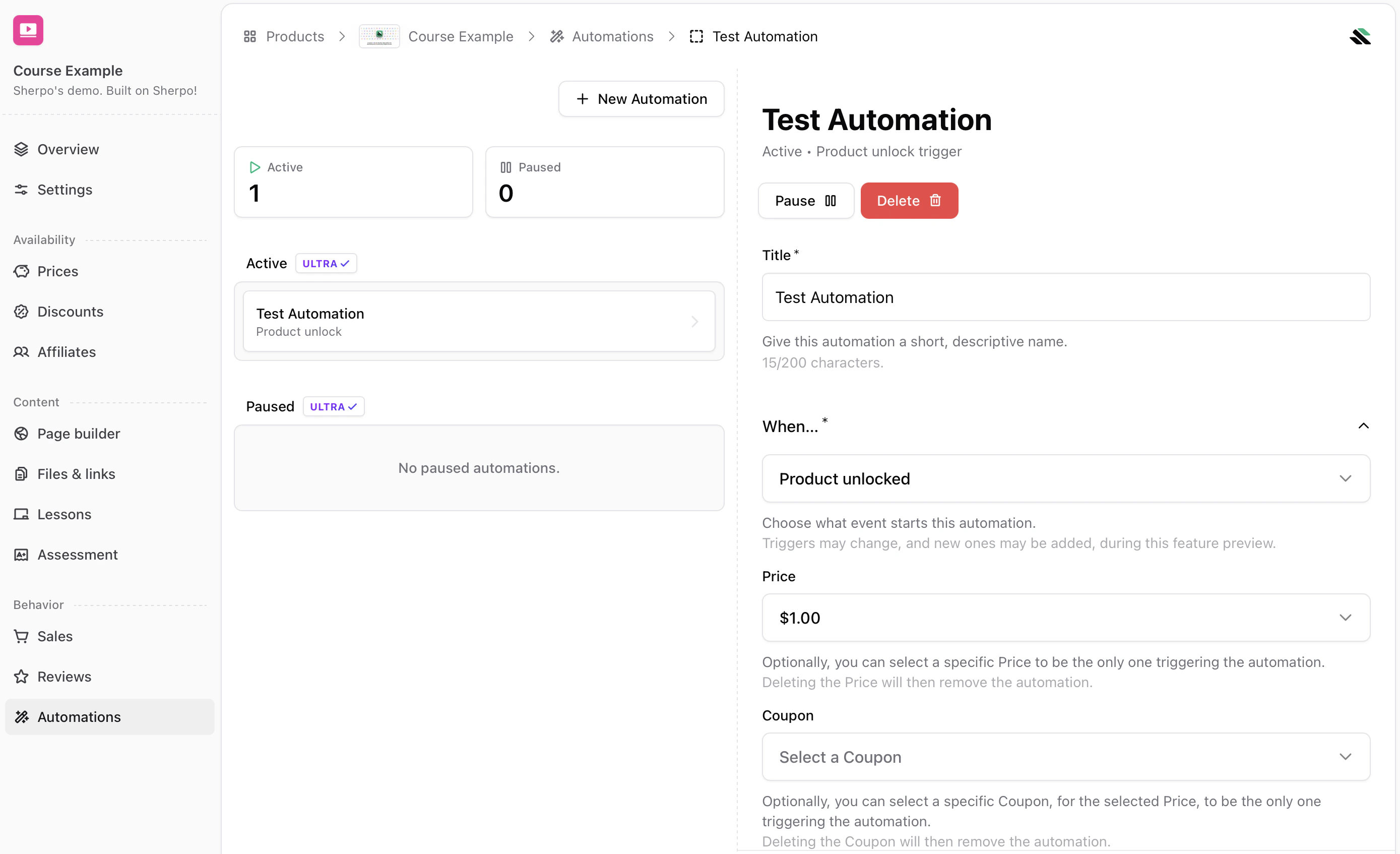
You can find automations in your Sherpo dashboard under **Products → Automations**. Click **Add Automation** to create a new one.
 ***
## Creating an automation
When creating a new automation, you’ll see three fields:
### 1. Title
Give your automation a short, descriptive name. This is for your own reference: customers won’t see it. Example: *Reward course reviews with coupon.*
### 2. When… (Trigger)
The trigger determines **when** the automation starts.
***
## Creating an automation
When creating a new automation, you’ll see three fields:
### 1. Title
Give your automation a short, descriptive name. This is for your own reference: customers won’t see it. Example: *Reward course reviews with coupon.*
### 2. When… (Trigger)
The trigger determines **when** the automation starts.
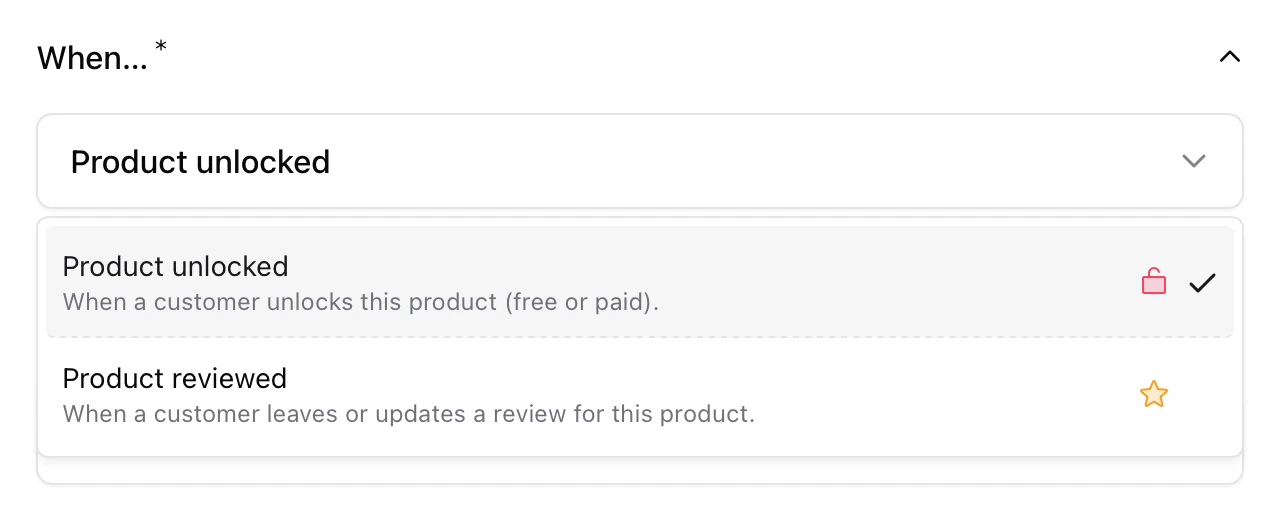 You can choose between:
* **Product unlocked** Triggers when a customer unlocks a product, either by purchasing it or receiving it for free (for example, from another automation).
* **Product reviewed** Triggers when a customer leaves or updates a review for the selected product. You can also select a minimum rating for the review to trigger the automation. Anything below the minimum will not trigger the automation.
***
### 3. Then… (Action)
The action defines **what happens** once the trigger fires.
You can choose between:
* **Product unlocked** Triggers when a customer unlocks a product, either by purchasing it or receiving it for free (for example, from another automation).
* **Product reviewed** Triggers when a customer leaves or updates a review for the selected product. You can also select a minimum rating for the review to trigger the automation. Anything below the minimum will not trigger the automation.
***
### 3. Then… (Action)
The action defines **what happens** once the trigger fires.
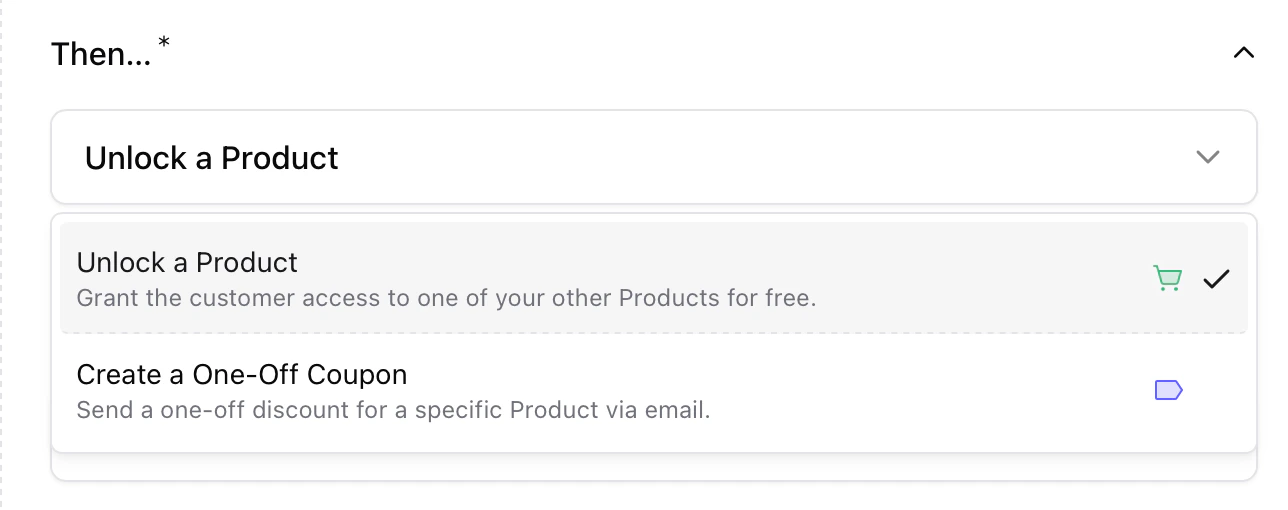 You can choose between:
* **Unlock a Product** Automatically grants the customer free access to another product.
> Example: When someone buys *Course A*, unlock *Bonus Lesson*.
* **Create a One-Off Coupon** Sends a one-time discount code to the customer by email.
> Example: When someone reviews *Course A*, send them 20% off *Course B*.
***
## How customers are notified
Sherpo automatically handles customer notifications whenever an automation runs — no setup required.
### Product Unlocks
When a product is unlocked (either directly or through an automation), Sherpo sends an email titled **“You’ve unlocked new content!”**.
You can choose between:
* **Unlock a Product** Automatically grants the customer free access to another product.
> Example: When someone buys *Course A*, unlock *Bonus Lesson*.
* **Create a One-Off Coupon** Sends a one-time discount code to the customer by email.
> Example: When someone reviews *Course A*, send them 20% off *Course B*.
***
## How customers are notified
Sherpo automatically handles customer notifications whenever an automation runs — no setup required.
### Product Unlocks
When a product is unlocked (either directly or through an automation), Sherpo sends an email titled **“You’ve unlocked new content!”**.
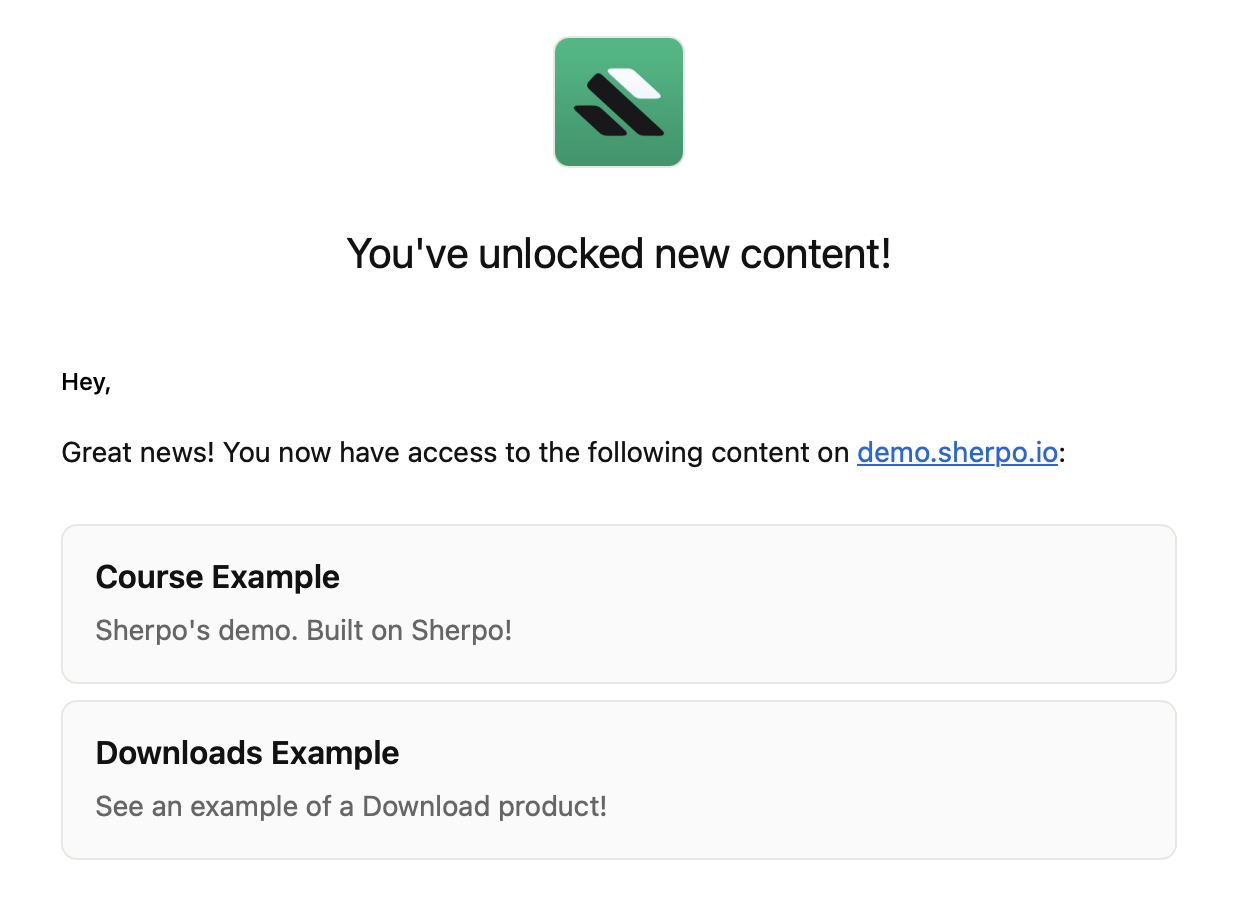 This message lists all products the customer now has access to and includes direct links to view them. If multiple products are unlocked together, they’ll all appear in the same email.
***
### Coupons
If the automation sends a one-off coupon, the customer receives a **separate** email titled **“Here’s your discount! 🏷️”**.
This message lists all products the customer now has access to and includes direct links to view them. If multiple products are unlocked together, they’ll all appear in the same email.
***
### Coupons
If the automation sends a one-off coupon, the customer receives a **separate** email titled **“Here’s your discount! 🏷️”**.
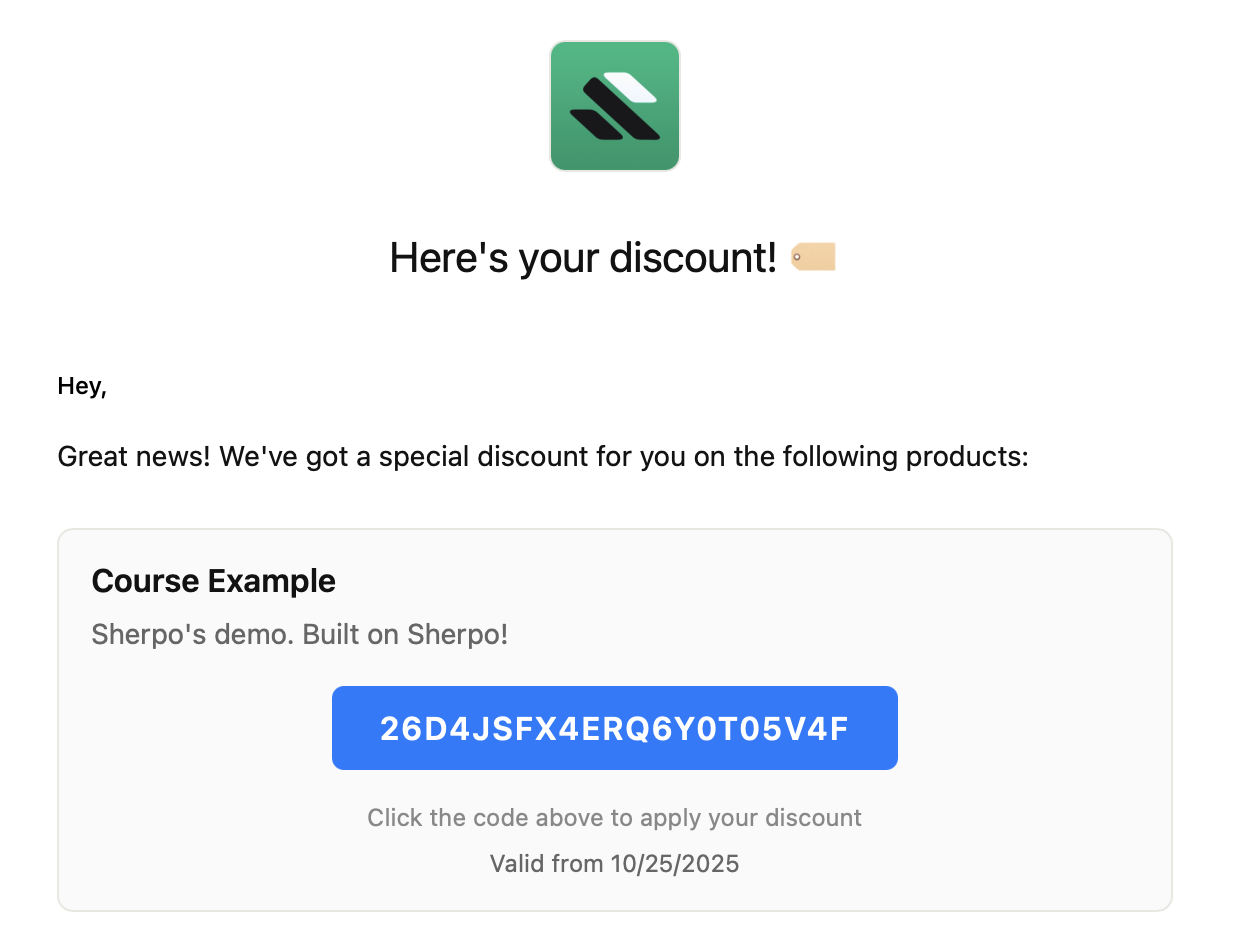 This message includes the product name, coupon code, and a call-to-action button to redeem it.
***
## Example automations
### 1. Unlock bonus content after purchase
* **When:** Product unlocked → *Course A*
* **Then:** Unlock a Product → *Bonus Lesson* → The customer gets *Bonus Lesson* automatically when they purchase *Course A*.
***
### 2. Reward reviews with a discount
* **When:** Product reviewed with 3+ stars → *Course A*
* **Then:** Create a One-Off Coupon → *Course B* → The customer receives a personalized coupon for *Course B* via email when they leave a review for *Course A*.
***
## Tips & best practices
* You can create multiple automations per product (e.g., one for purchases and another for reviews).
* Automations run independently, so multiple actions can trigger simultaneously.
* If multiple products are unlocked at once, Sherpo consolidates them into a single email for a clean experience.
* Coupon emails are always sent separately for clarity and higher engagement.
***
## FAQ
Yes. You can create multiple automations for the same product: for instance, one that unlocks a bonus course on purchase, and another that sends a coupon after a review.
Yes. Automations execute in real time: as soon as the trigger condition is met, Sherpo sends the email or unlocks the product immediately.
Not yet. For example, unlocking a bonus product via automation does not trigger another automation attached to that product.
If you delete a linked product, that automation will not work anymore. Editing a product’s name or price does not affect existing automations.
No. Automations currently apply to all eligible buyers of a product, but you can use coupon limits and access control for targeted campaigns.
Not yet. Emails use Sherpo’s built-in design and copy for consistency, but future updates will support branded or custom messages.
Sherpo checks ownership automatically: if the buyer already has access, the automation will skip that action silently.
Yes, but only if triggered separately. Each automation generates a unique coupon instance, even for the same customer or product.
Yes. If someone unlocks a free product, any “Product unlocked” automation tied to it will still fire as usual.
Yes, you can temporarily pause it by clicking "Pause" on the three dots.
This message includes the product name, coupon code, and a call-to-action button to redeem it.
***
## Example automations
### 1. Unlock bonus content after purchase
* **When:** Product unlocked → *Course A*
* **Then:** Unlock a Product → *Bonus Lesson* → The customer gets *Bonus Lesson* automatically when they purchase *Course A*.
***
### 2. Reward reviews with a discount
* **When:** Product reviewed with 3+ stars → *Course A*
* **Then:** Create a One-Off Coupon → *Course B* → The customer receives a personalized coupon for *Course B* via email when they leave a review for *Course A*.
***
## Tips & best practices
* You can create multiple automations per product (e.g., one for purchases and another for reviews).
* Automations run independently, so multiple actions can trigger simultaneously.
* If multiple products are unlocked at once, Sherpo consolidates them into a single email for a clean experience.
* Coupon emails are always sent separately for clarity and higher engagement.
***
## FAQ
Yes. You can create multiple automations for the same product: for instance, one that unlocks a bonus course on purchase, and another that sends a coupon after a review.
Yes. Automations execute in real time: as soon as the trigger condition is met, Sherpo sends the email or unlocks the product immediately.
Not yet. For example, unlocking a bonus product via automation does not trigger another automation attached to that product.
If you delete a linked product, that automation will not work anymore. Editing a product’s name or price does not affect existing automations.
No. Automations currently apply to all eligible buyers of a product, but you can use coupon limits and access control for targeted campaigns.
Not yet. Emails use Sherpo’s built-in design and copy for consistency, but future updates will support branded or custom messages.
Sherpo checks ownership automatically: if the buyer already has access, the automation will skip that action silently.
Yes, but only if triggered separately. Each automation generates a unique coupon instance, even for the same customer or product.
Yes. If someone unlocks a free product, any “Product unlocked” automation tied to it will still fire as usual.
Yes, you can temporarily pause it by clicking "Pause" on the three dots.