> ## Documentation Index
> Fetch the complete documentation index at: https://docs.sherpo.io/llms.txt
> Use this file to discover all available pages before exploring further.
# Onboarding
> Complete guided onboarding to create your organization, pick a plan, and launch your site.
When you sign in to [Sherpo Dash](https://dash.sherpo.io) without an existing organization or site, Sherpo automatically launches the onboarding flow. A three-step checklist at the top tracks your progress through **Your business**, **Your plan**, and **Your site**.
Each step unlocks only after the previous one succeeds.
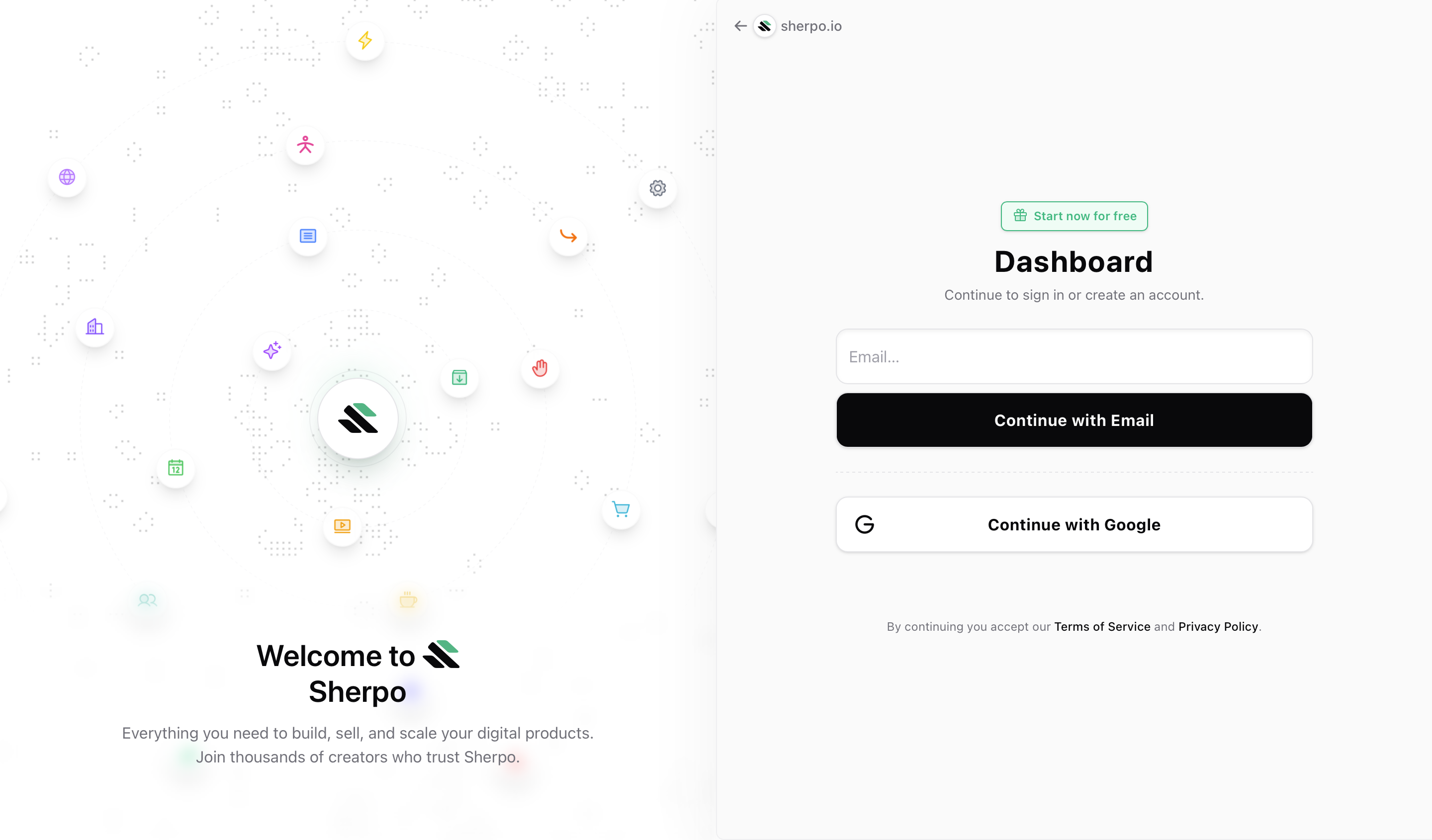 First, you can sign in using your **Google account** or by requesting a **magic link** sent to your email.
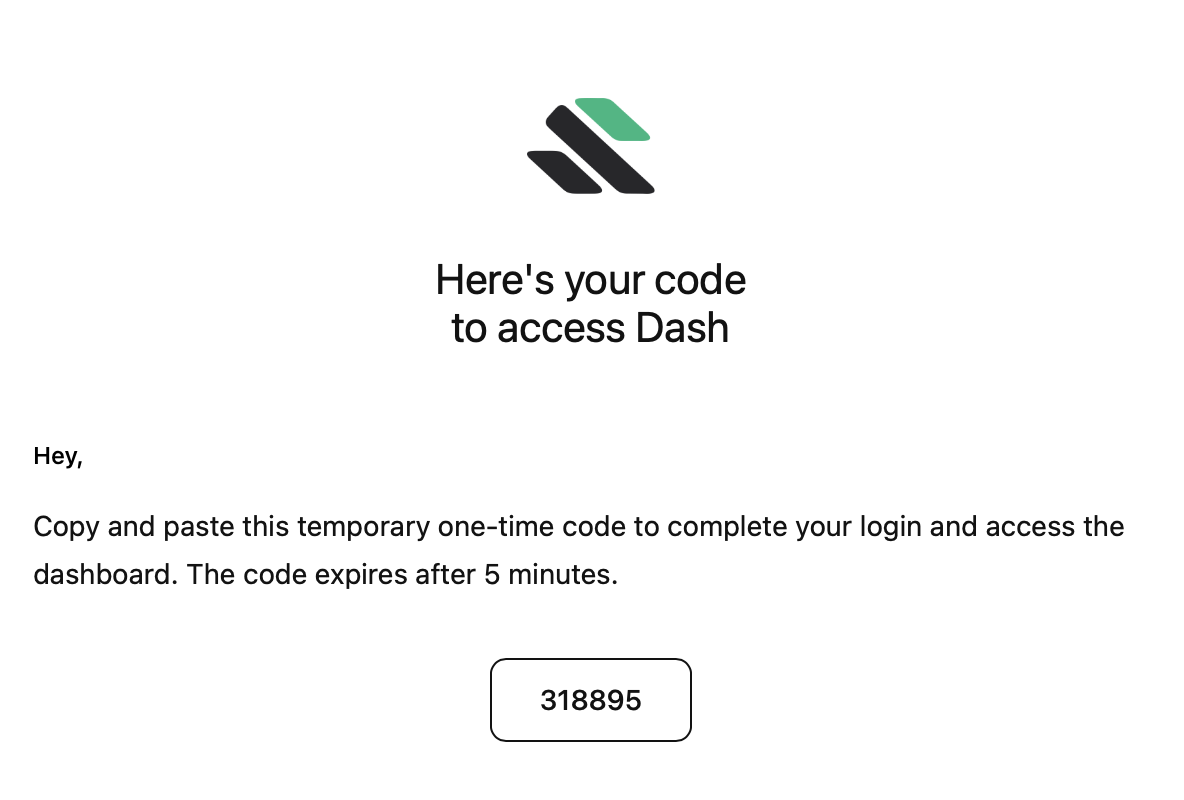 Magic link codes expire after 5 minutes and may take up to a few minutes to deliver. Check your spam folder just in case.
***
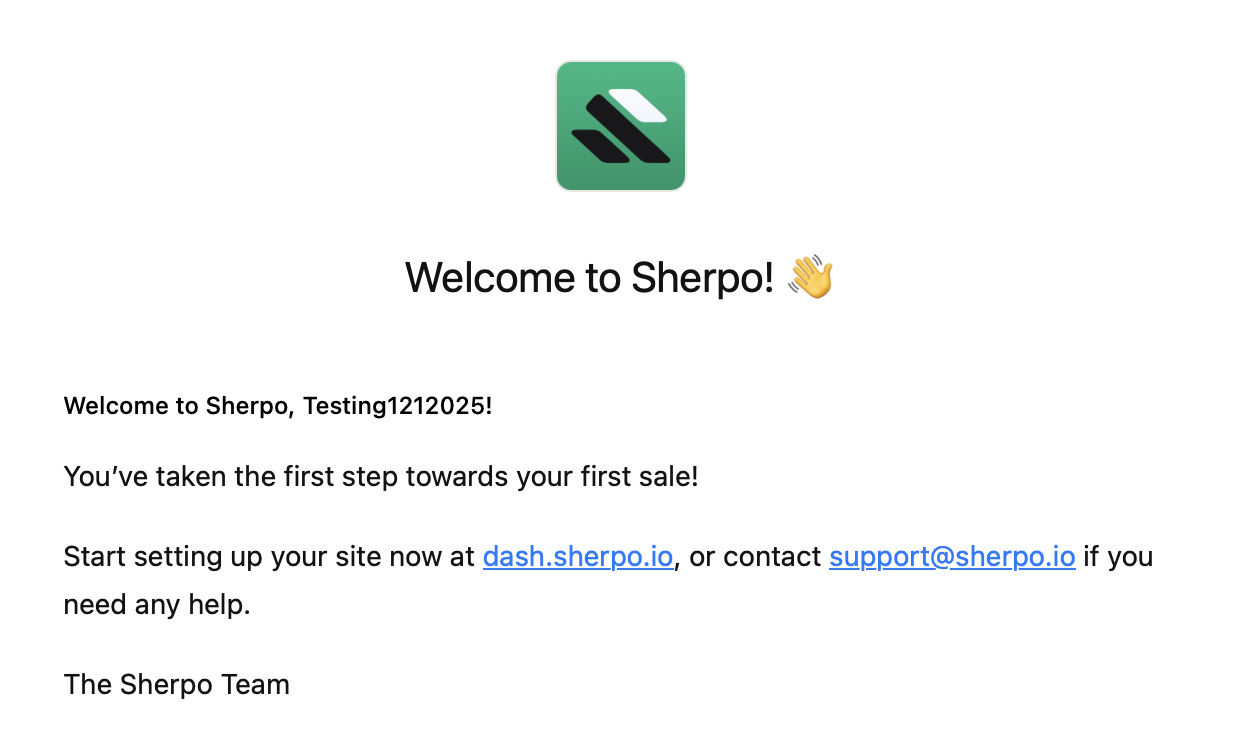
Once logged in, you will receive a welcome email:
Magic link codes expire after 5 minutes and may take up to a few minutes to deliver. Check your spam folder just in case.
***
Once logged in, you will receive a welcome email:
 ## Step 1: Your business
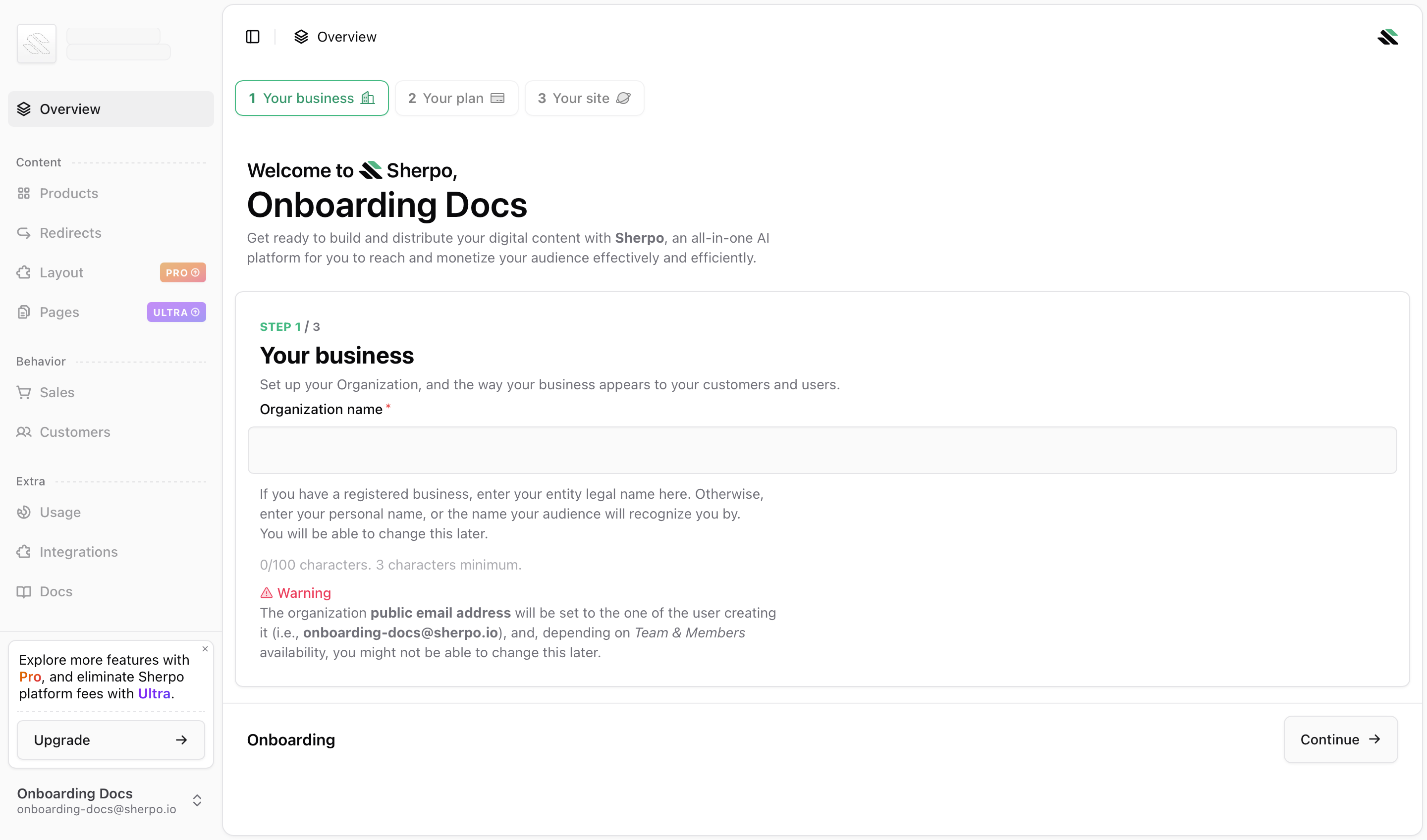 In this step, you create your **organization**.
### Organization name
* Accepts **3 to 100 characters**.
* Use your **legal business name** if applicable, or the **brand name** your customers recognize.
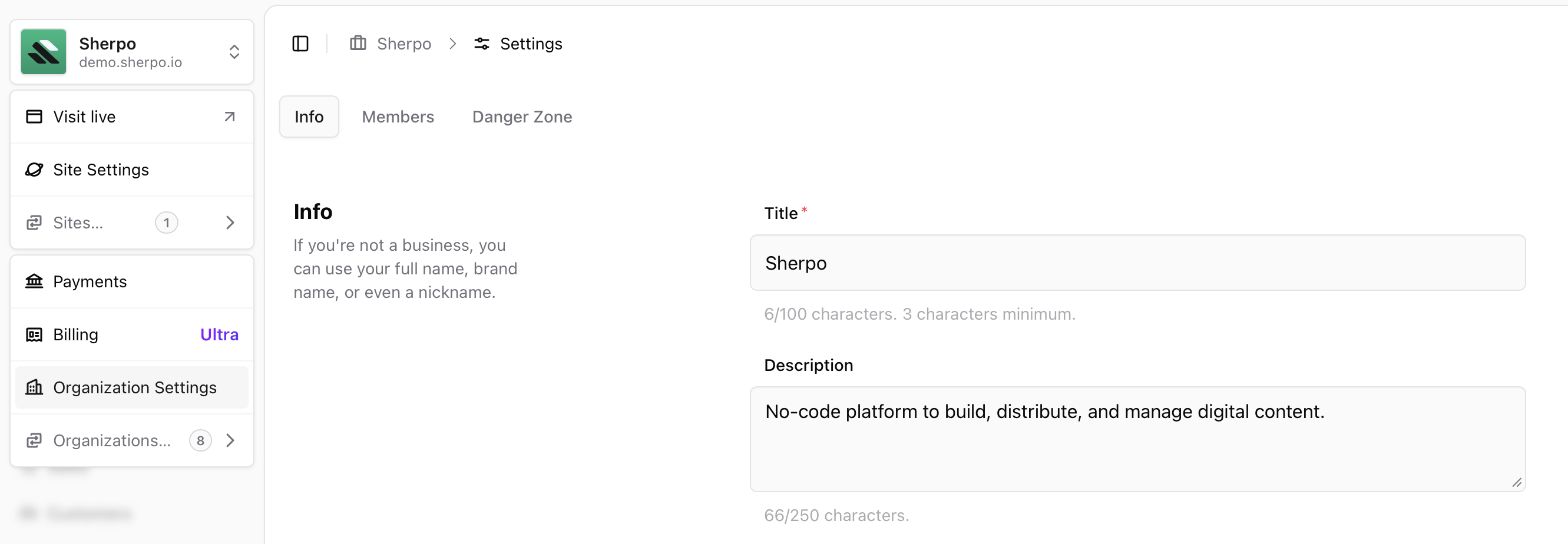
* You can change this later from **Organization → Settings**.
### Important note about your organization email
Your organization **public email address** is set to the email of the user creating the organization (for example, `onboarding-docs@sherpo.io`). Depending on **Team & Members** availability, you might not be able to change this later.
### Submission
Click **Continue** to create the organization and move to Step 2.
You will always be able to manage your organization settings later, by clicking your icon in the top-left corner:
In this step, you create your **organization**.
### Organization name
* Accepts **3 to 100 characters**.
* Use your **legal business name** if applicable, or the **brand name** your customers recognize.
* You can change this later from **Organization → Settings**.
### Important note about your organization email
Your organization **public email address** is set to the email of the user creating the organization (for example, `onboarding-docs@sherpo.io`). Depending on **Team & Members** availability, you might not be able to change this later.
### Submission
Click **Continue** to create the organization and move to Step 2.
You will always be able to manage your organization settings later, by clicking your icon in the top-left corner:
 ***
## Step 2: Your plan
***
## Step 2: Your plan
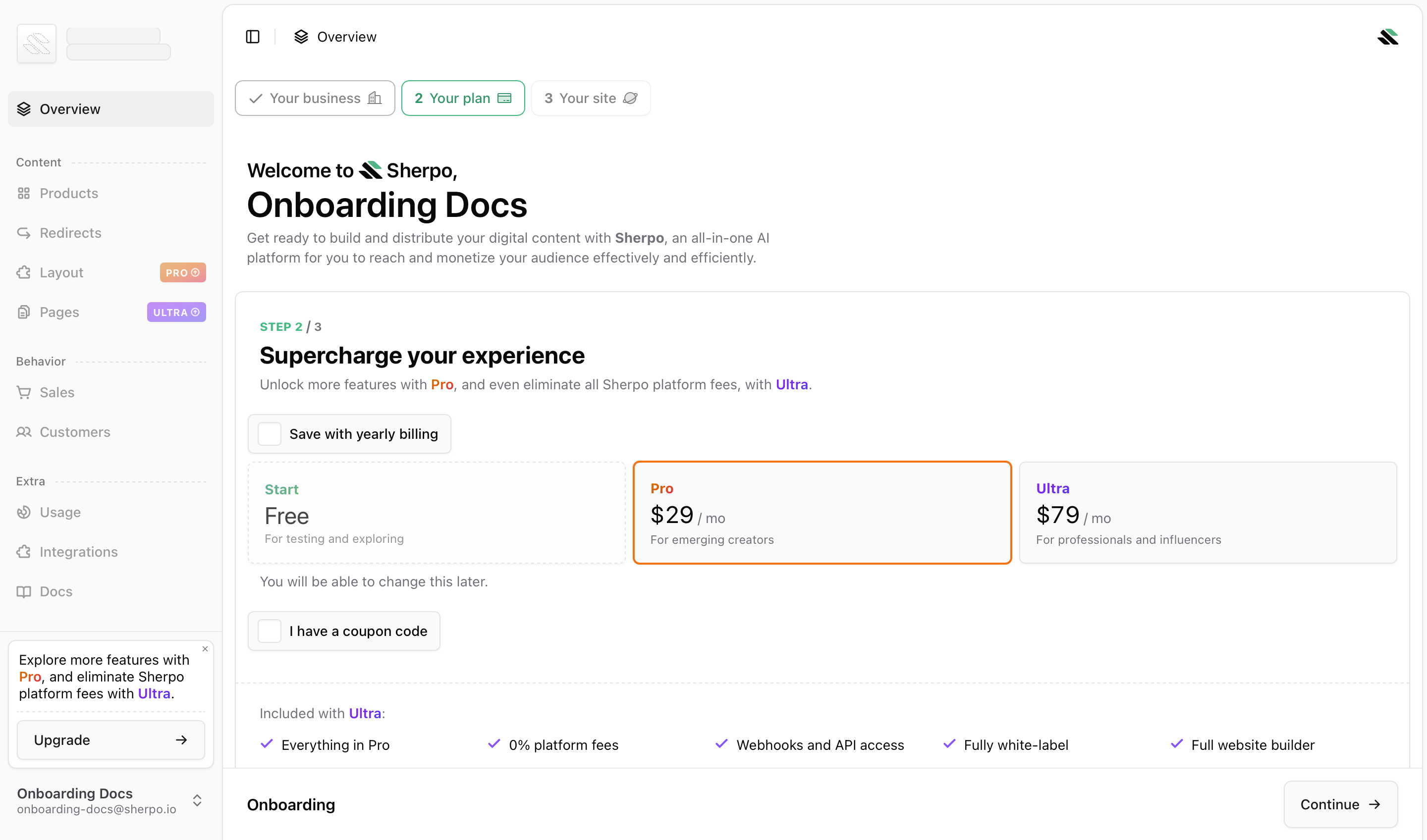 Choose a plan for your organization. You can change this later.
### Plans
* **Free (Start)**: for testing and exploring.
* **Pro**: **\$29/month**, for emerging creators.
* **Ultra**: **\$79/month**, for professionals and influencers.
### Options on this screen
* **Save with yearly billing**: enables annual billing (when applicable).
* **I have a coupon code**: apply a promo code during checkout.
### What happens after you choose
* **Free (Start)**: click **Continue** to proceed to Step 3.
* **Pro or Ultra**: Sherpo opens a secure Stripe Checkout. After payment, you return to onboarding automatically.
***
## Step 3: Your site
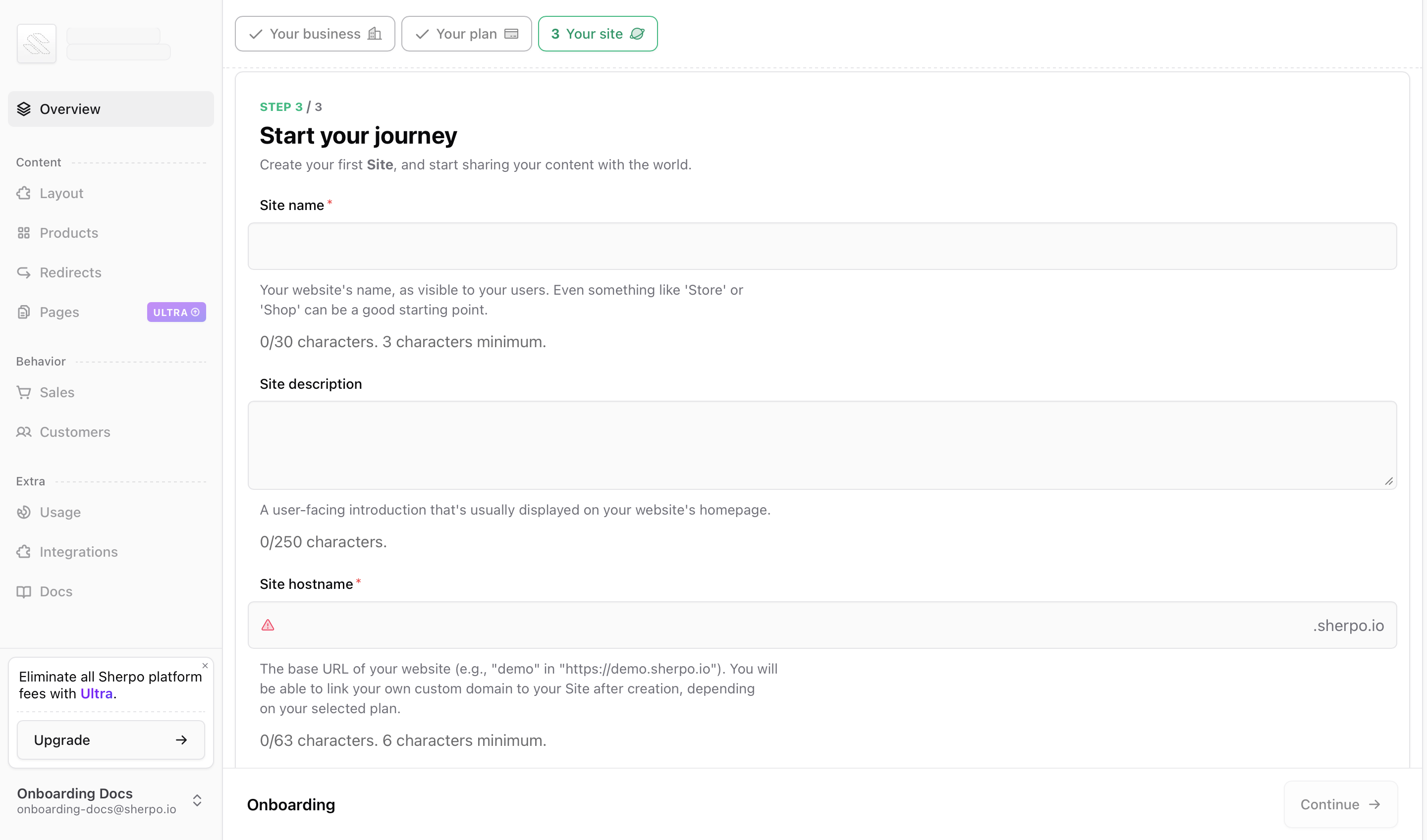
Step 3 creates your first **site**. Here, you will be able to select:
* **Site name**: **3 to 30 characters** (shown to visitors).
* **Site description**: optional, up to **250 characters** (often shown on your homepage).
* Choose your site hostname under `sherpo.io`.
* Must be **6 to 63 characters**.
* Must be **unique** across Sherpo.
Choose a plan for your organization. You can change this later.
### Plans
* **Free (Start)**: for testing and exploring.
* **Pro**: **\$29/month**, for emerging creators.
* **Ultra**: **\$79/month**, for professionals and influencers.
### Options on this screen
* **Save with yearly billing**: enables annual billing (when applicable).
* **I have a coupon code**: apply a promo code during checkout.
### What happens after you choose
* **Free (Start)**: click **Continue** to proceed to Step 3.
* **Pro or Ultra**: Sherpo opens a secure Stripe Checkout. After payment, you return to onboarding automatically.
***
## Step 3: Your site
Step 3 creates your first **site**. Here, you will be able to select:
* **Site name**: **3 to 30 characters** (shown to visitors).
* **Site description**: optional, up to **250 characters** (often shown on your homepage).
* Choose your site hostname under `sherpo.io`.
* Must be **6 to 63 characters**.
* Must be **unique** across Sherpo.
 You will also be prompted to select your site's language and optional icon.
* **Language**: sets the default language for your site and affects the interface language for visitors.
* **Icon**: upload a square PNG or JPEG (minimum **180×180 px**). Icon updates might take longer to propagate due to browser caching.
You will also be prompted to select your site's language and optional icon.
* **Language**: sets the default language for your site and affects the interface language for visitors.
* **Icon**: upload a square PNG or JPEG (minimum **180×180 px**). Icon updates might take longer to propagate due to browser caching.
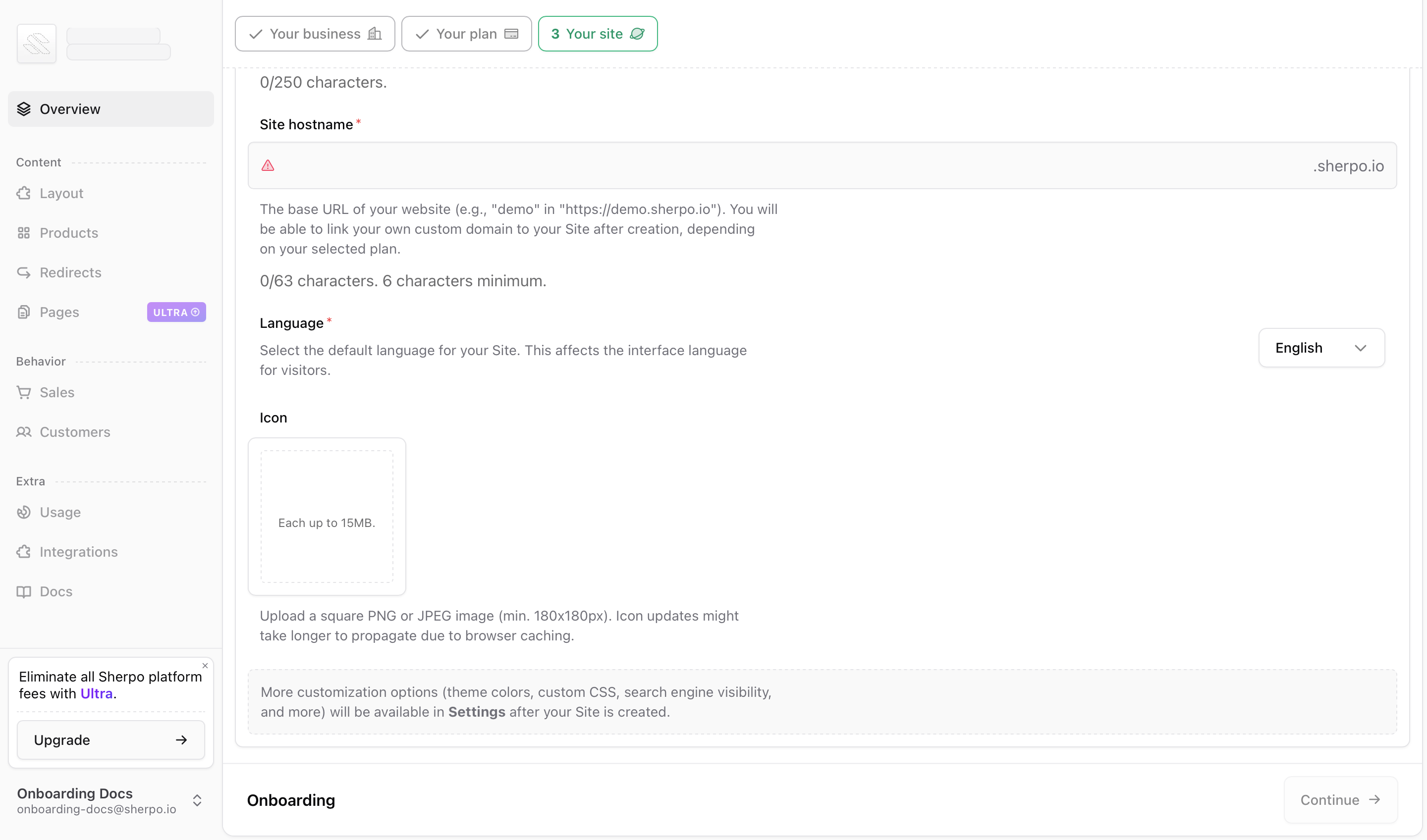 After your site is created, more customization options (theme colors, custom CSS, search engine visibility, and more) are available in **Settings**.
Once everything is valid, click **Continue**. Sherpo creates the site and finishes onboarding. You will land on the main dashboard.
After your site is created, more customization options (theme colors, custom CSS, search engine visibility, and more) are available in **Settings**.
Once everything is valid, click **Continue**. Sherpo creates the site and finishes onboarding. You will land on the main dashboard.
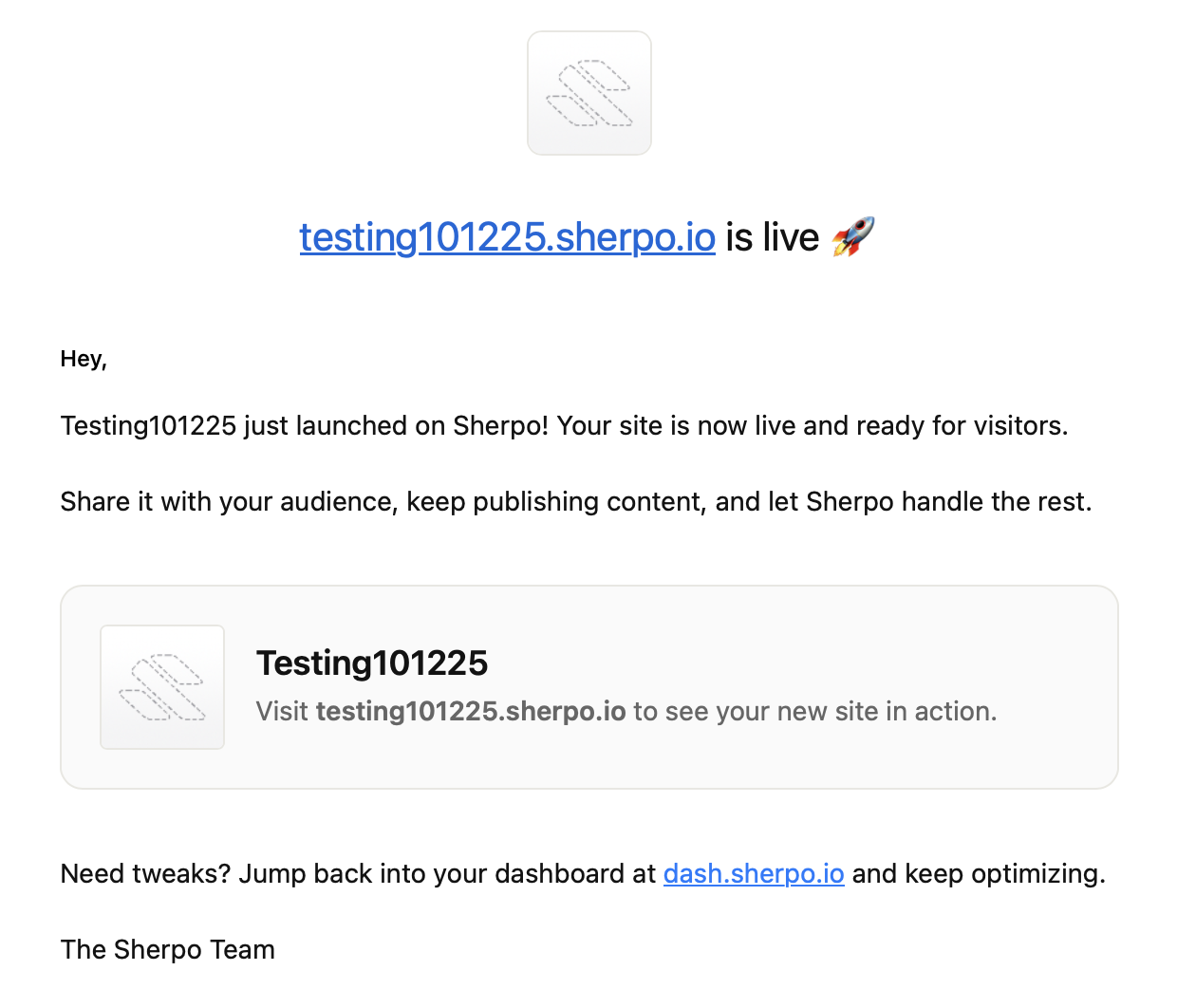
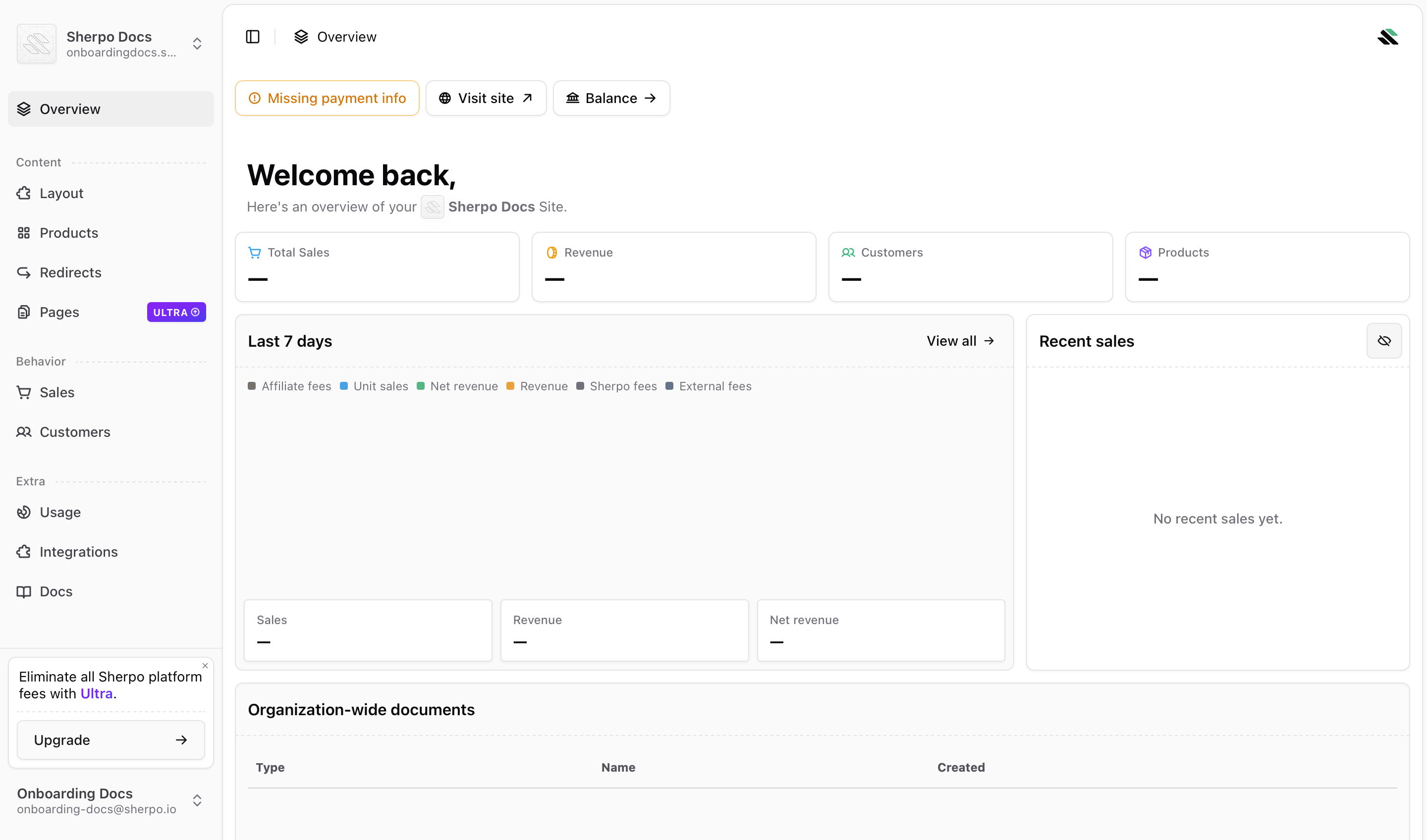 You will also receive an email confirmation with your website's link:
 ***
## Optional: Connect payments
If you plan to sell paid products right away, visit **Organization → Payments** after onboarding to complete the **Stripe Connect** setup (see the Payments doc for details). Check this guide out to properly set up payments:
Connect Stripe, monitor onboarding tasks, and review payouts and tax settings for your Sherpo organization.
Sherpo shows your Stripe Connect status in the Payments page. You’ll see reminders there until setup is complete.
***
## FAQ
No. Sherpo auto-saves your progress after each step. You can close the tab and resume later from the same account.
Yes. You can edit it later in **Organization → Settings**.
Just request a new one from the login screen. Each code is valid for 5 minutes.
No. You can start on the **Free (Start)** plan and upgrade later.
No. Every organization must have at least one site. The first site is required to complete setup and access your dashboard.
You’ll see an error when entering your hostname. Try another variation (for example, add a hyphen or adjust the name).
***
## Optional: Connect payments
If you plan to sell paid products right away, visit **Organization → Payments** after onboarding to complete the **Stripe Connect** setup (see the Payments doc for details). Check this guide out to properly set up payments:
Connect Stripe, monitor onboarding tasks, and review payouts and tax settings for your Sherpo organization.
Sherpo shows your Stripe Connect status in the Payments page. You’ll see reminders there until setup is complete.
***
## FAQ
No. Sherpo auto-saves your progress after each step. You can close the tab and resume later from the same account.
Yes. You can edit it later in **Organization → Settings**.
Just request a new one from the login screen. Each code is valid for 5 minutes.
No. You can start on the **Free (Start)** plan and upgrade later.
No. Every organization must have at least one site. The first site is required to complete setup and access your dashboard.
You’ll see an error when entering your hostname. Try another variation (for example, add a hyphen or adjust the name).