> ## Documentation Index
> Fetch the complete documentation index at: https://docs.sherpo.io/llms.txt
> Use this file to discover all available pages before exploring further.
# Overview & Settings
> Edit your product’s info, description, and settings from the dashboard.
Learn how to edit your product page, content, and behavior from the dashboard.
***
## Overview
Once a product exists, the **Overview** tab in your product workspace gives you key performance metrics at a glance: sales, revenues, reviews, and file usage. It also includes quick links to **visit the live product** or **contact support**.
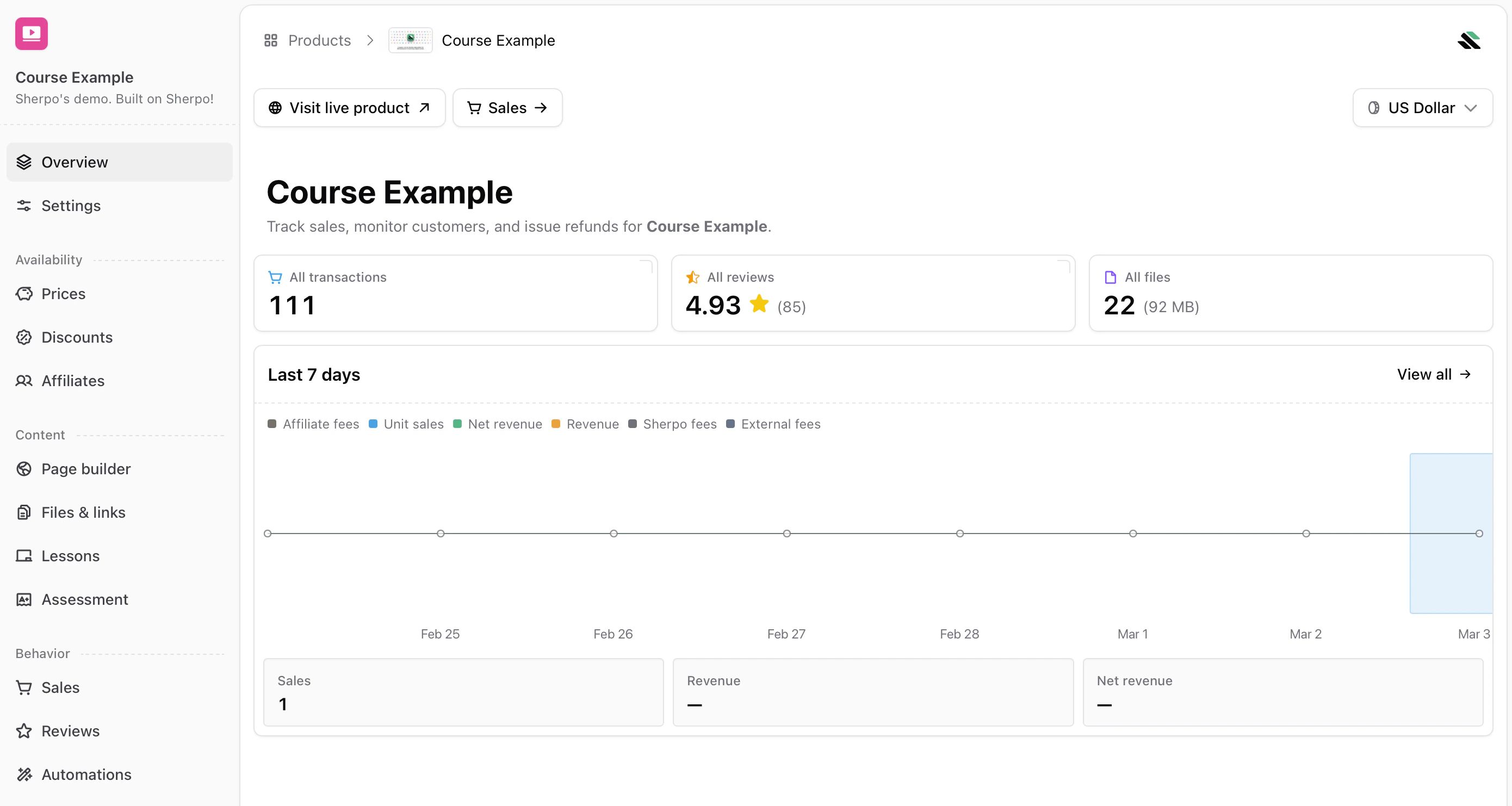 The top summary cards show:
* **All transactions** — Total number of completed purchases.
* **All reviews** — Average rating and total number of reviews.
* **All files** — Number of uploaded assets and total storage used.
Below, the **Last 7 days** chart displays unit sales, net revenue, and total revenue in your selected currency. Use this view to track trends and quickly jump into deeper analytics.
***
## Settings
The **Settings** tab controls your product’s public presentation and first impression. This is where you define the title, visuals, and how the product appears on your public product page.
The top summary cards show:
* **All transactions** — Total number of completed purchases.
* **All reviews** — Average rating and total number of reviews.
* **All files** — Number of uploaded assets and total storage used.
Below, the **Last 7 days** chart displays unit sales, net revenue, and total revenue in your selected currency. Use this view to track trends and quickly jump into deeper analytics.
***
## Settings
The **Settings** tab controls your product’s public presentation and first impression. This is where you define the title, visuals, and how the product appears on your public product page.
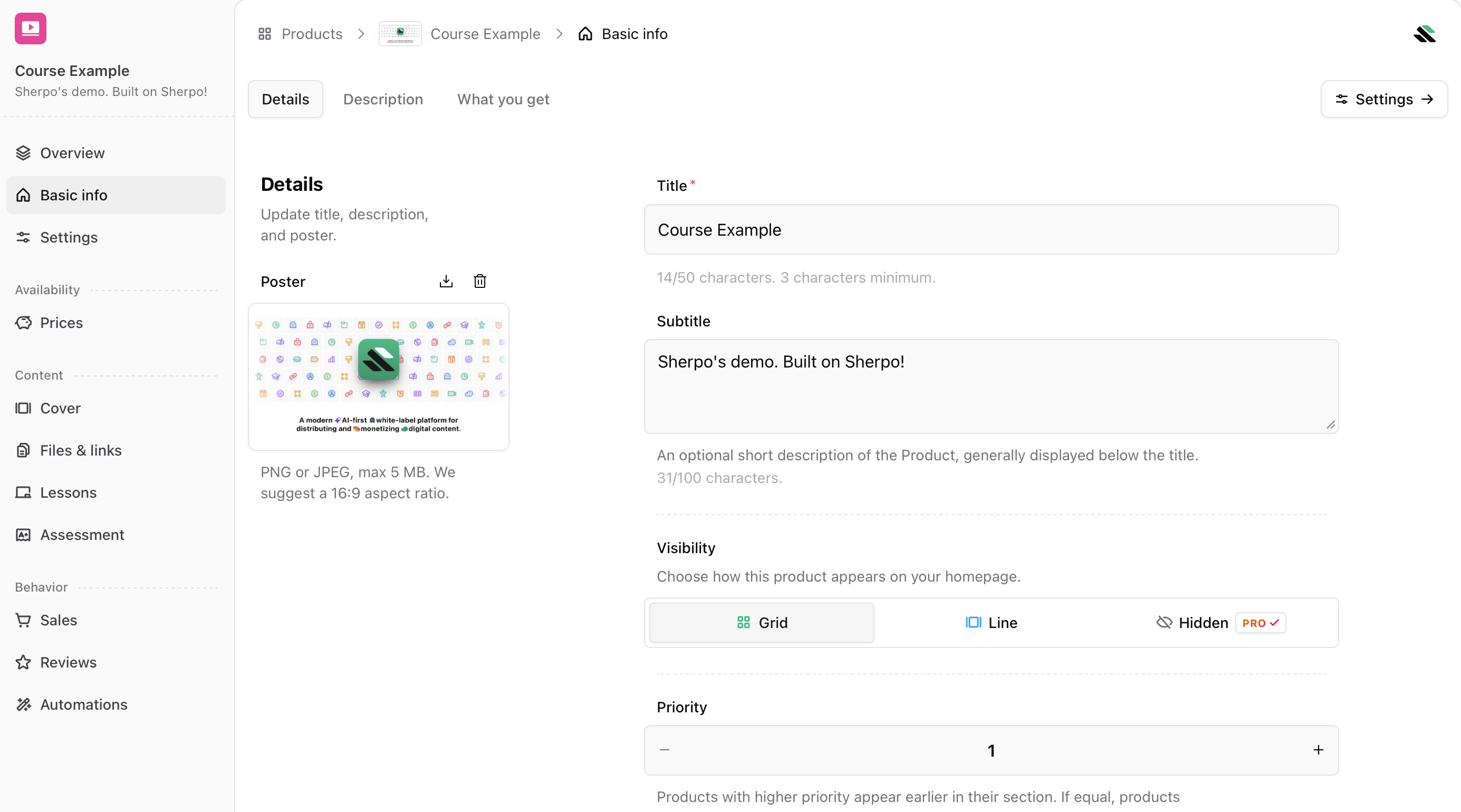 Under **Details**, you can configure:
* **Title**\
The product name shown across your storefront, checkout, and receipts.\
Minimum 3 characters, maximum 50.
* **Subtitle**\
A short supporting line shown below the title.\
Maximum 100 characters.
* **Poster**\
Upload a PNG or JPEG (max 5 MB, recommended 16:9).\
This image is used as the product thumbnail and when sharing links.
* **Visibility**\
Choose how the product appears on your homepage:
* **Grid** shows it alongside other products.
* **Line** highlights it in a horizontal layout.
* **Hidden** removes it from the homepage but keeps it accessible via direct link (Pro only).
* **Priority**\
Controls ordering within a section. Higher numbers appear first.
A hidden product is ideal for private launches, beta access, or invite-only distribution.
***
## Product page
The **Product page** tab controls product behavior after publishing.
Under **Details**, you can configure:
* **Title**\
The product name shown across your storefront, checkout, and receipts.\
Minimum 3 characters, maximum 50.
* **Subtitle**\
A short supporting line shown below the title.\
Maximum 100 characters.
* **Poster**\
Upload a PNG or JPEG (max 5 MB, recommended 16:9).\
This image is used as the product thumbnail and when sharing links.
* **Visibility**\
Choose how the product appears on your homepage:
* **Grid** shows it alongside other products.
* **Line** highlights it in a horizontal layout.
* **Hidden** removes it from the homepage but keeps it accessible via direct link (Pro only).
* **Priority**\
Controls ordering within a section. Higher numbers appear first.
A hidden product is ideal for private launches, beta access, or invite-only distribution.
***
## Product page
The **Product page** tab controls product behavior after publishing.
 * **Hide reviews**\
Hides existing reviews and disables new ones.\
This option is not available for Coffee and Goal products.
* **Sales counter**\
Displays the total number of transactions for the product, including free unlocks and discounted purchases.
***
## Danger zone
Under Danger zone you can take actions affectingt the product lifecycle. These should be used carefully!
* **Hide reviews**\
Hides existing reviews and disables new ones.\
This option is not available for Coffee and Goal products.
* **Sales counter**\
Displays the total number of transactions for the product, including free unlocks and discounted purchases.
***
## Danger zone
Under Danger zone you can take actions affectingt the product lifecycle. These should be used carefully!
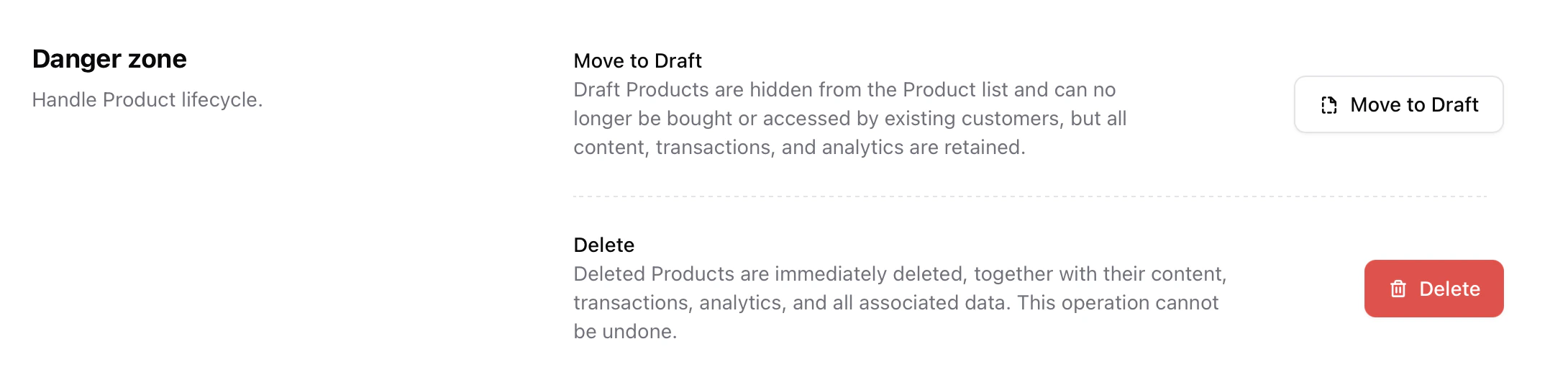 * **Move to Draft**\
Draft Products are hidden from the Product list and can no longer be bought or accessed by existing customers, but all content, transactions, and analytics are retained.
* **Delete**\
Permanently removes the product, including content, transactions, analytics, and reviews.
This action cannot be undone.
***
## FAQ
Yes. Titles, descriptions, prices, and settings can be changed at any time. Updates apply instantly to your live product page.
Yes. Use **Visit live product** from the Overview tab. You must be logged in with your Sherpo account to view unpublished products.
* **Hide** removes the product from your storefront but keeps it accessible via direct link.
* **Archive** (moving to draft) removes the product from sale while retaining analytics and past orders.
* **Delete** permanently removes the product and all associated data.
No. Deleted products cannot be recovered. Use Archive if you may need the product later.
Yes. Click the ✨ icon inside any text editor to access proofreading, summarization, translation, and expansion tools.
You can rename products anytime from **Basic info**. Ordering is handled automatically based on visibility and priority.
All transactions, including purchases made with coupons, discounts, or free access.
* **Move to Draft**\
Draft Products are hidden from the Product list and can no longer be bought or accessed by existing customers, but all content, transactions, and analytics are retained.
* **Delete**\
Permanently removes the product, including content, transactions, analytics, and reviews.
This action cannot be undone.
***
## FAQ
Yes. Titles, descriptions, prices, and settings can be changed at any time. Updates apply instantly to your live product page.
Yes. Use **Visit live product** from the Overview tab. You must be logged in with your Sherpo account to view unpublished products.
* **Hide** removes the product from your storefront but keeps it accessible via direct link.
* **Archive** (moving to draft) removes the product from sale while retaining analytics and past orders.
* **Delete** permanently removes the product and all associated data.
No. Deleted products cannot be recovered. Use Archive if you may need the product later.
Yes. Click the ✨ icon inside any text editor to access proofreading, summarization, translation, and expansion tools.
You can rename products anytime from **Basic info**. Ordering is handled automatically based on visibility and priority.
All transactions, including purchases made with coupons, discounts, or free access.