> ## Documentation Index
> Fetch the complete documentation index at: https://docs.sherpo.io/llms.txt
> Use this file to discover all available pages before exploring further.
# Calendar
> Create and manage booking products synced with Cal.com, directly from your Sherpo dashboard.
The **Calendar** product lets you embed your Cal.com availability on a Sherpo-hosted page so clients can book meetings in minutes without leaving your site. It’s perfect for creators, consultants, and businesses that want to schedule calls, demos, or sessions alongside their digital products.
Sherpo handles the presentation and hosting, while Cal.com powers your real-time scheduling across Google, Outlook, iCloud, Exchange, and more.
If you're looking for a guide on how **Calendar** products work for users, you can find it here:
Let visitors book meetings directly through your Sherpo site.
***
## Create a Calendar product
1. Go to **Products → New product**.
2. Choose the **Calendar** tile (calendar icon).
3. Enter a title, short description, and optional cover image.
4. Click **Create product** to open your calendar workspace.
Your Calendar product will appear alongside your other offerings on your storefront. It is ideal for free consultations, strategy calls, or coaching sessions.
For a guide to the product’s Overview and Settings tabs, check this out:
Edit your product’s info, description, and settings from the dashboard.
***
## Build your Calendar product page
Under **Page Builder**, you can fully customize how your Calendar product page looks using Sherpo's powerful, lego-like builder.
### Calendar-specific blocks
Inside the Calendar Page Builder, you will see a **Get** block alongside the **Pages** and **Content** blocks. Like in every other Sherpo product, these blocks are mandatory and cannot be deleted or hidden. If not populated, they will simply not render. For Calendar products, **Get** also contains the product-specific booking interface, where users can schedule a meeting with you and view the host information you have set.
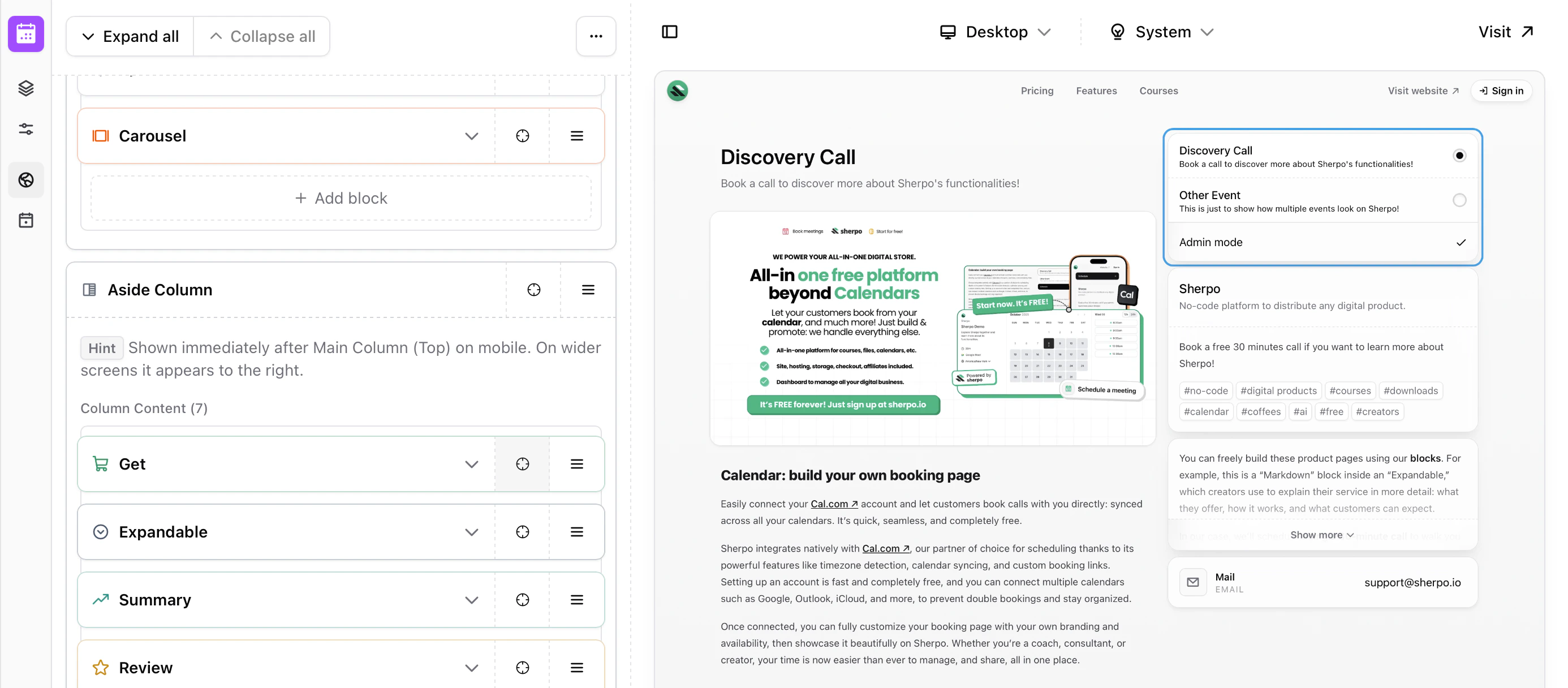 All of this is included by default in the **Aside Column**, which displays the blocks on the right. You are free to remove them from the column and position them wherever you prefer. Sherpo simply ensures that all mandatory blocks are present before allowing you to update the page.
### Product-specific blocks
All product Page Builders include an additional **Product** block category. These blocks are specific to the product type and power the core functionality of the page.
All of this is included by default in the **Aside Column**, which displays the blocks on the right. You are free to remove them from the column and position them wherever you prefer. Sherpo simply ensures that all mandatory blocks are present before allowing you to update the page.
### Product-specific blocks
All product Page Builders include an additional **Product** block category. These blocks are specific to the product type and power the core functionality of the page.
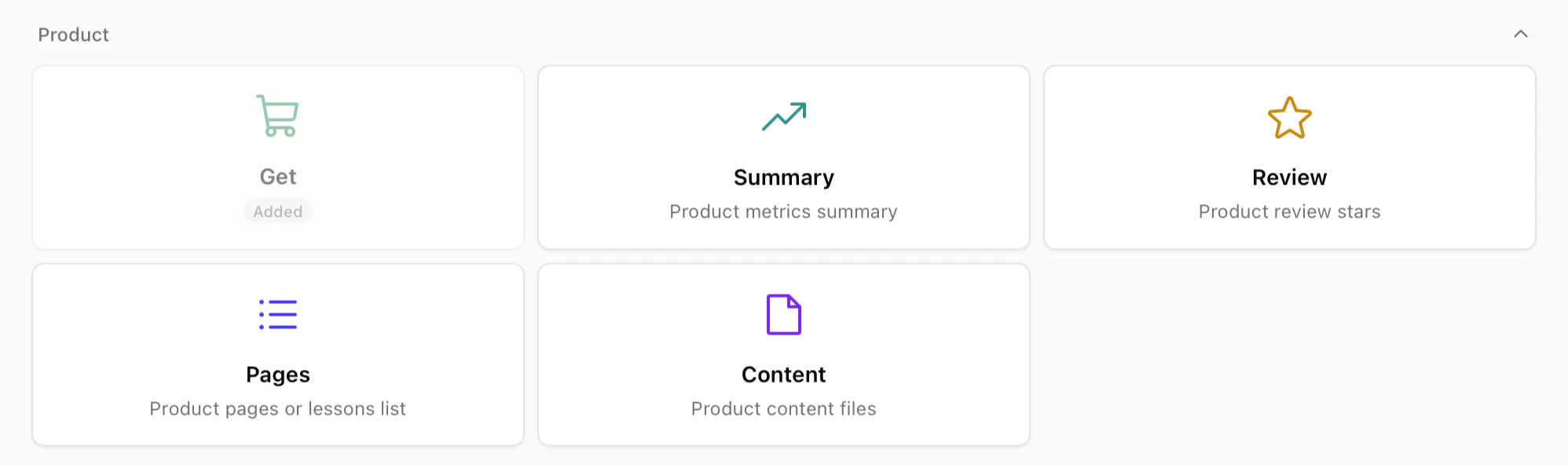 These blocks usually include:
* **Get** — The purchase or unlock interface for the product.
* **Summary** — A compact overview of product metrics or highlights.
* **Review** — Displays review ratings and feedback from customers.
* **Pages** — Lists internal pages such as lessons, episodes, or product sections.
* **Content** — Displays the files or content included in the product.
Like other mandatory blocks, some of these may already be included in your layout and cannot be deleted, but you are free to move them anywhere within your page.
### Page builder
The rest of the Page Builder behaves exactly like the Site Builder. If you want to discover more about our blocks and building pages, check this out.
Build and customize your page by stacking and composing blocks. Powerful under the hood, simple to use.
***
## Connect your Cal.com account
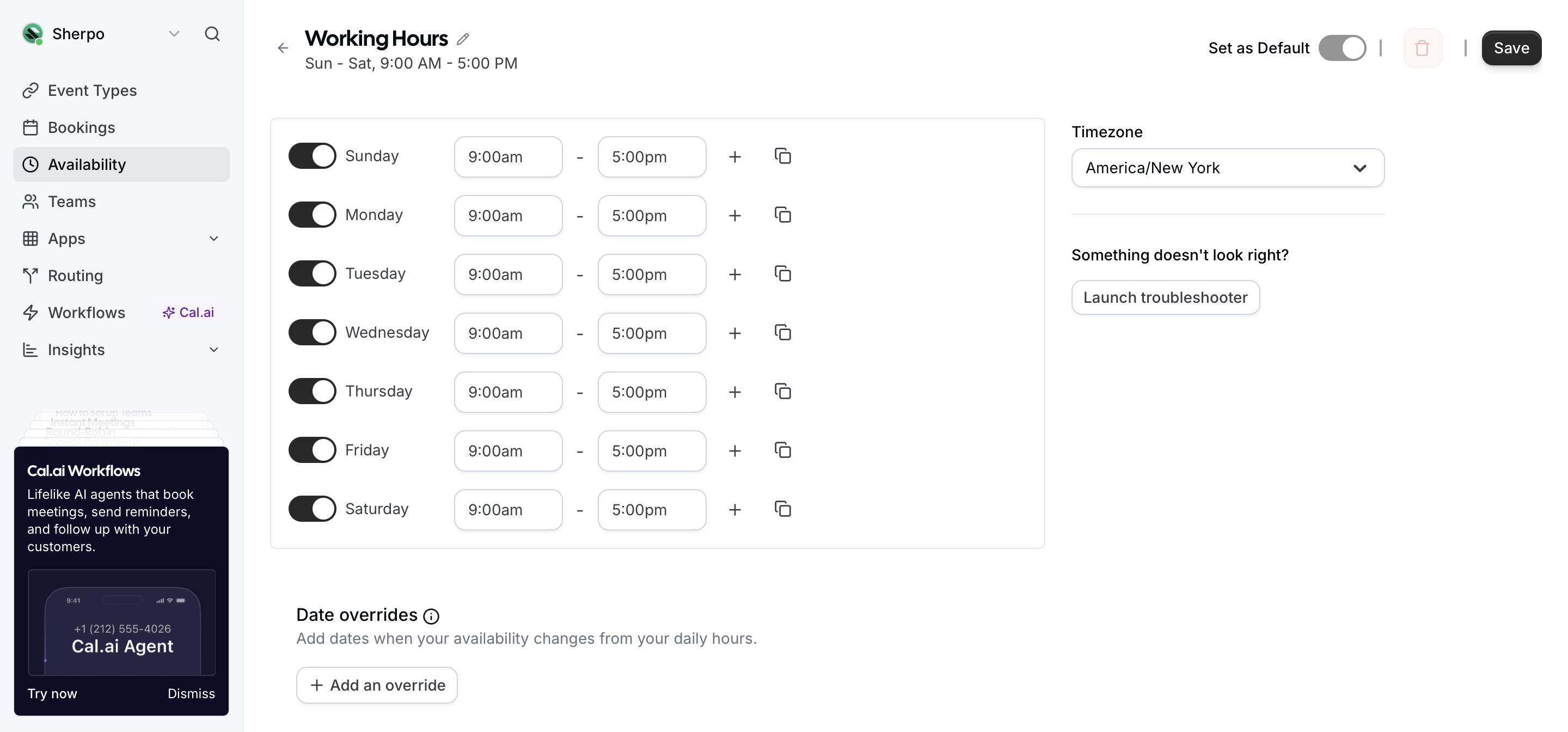
Sherpo uses your Cal.com account to power live scheduling. Every connected provider, including Google, Outlook, iCloud, and Exchange, automatically syncs through Cal.com, so you will never get double-booked.
These blocks usually include:
* **Get** — The purchase or unlock interface for the product.
* **Summary** — A compact overview of product metrics or highlights.
* **Review** — Displays review ratings and feedback from customers.
* **Pages** — Lists internal pages such as lessons, episodes, or product sections.
* **Content** — Displays the files or content included in the product.
Like other mandatory blocks, some of these may already be included in your layout and cannot be deleted, but you are free to move them anywhere within your page.
### Page builder
The rest of the Page Builder behaves exactly like the Site Builder. If you want to discover more about our blocks and building pages, check this out.
Build and customize your page by stacking and composing blocks. Powerful under the hood, simple to use.
***
## Connect your Cal.com account
Sherpo uses your Cal.com account to power live scheduling. Every connected provider, including Google, Outlook, iCloud, and Exchange, automatically syncs through Cal.com, so you will never get double-booked.
 ***
## Configure event details
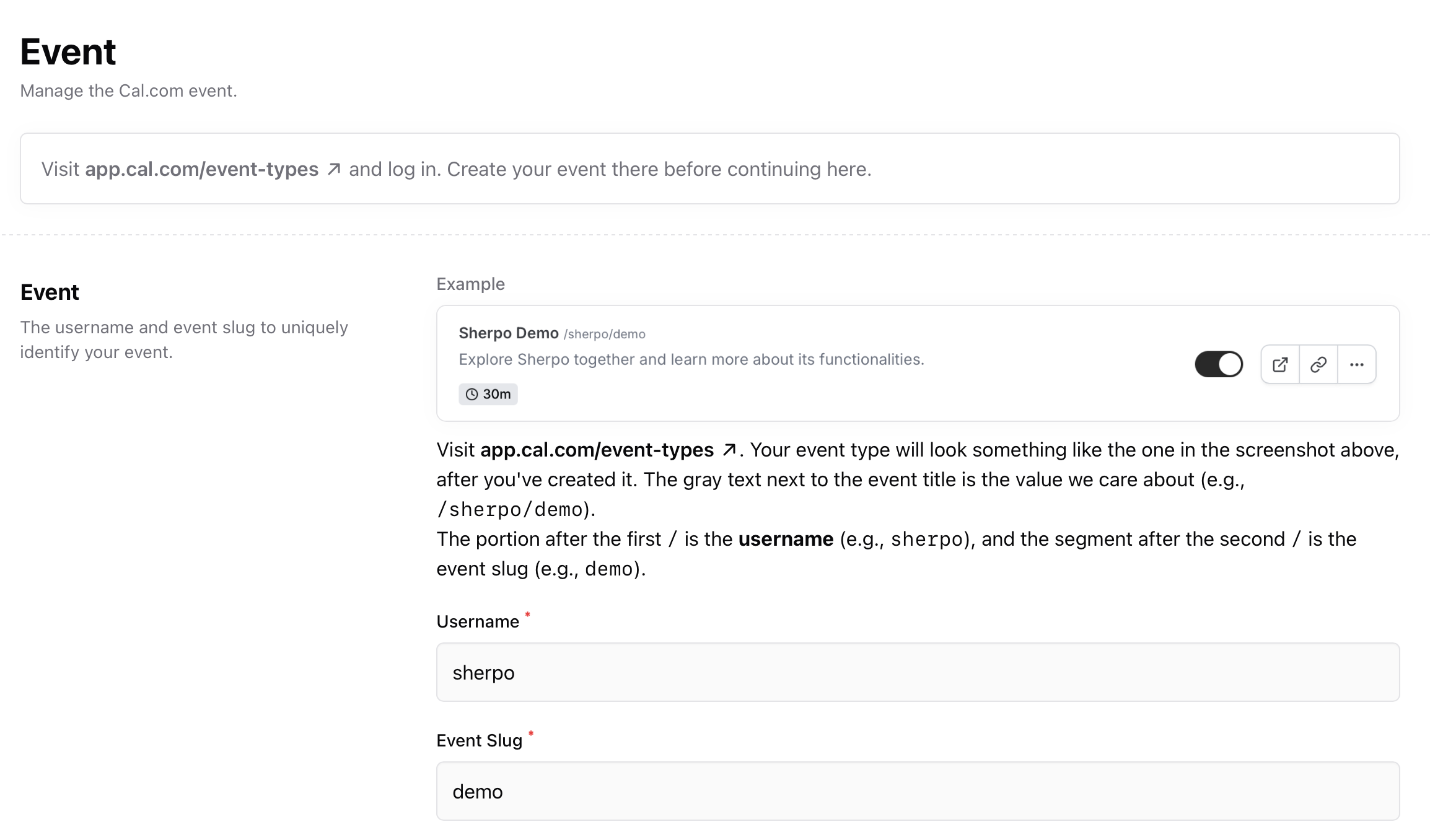
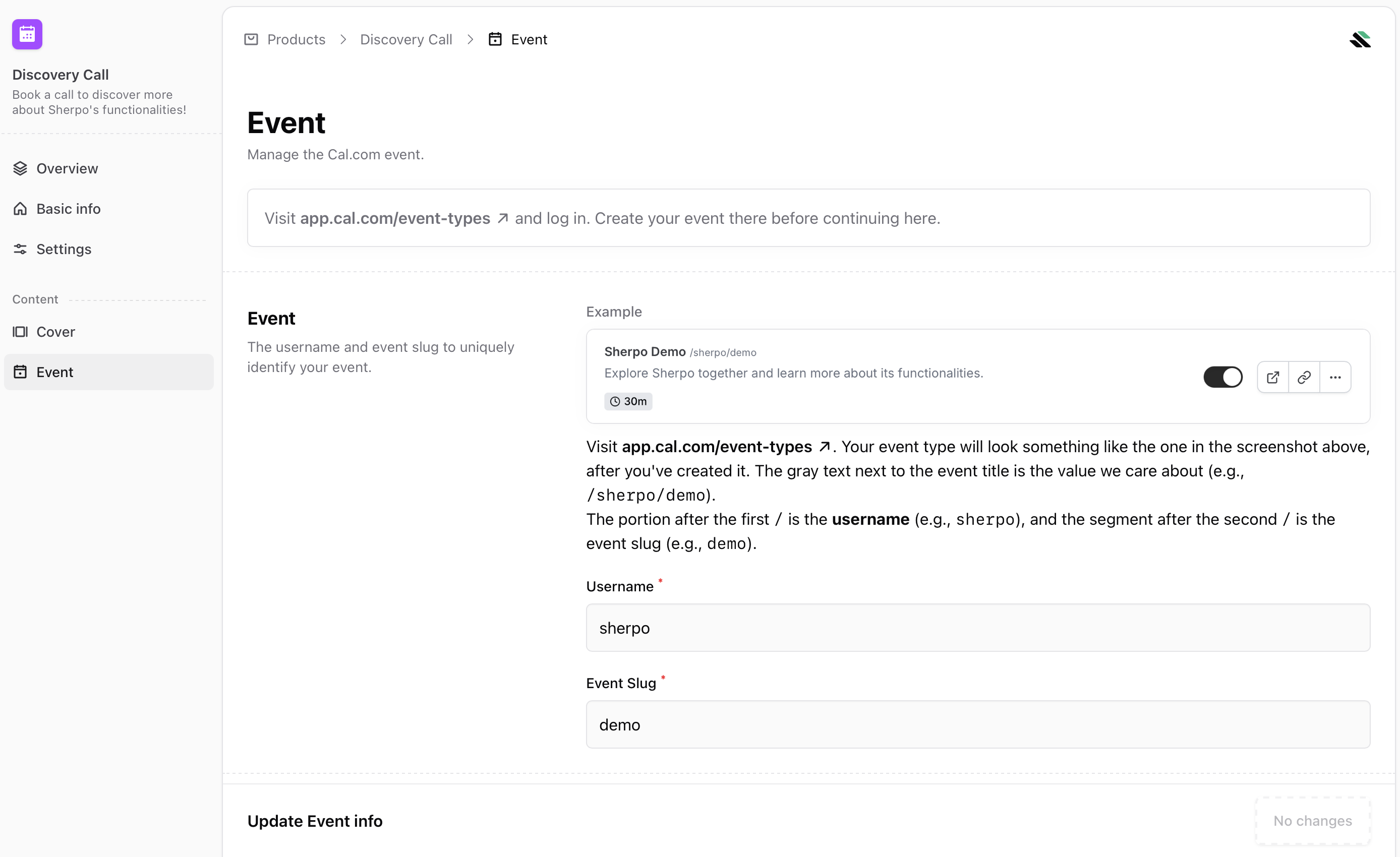
Once your Calendar product is created, open the **Event** tab inside your Sherpo dashboard. You will be prompted to link your Cal.com event:
Then go to [https://app.cal.com/event-types](https://app.cal.com/event-types) and create your meeting type, for example, *Sherpo Demo*.
***
## Configure event details
Once your Calendar product is created, open the **Event** tab inside your Sherpo dashboard. You will be prompted to link your Cal.com event:
Then go to [https://app.cal.com/event-types](https://app.cal.com/event-types) and create your meeting type, for example, *Sherpo Demo*.
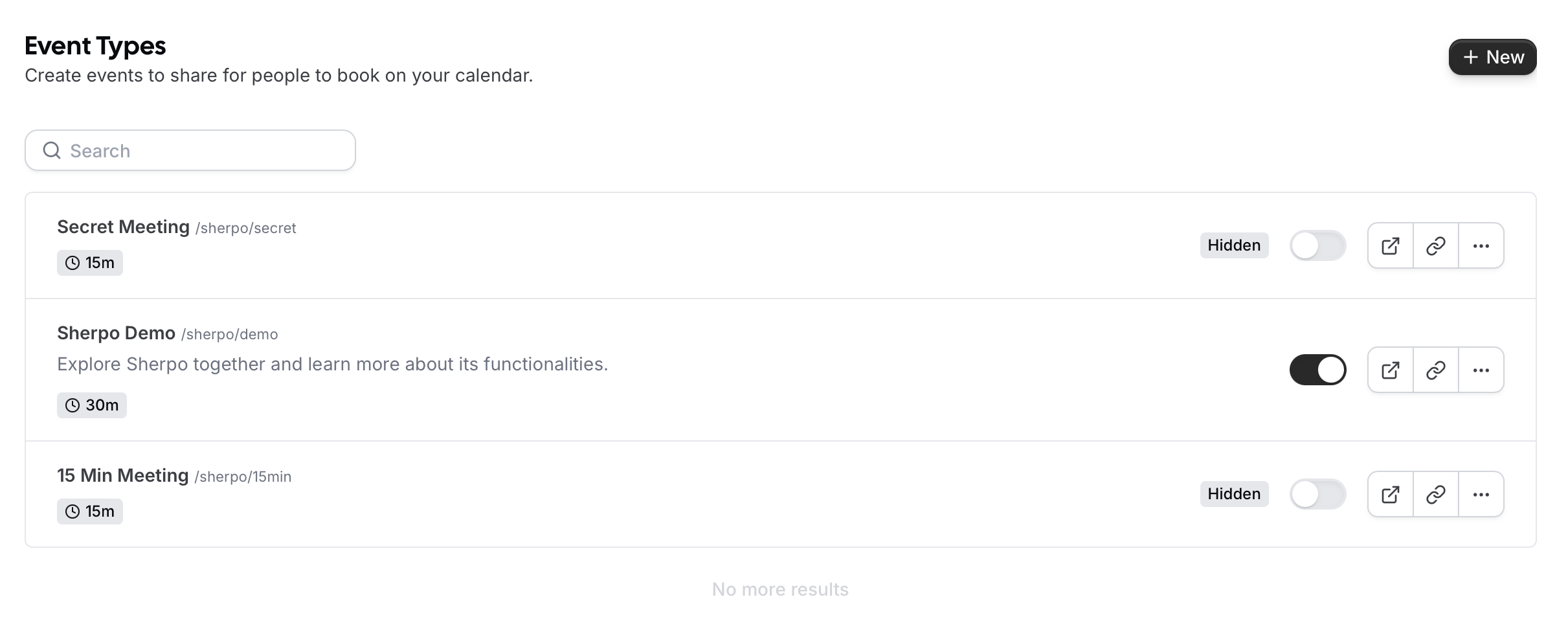 It will look like `/username/event-slug`, for example, `/sherpo/demo`.
Sherpo embeds your event seamlessly and keeps it updated if you modify your Cal.com settings.
It will look like `/username/event-slug`, for example, `/sherpo/demo`.
Sherpo embeds your event seamlessly and keeps it updated if you modify your Cal.com settings.
 ***
### Update your Cal.com event anytime
Changes made on Cal.com, such as duration, meeting title, or link type, sync automatically with your Sherpo Calendar product. You can also reselect or update the event at any time.
***
### Update your Cal.com event anytime
Changes made on Cal.com, such as duration, meeting title, or link type, sync automatically with your Sherpo Calendar product. You can also reselect or update the event at any time.
 ***
## Add host information
The **Host** section in your Calendar dashboard defines how you appear on the booking page. You can edit:
* **Name**
* **Title or job description**
* **Short bio or description**
* **Tags** to categorize your offering
***
## Add host information
The **Host** section in your Calendar dashboard defines how you appear on the booking page. You can edit:
* **Name**
* **Title or job description**
* **Short bio or description**
* **Tags** to categorize your offering
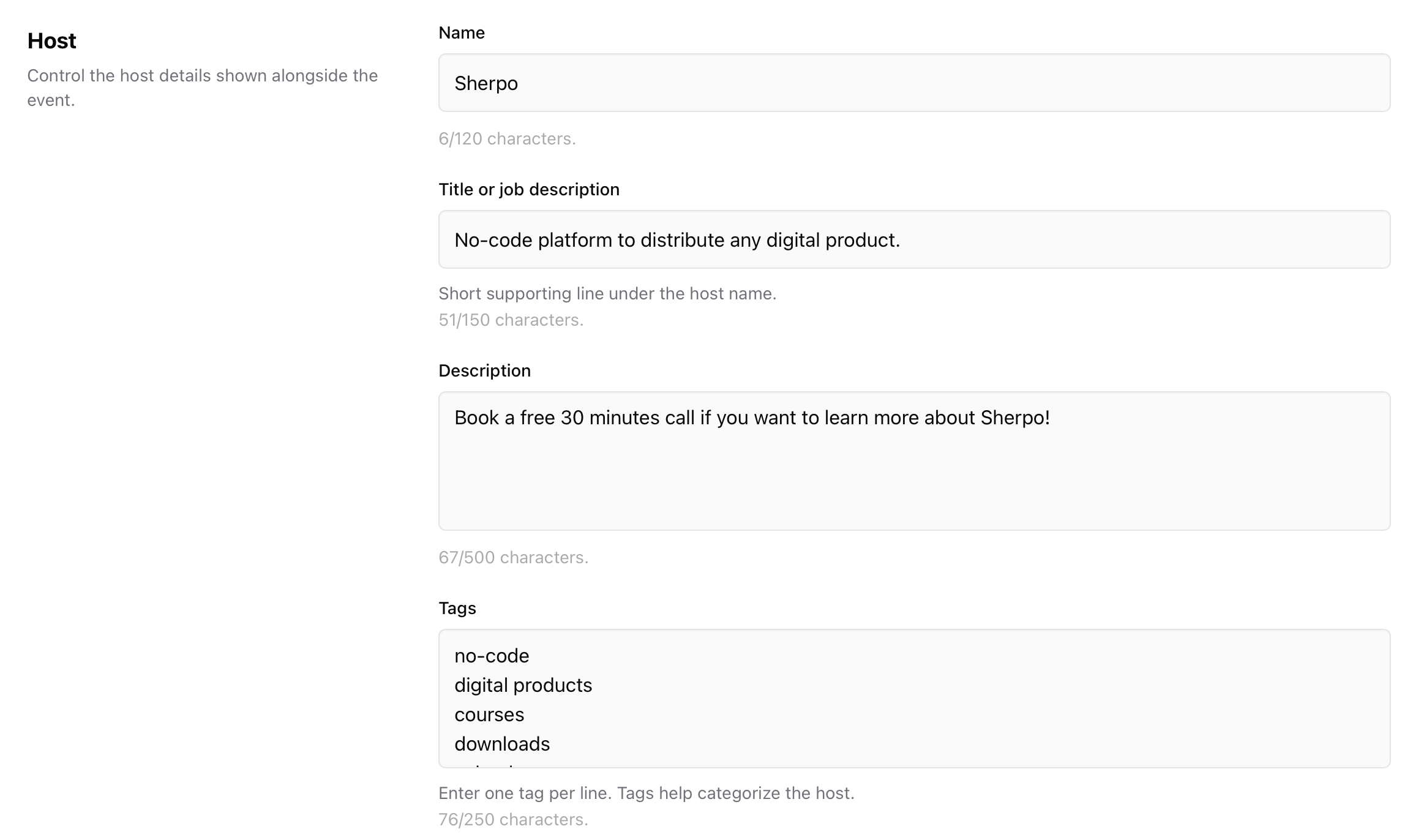 This information helps clients understand who they are meeting with and why.
***
## Edit or change your Cal.com event
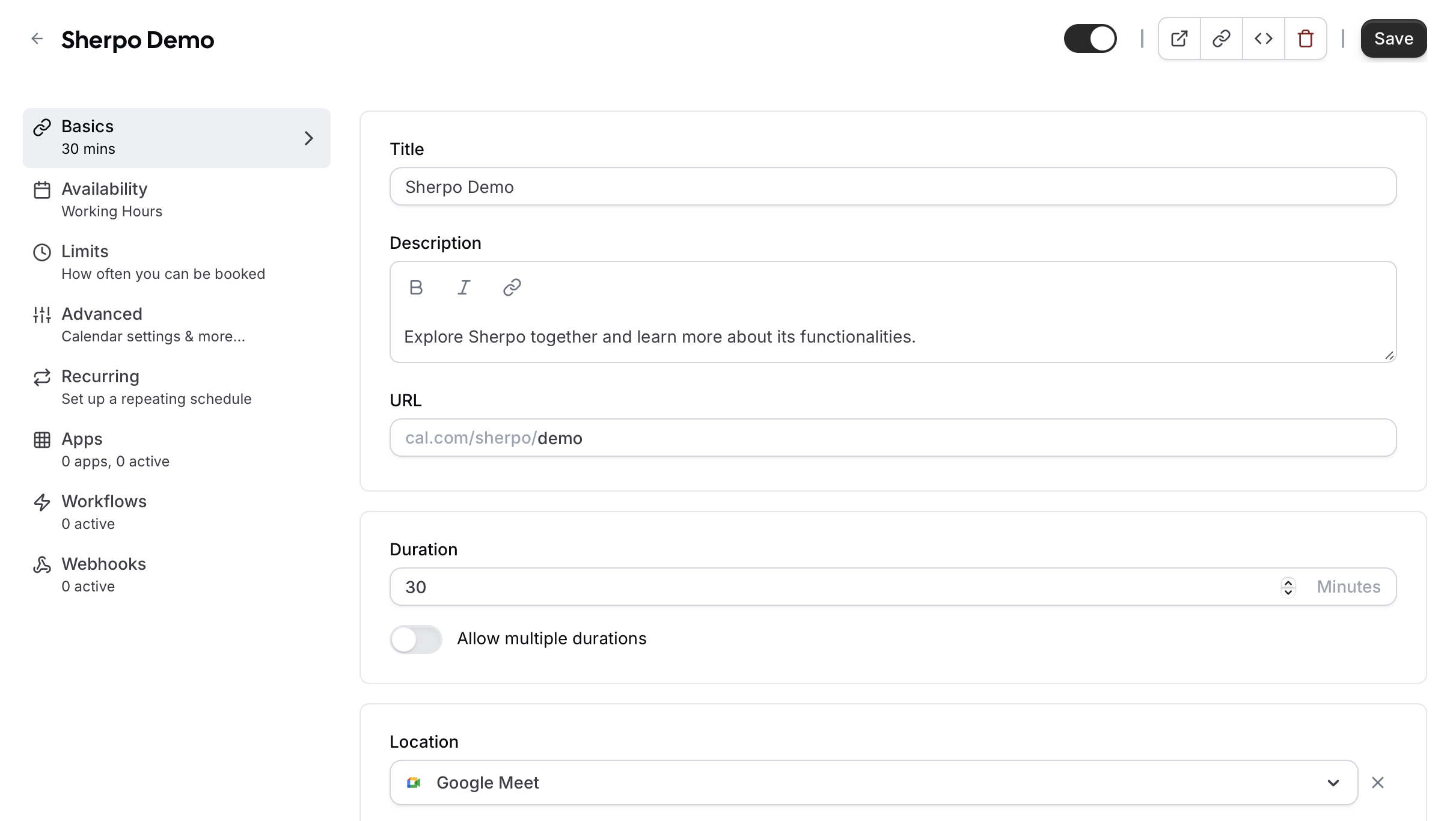
If you ever need to adjust meeting length, description, or availability, you can do so directly in Cal.com. Your Sherpo Calendar product updates automatically. There is no need to republish.
This information helps clients understand who they are meeting with and why.
***
## Edit or change your Cal.com event
If you ever need to adjust meeting length, description, or availability, you can do so directly in Cal.com. Your Sherpo Calendar product updates automatically. There is no need to republish.
 ***
## Best practices
* Use descriptive event names such as “Discovery Call,” “Coaching Session,” or “Design Review” so clients know what they are booking.
* Include a short, friendly description explaining what the session covers or how to prepare.
* Keep your Cal.com availability updated to prevent last-minute scheduling issues.
* Link your Calendar product in your bio or at the end of your content as a call to action.
* Add a cover image and host bio to personalize the page and build trust.
***
## FAQ
The Calendar Page Builder works exactly like the Site Builder. You can stack, reorder, and customize blocks to design your product page. Mandatory blocks such as "Get", "Pages", and "Content" cannot be removed, but you can position them anywhere within your layout. If a mandatory block is empty, it will not render on the live page.
Each Calendar product links to a single Cal.com event, but you can create multiple Calendar products for different event types.
No. Cal.com manages confirmations, invites, and reminders automatically once a booking is made.
Yes, but payments for Calendar products are handled through Cal.com.
Sherpo automatically reflects those changes. There is no need to republish the Calendar product.
Yes. You can archive the product under **Settings** to remove it from your storefront.
Not necessarily. The free plan works perfectly for most users, and Sherpo supports all standard Cal.com event types.
The Cal.com booking layout is fixed and cannot be edited.
***
## Best practices
* Use descriptive event names such as “Discovery Call,” “Coaching Session,” or “Design Review” so clients know what they are booking.
* Include a short, friendly description explaining what the session covers or how to prepare.
* Keep your Cal.com availability updated to prevent last-minute scheduling issues.
* Link your Calendar product in your bio or at the end of your content as a call to action.
* Add a cover image and host bio to personalize the page and build trust.
***
## FAQ
The Calendar Page Builder works exactly like the Site Builder. You can stack, reorder, and customize blocks to design your product page. Mandatory blocks such as "Get", "Pages", and "Content" cannot be removed, but you can position them anywhere within your layout. If a mandatory block is empty, it will not render on the live page.
Each Calendar product links to a single Cal.com event, but you can create multiple Calendar products for different event types.
No. Cal.com manages confirmations, invites, and reminders automatically once a booking is made.
Yes, but payments for Calendar products are handled through Cal.com.
Sherpo automatically reflects those changes. There is no need to republish the Calendar product.
Yes. You can archive the product under **Settings** to remove it from your storefront.
Not necessarily. The free plan works perfectly for most users, and Sherpo supports all standard Cal.com event types.
The Cal.com booking layout is fixed and cannot be edited.