> ## Documentation Index
> Fetch the complete documentation index at: https://docs.sherpo.io/llms.txt
> Use this file to discover all available pages before exploring further.
# Coffee
> Create and customize tip-style products that let your audience send you one-time support payments.
The **Coffee** product lets you collect quick, one-off tips from your audience. It's perfect for creators, writers, streamers, and small businesses that want to offer an easy, no-commitment way to support their work.
Supporters can send you a few “coffees,” add a thank-you note, and complete checkout in seconds through Stripe. Each contribution automatically triggers a receipt and payout, with no setup required beyond connecting your Stripe account.
If you're looking for a guide on how **Coffee** products work for users, you can find it here:
Let your audience support you with tips, like buying you a coffee.
***
## Create a Coffee product
1. Go to **Products → New product**.
2. Enter a title and short description.
3. Select the **Coffee** tile (coffee icon).
4. Click **Create product** to open the workspace.
For a guide to the product’s Overview and Settings tabs, check this out:
Edit your product’s info, description, and settings from the dashboard.
***
## Set your Coffee price
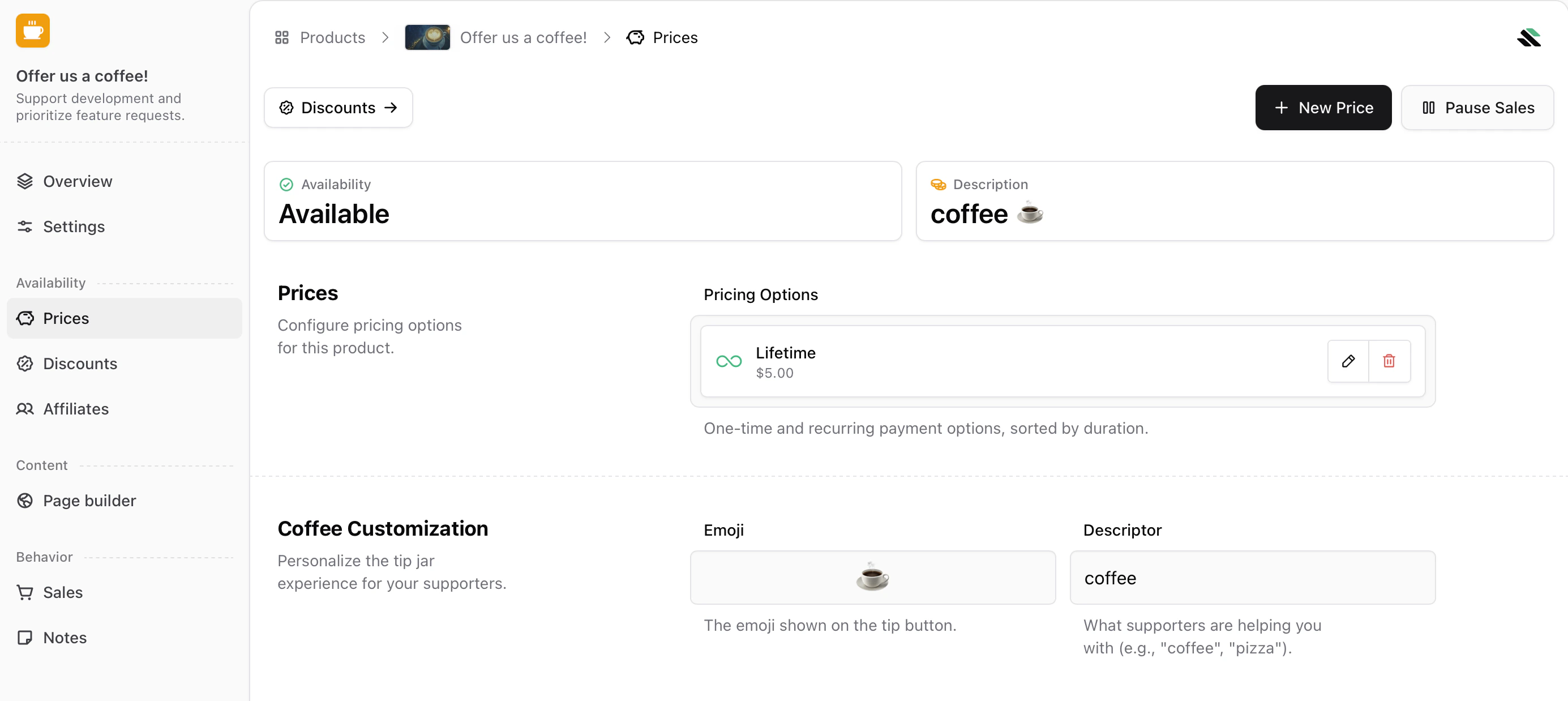
Under the **Prices** tab, define the amount supporters will pay per “coffee” before publishing the product. You can choose the **currency** and set the **price** per single coffee between **0.50 and 50.00**. Price changes apply instantly.
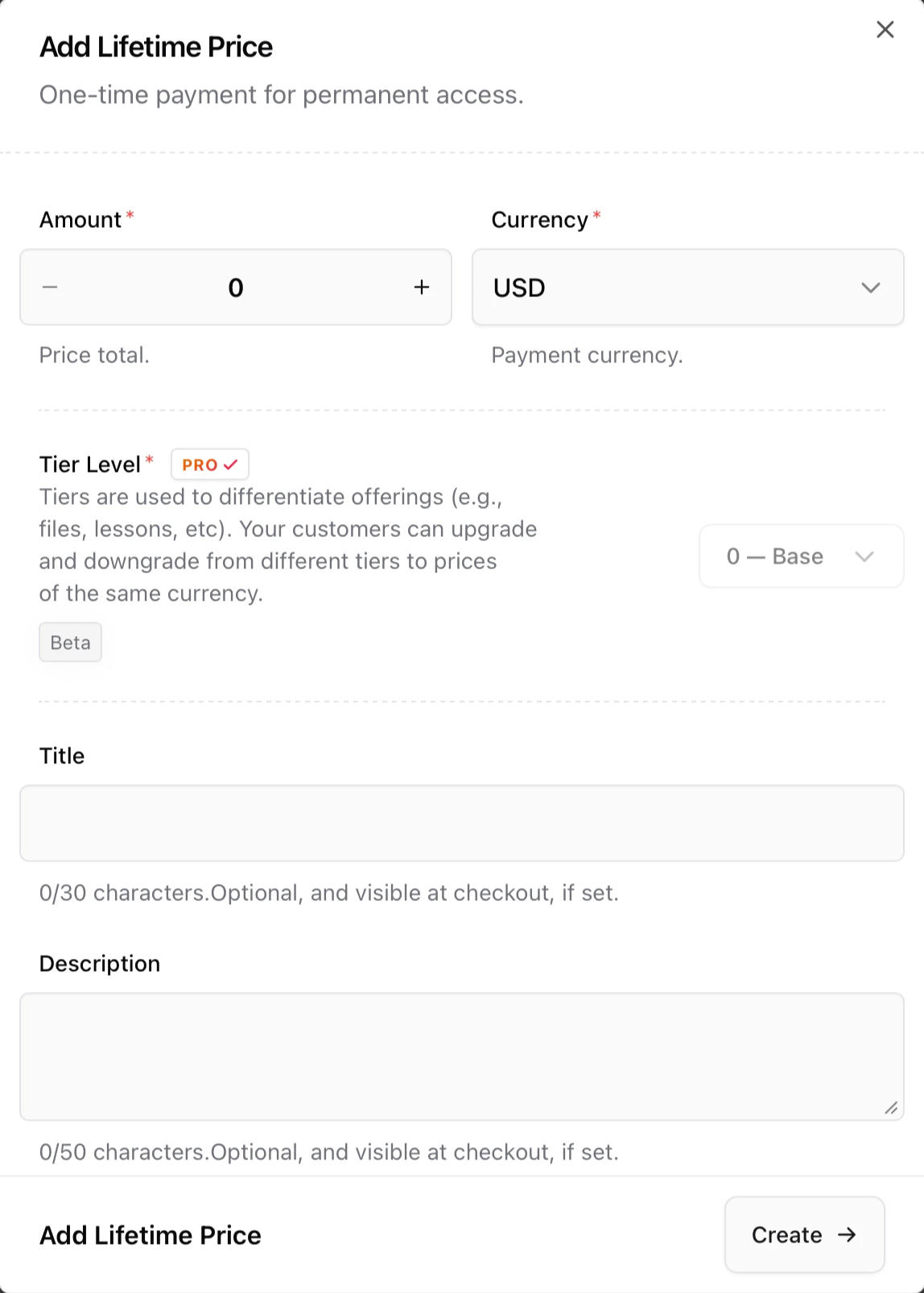 Then, customers will be able to tip you a 1x, 3x, 5x or custom multiplier of the unit price you chose. You can also view and manage pricing at any time from the **Prices** panel:
 ***
### Customize your emoji and label
Next, go to **Coffee customization** to personalize your Coffee product by selecting an emoji and a short label, also known as the descriptor.
***
### Customize your emoji and label
Next, go to **Coffee customization** to personalize your Coffee product by selecting an emoji and a short label, also known as the descriptor.
 By clicking on the emoji, you can choose how your tip is displayed. For example, ☕ **coffee**, 🍺 **beer**, 🎁 **gift**, and more.
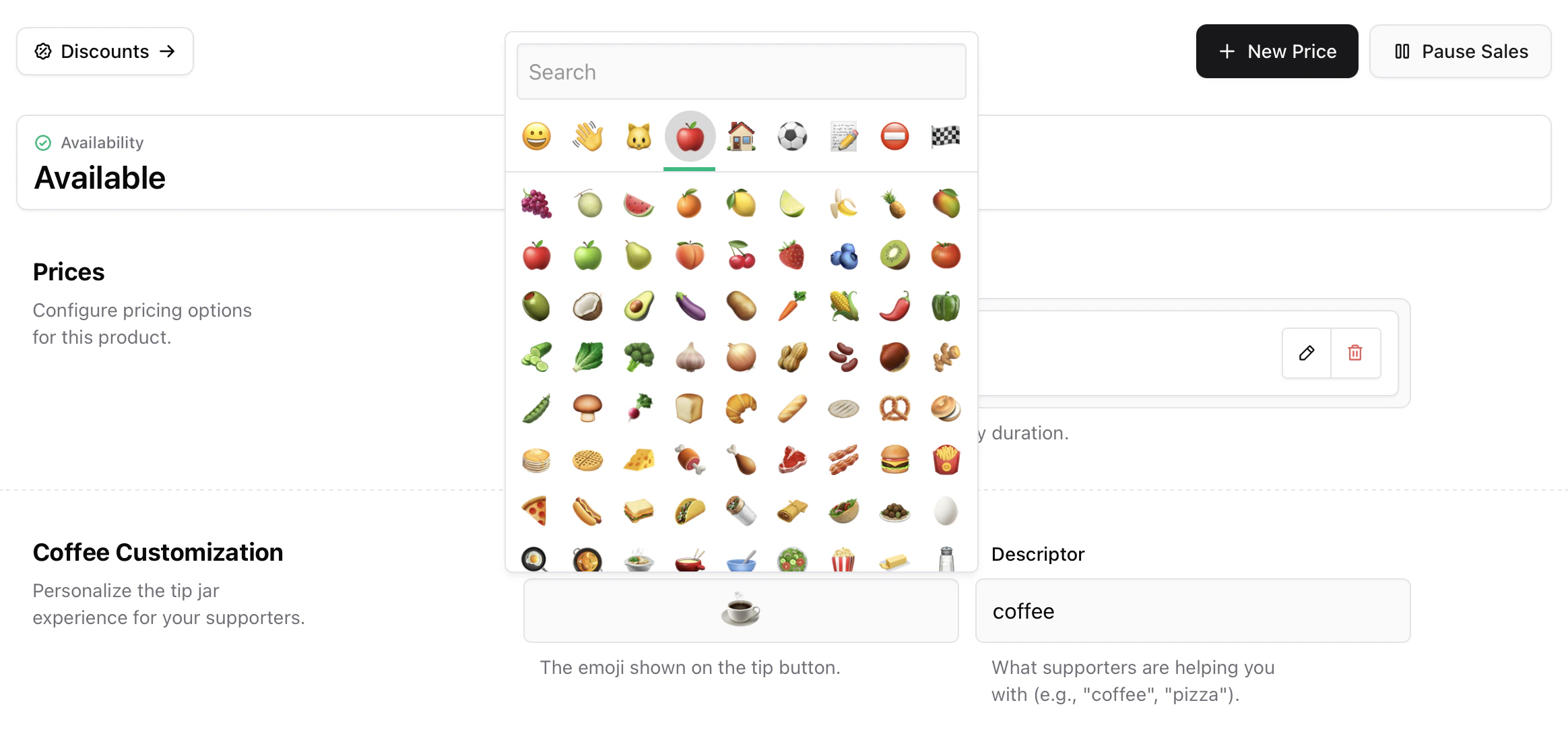 Then, choose a **descriptor**. Most creators make sure it matches the selected emoji.
Once saved, these settings apply instantly across your checkout and live Coffee page.
***
## Build your Coffee product page
Under **Page Builder**, you can fully customize how your Coffee product page looks using Sherpo's powerful, lego-like builder.
### Coffee-specific blocks
Inside the Coffee Page Builder, you will see a **Get** block alongside the **Pages** and **Content** blocks. Like in every other Sherpo product, these blocks are mandatory and cannot be deleted or hidden. If not populated, they will simply not render. For Coffee products, **Get** also contains the product-specific tipping interface, where users can select how many coffees to buy or enter a custom amount, add their name, write a message, and leave their email.
Then, choose a **descriptor**. Most creators make sure it matches the selected emoji.
Once saved, these settings apply instantly across your checkout and live Coffee page.
***
## Build your Coffee product page
Under **Page Builder**, you can fully customize how your Coffee product page looks using Sherpo's powerful, lego-like builder.
### Coffee-specific blocks
Inside the Coffee Page Builder, you will see a **Get** block alongside the **Pages** and **Content** blocks. Like in every other Sherpo product, these blocks are mandatory and cannot be deleted or hidden. If not populated, they will simply not render. For Coffee products, **Get** also contains the product-specific tipping interface, where users can select how many coffees to buy or enter a custom amount, add their name, write a message, and leave their email.
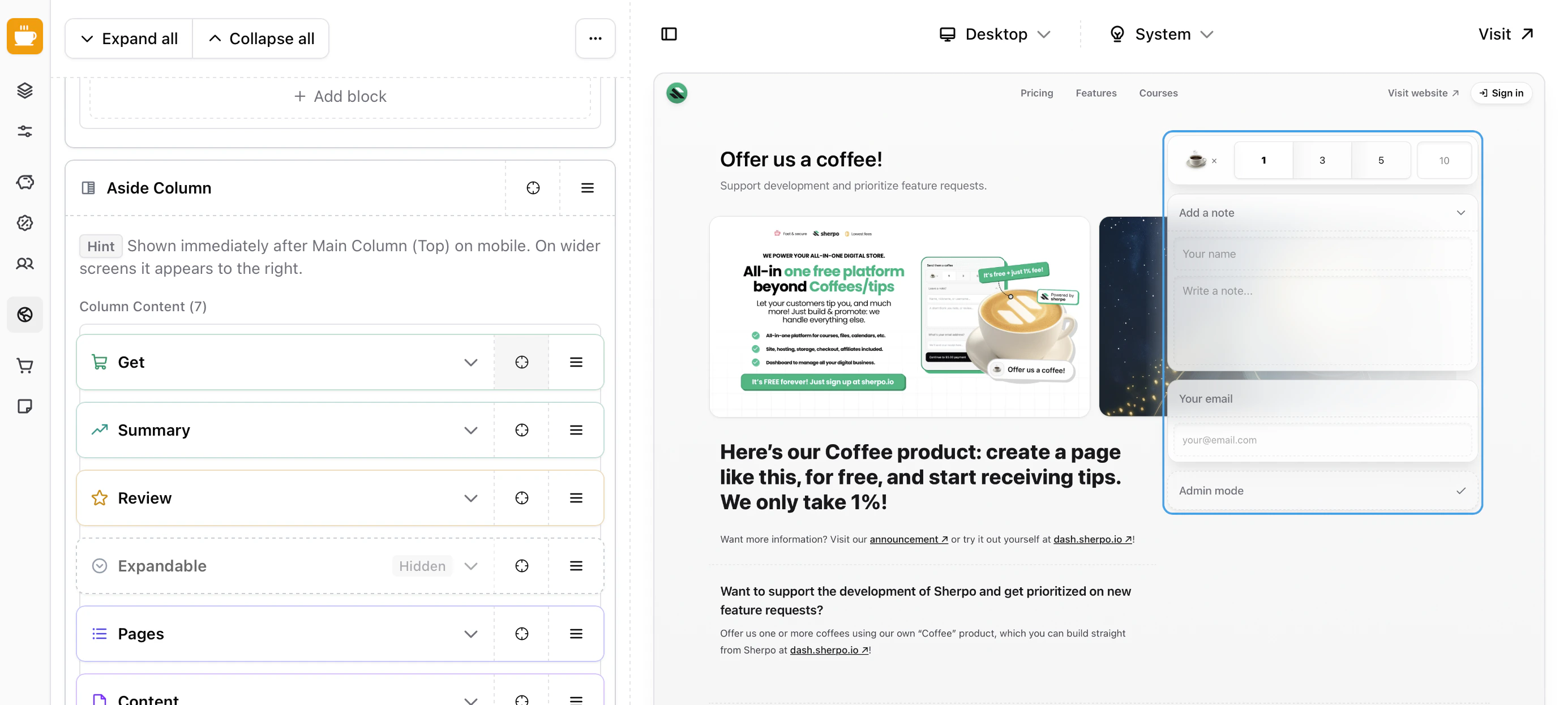 All of this is included by default in the **Aside Column**, which displays the blocks on the right. You are free to remove them from the column and position them wherever you prefer. Sherpo simply ensures that all mandatory blocks are present before allowing you to update the page.
### Product-specific blocks
All product Page Builders include an additional **Product** block category. These blocks are specific to the product type and power the core functionality of the page.
All of this is included by default in the **Aside Column**, which displays the blocks on the right. You are free to remove them from the column and position them wherever you prefer. Sherpo simply ensures that all mandatory blocks are present before allowing you to update the page.
### Product-specific blocks
All product Page Builders include an additional **Product** block category. These blocks are specific to the product type and power the core functionality of the page.
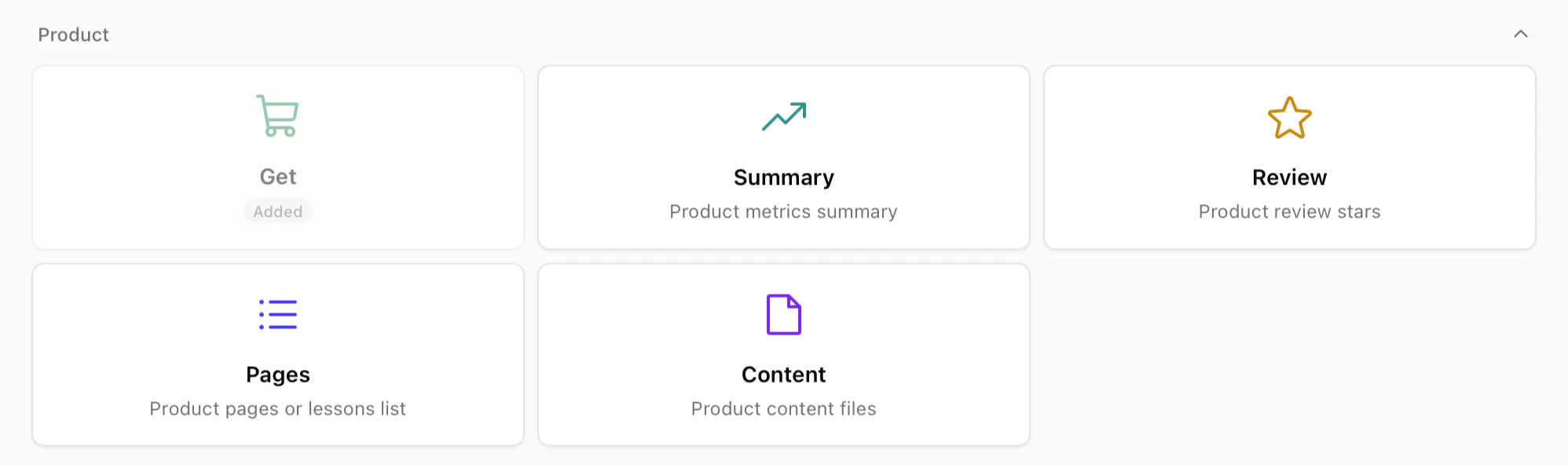 These blocks usually include:
* **Get** — The purchase or unlock interface for the product.
* **Summary** — A compact overview of product metrics or highlights.
* **Review** — Displays review ratings and feedback from customers.
* **Pages** — Lists internal pages such as lessons, episodes, or product sections.
* **Content** — Displays the files or content included in the product.
Like other mandatory blocks, some of these may already be included in your layout and cannot be deleted, but you are free to move them anywhere within your page.
### Page builder
The rest of the Page Builder behaves exactly like the Site Builder. If you want to discover more about our blocks and building pages, check this out.
Build and customize your page by stacking and composing blocks. Powerful under the hood, simple to use.
***
## Fulfillment & receipts
Coffee is a **support-only** product. It does not unlock content or files. After each transaction:
* The supporter receives an automatic **email receipt**.
* Funds are transferred to your **connected Stripe account**.
You can track all transactions under **Sales** and export them as CSV, JSON, or Markdown.
***
## Best practices
* Choose emojis that match your personality or brand, such as ☕ coffee, 🍕 pizza, or 🎨 art, and make sure the descriptor matches.
* Include a description with **Markdown** block, and make it clear and friendly. Explain what the contributions help fund.
* Feature your Coffee page in your link-in-bio.
***
## FAQ
The Coffee Page Builder works exactly like the Site Builder. You can stack, reorder, and customize blocks to design your product page. The mandatory blocks, such as "Get", "Pages", and "Content", cannot be removed, but you can position them anywhere within your layout. If a mandatory block is empty, it will not render on the live page.
Yes. You can update your Coffee price at any time from **Prices → Set price**. Changes are applied instantly across your storefront.
Absolutely. Under **Coffee customization**, choose any emoji and label you like, such as 🍺 “beer” or 🎁 “gift.” These update everywhere your Coffee product appears.
Coffee products must be priced between **0.50 and 50.00** per unit. These limits ensure smooth microtransactions and compliance.
Not directly. Coffee uses quick multipliers such as ×1, ×3, ×5, or a custom amount that supporters can select during checkout.
Yes. You can add images or videos from the **Page Builder** tab to personalize your Coffee product’s appearance.
No. Coffee is designed for one-time support only. To deliver digital products, use other Sherpo product types such as **Files** or **Courses**.
No. Coffee, along with **Goals** and **Calendar**, does not support coupons or promo codes.
No. Automations and triggers are currently not available for Coffee products.
No. Coffee payments are real transactions processed immediately through Stripe.
Yes. You can archive or delete it at any time from your dashboard under **Settings**.
These blocks usually include:
* **Get** — The purchase or unlock interface for the product.
* **Summary** — A compact overview of product metrics or highlights.
* **Review** — Displays review ratings and feedback from customers.
* **Pages** — Lists internal pages such as lessons, episodes, or product sections.
* **Content** — Displays the files or content included in the product.
Like other mandatory blocks, some of these may already be included in your layout and cannot be deleted, but you are free to move them anywhere within your page.
### Page builder
The rest of the Page Builder behaves exactly like the Site Builder. If you want to discover more about our blocks and building pages, check this out.
Build and customize your page by stacking and composing blocks. Powerful under the hood, simple to use.
***
## Fulfillment & receipts
Coffee is a **support-only** product. It does not unlock content or files. After each transaction:
* The supporter receives an automatic **email receipt**.
* Funds are transferred to your **connected Stripe account**.
You can track all transactions under **Sales** and export them as CSV, JSON, or Markdown.
***
## Best practices
* Choose emojis that match your personality or brand, such as ☕ coffee, 🍕 pizza, or 🎨 art, and make sure the descriptor matches.
* Include a description with **Markdown** block, and make it clear and friendly. Explain what the contributions help fund.
* Feature your Coffee page in your link-in-bio.
***
## FAQ
The Coffee Page Builder works exactly like the Site Builder. You can stack, reorder, and customize blocks to design your product page. The mandatory blocks, such as "Get", "Pages", and "Content", cannot be removed, but you can position them anywhere within your layout. If a mandatory block is empty, it will not render on the live page.
Yes. You can update your Coffee price at any time from **Prices → Set price**. Changes are applied instantly across your storefront.
Absolutely. Under **Coffee customization**, choose any emoji and label you like, such as 🍺 “beer” or 🎁 “gift.” These update everywhere your Coffee product appears.
Coffee products must be priced between **0.50 and 50.00** per unit. These limits ensure smooth microtransactions and compliance.
Not directly. Coffee uses quick multipliers such as ×1, ×3, ×5, or a custom amount that supporters can select during checkout.
Yes. You can add images or videos from the **Page Builder** tab to personalize your Coffee product’s appearance.
No. Coffee is designed for one-time support only. To deliver digital products, use other Sherpo product types such as **Files** or **Courses**.
No. Coffee, along with **Goals** and **Calendar**, does not support coupons or promo codes.
No. Automations and triggers are currently not available for Coffee products.
No. Coffee payments are real transactions processed immediately through Stripe.
Yes. You can archive or delete it at any time from your dashboard under **Settings**.