> ## Documentation Index
> Fetch the complete documentation index at: https://docs.sherpo.io/llms.txt
> Use this file to discover all available pages before exploring further.
# Redirects
> Make redirect links to any page on your Sherpo site, or elsewhere.
Sherpo Redirects let you clean up URLs, create branded short links, and retire old launches gracefully without touching DNS or plugins. You can map any path on your Sherpo site (for example, `/course`) to another internal page or an external URL directly from your Dashboard.
***
## Internal vs external redirects
Sherpo supports two types of redirects, with different availability depending on your plan.
### Internal redirects (available to everyone)
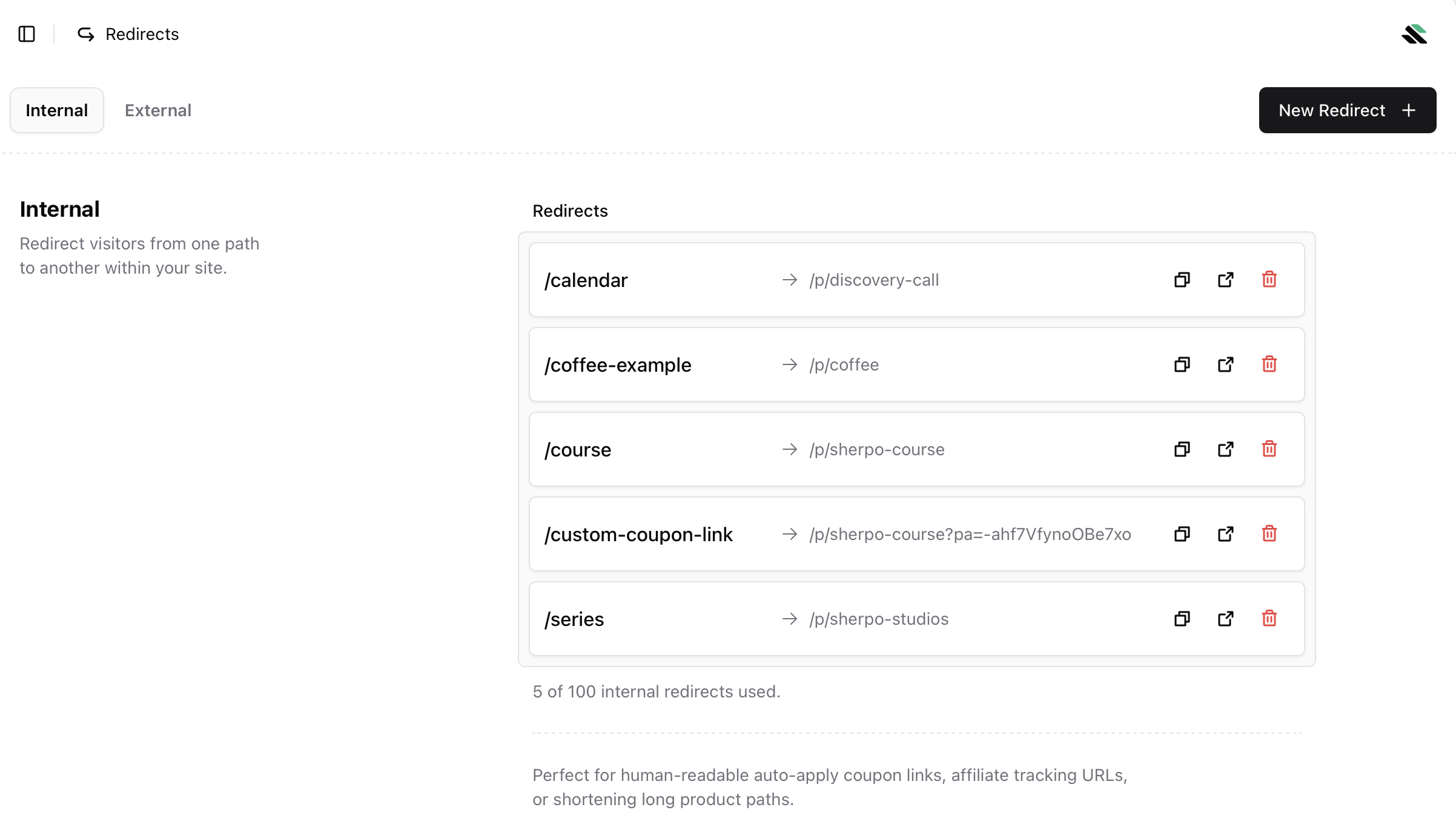
Internal redirects send visitors from one path on your Sherpo site to another Sherpo page.
* Available on all plans
* Ideal for short links, coupons, bundles, and product pages
* Example: `/course` → `/p/sherpo-course`
 ***
### External redirects (Pro only)
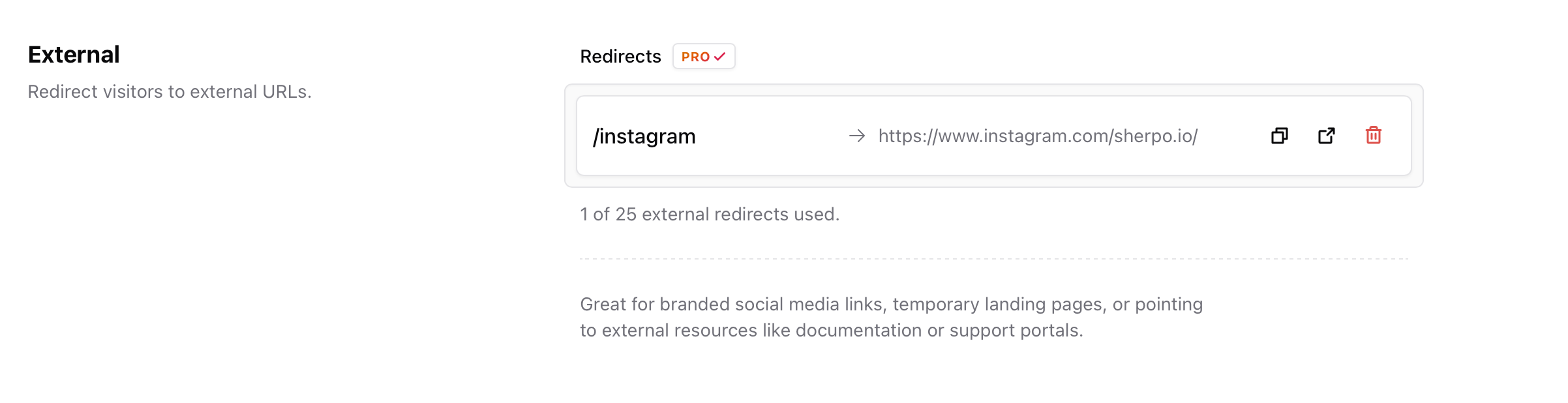
External redirects send visitors from your Sherpo site to an external URL.
* Available only on the Pro plan
* Perfect for branded social links, documentation, or external tools
* Example: `/instagram` → `https://www.instagram.com/sherpo.io/`
***
### External redirects (Pro only)
External redirects send visitors from your Sherpo site to an external URL.
* Available only on the Pro plan
* Perfect for branded social links, documentation, or external tools
* Example: `/instagram` → `https://www.instagram.com/sherpo.io/`
 ***
## When to use redirects
Redirects are useful for both marketing and site organization.\
Common use cases include:
* **Campaign tracking**\
Create short, memorable links for affiliates, newsletters, or ads.\
Example: `/vip` → `/p/exclusive-bundle?utm_campaign=vip_launch`\
Visitors only need to open `yoursite.sherpo.io/vip`.
* **A/B testing**\
Test multiple promo URLs and compare conversion performance.
* **Cleanup**\
Retire outdated pages while keeping backlinks alive by pointing them to newer products.
***
## Create a redirect
1. Go to **Organization → Site Settings → Redirects** (or the **Redirects** tab under your site menu).
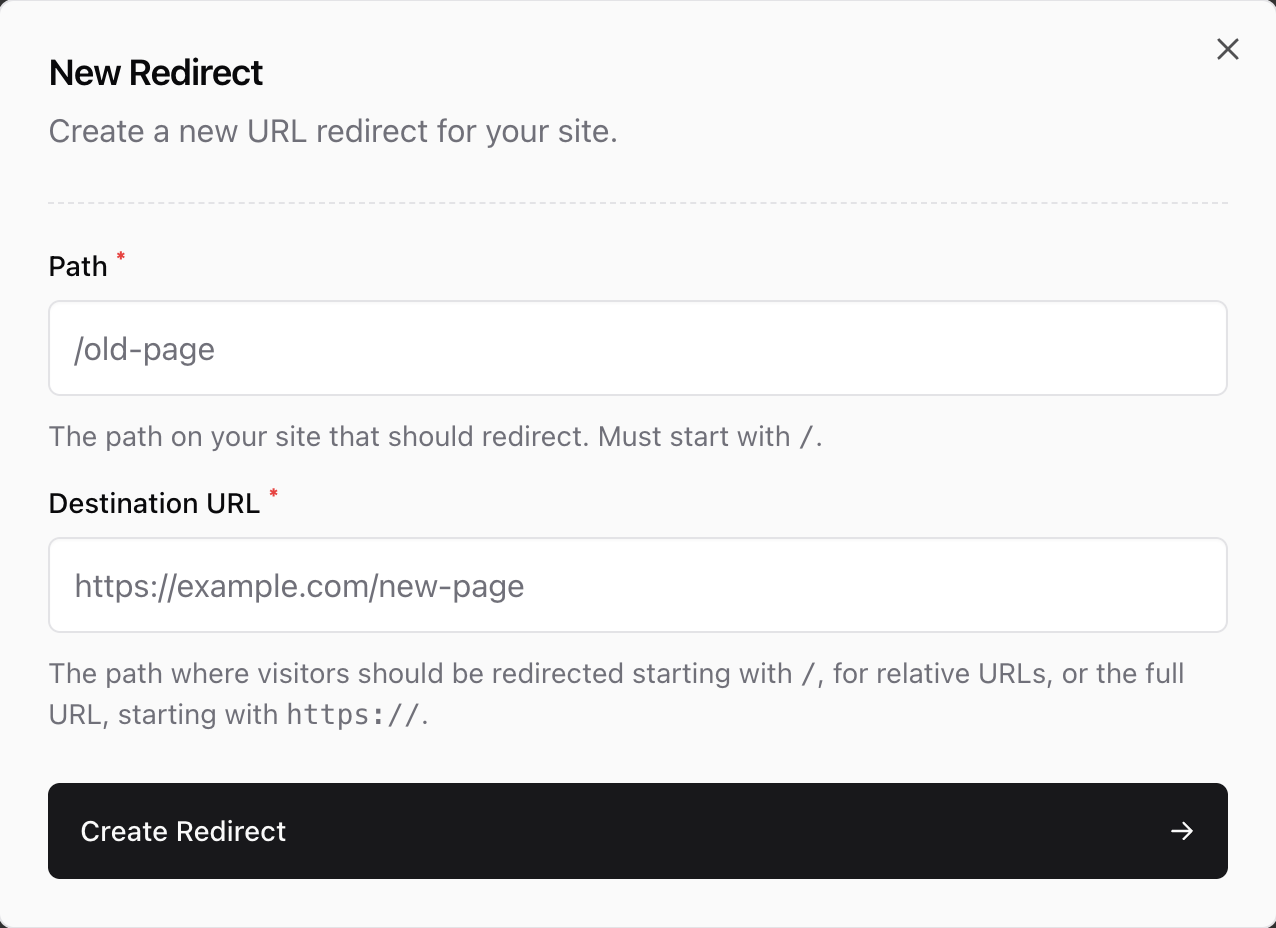
2. Click **New Redirect**.
3. Fill in the fields:
* **Path**\
The short path visitors will type, for example `/course`. Must start with `/`.
* **Destination**
* An internal Sherpo page, like `/p/course-2025-edition`
* An external HTTPS URL (Pro only)
4. Click **Create Redirect**.
The redirect becomes active immediately.
***
## When to use redirects
Redirects are useful for both marketing and site organization.\
Common use cases include:
* **Campaign tracking**\
Create short, memorable links for affiliates, newsletters, or ads.\
Example: `/vip` → `/p/exclusive-bundle?utm_campaign=vip_launch`\
Visitors only need to open `yoursite.sherpo.io/vip`.
* **A/B testing**\
Test multiple promo URLs and compare conversion performance.
* **Cleanup**\
Retire outdated pages while keeping backlinks alive by pointing them to newer products.
***
## Create a redirect
1. Go to **Organization → Site Settings → Redirects** (or the **Redirects** tab under your site menu).
2. Click **New Redirect**.
3. Fill in the fields:
* **Path**\
The short path visitors will type, for example `/course`. Must start with `/`.
* **Destination**
* An internal Sherpo page, like `/p/course-2025-edition`
* An external HTTPS URL (Pro only)
4. Click **Create Redirect**.
The redirect becomes active immediately.
 ***
## Manage existing redirects
Use the **Redirects** list to view or delete redirects.
* Instantly see which paths are in use
* Remove old campaigns with one click
* Changes apply immediately after updating
***
## Best practices
* Keep paths short and human-readable\
Examples: `/bundle`, `/demo`, `/discount`
* Review redirects every few months to clean up unused links.
* Combine redirects with bundles, coupons, or affiliates.\
Example: `/vip` → hidden bundle with an auto-applied coupon.
* Avoid chaining multiple redirects. Always point directly to the final destination.
***
## FAQ
Redirects help preserve SEO equity from old links. Short internal redirects like `/course` → `/p/sherpo-course` do not harm performance.
Yes, but only on the Pro plan. All external redirects must use HTTPS.
Redirect usage counts are not yet shown in the dashboard. You can track clicks using UTM parameters, GA4, or Cloudflare Web Analytics.
After updating, the redirect is removed. Visitors will be sent to your homepage.
Yes. Redirects work perfectly with coupons, affiliates, and automations.\
Example: `/summer20` → `/p/product?coupon=SUMMER20`.
Yes. All redirects apply instantly and are handled globally by Sherpo.
You can create up to 100 internal redirects.\
External redirects are limited to 25 and require the Pro plan.
***
## Manage existing redirects
Use the **Redirects** list to view or delete redirects.
* Instantly see which paths are in use
* Remove old campaigns with one click
* Changes apply immediately after updating
***
## Best practices
* Keep paths short and human-readable\
Examples: `/bundle`, `/demo`, `/discount`
* Review redirects every few months to clean up unused links.
* Combine redirects with bundles, coupons, or affiliates.\
Example: `/vip` → hidden bundle with an auto-applied coupon.
* Avoid chaining multiple redirects. Always point directly to the final destination.
***
## FAQ
Redirects help preserve SEO equity from old links. Short internal redirects like `/course` → `/p/sherpo-course` do not harm performance.
Yes, but only on the Pro plan. All external redirects must use HTTPS.
Redirect usage counts are not yet shown in the dashboard. You can track clicks using UTM parameters, GA4, or Cloudflare Web Analytics.
After updating, the redirect is removed. Visitors will be sent to your homepage.
Yes. Redirects work perfectly with coupons, affiliates, and automations.\
Example: `/summer20` → `/p/product?coupon=SUMMER20`.
Yes. All redirects apply instantly and are handled globally by Sherpo.
You can create up to 100 internal redirects.\
External redirects are limited to 25 and require the Pro plan.