> ## Documentation Index
> Fetch the complete documentation index at: https://docs.sherpo.io/llms.txt
> Use this file to discover all available pages before exploring further.
# Site Settings
> Manage the branding, domain, language, and search visibility for your Sherpo site from the dashboard.
Every new Sherpo **space** automatically comes with a hosted site on `yourname.sherpo.io`.
The **Site settings** page lets you customize your site’s identity, appearance, and visibility. All directly from the dashboard.
***
## Open the Site settings page
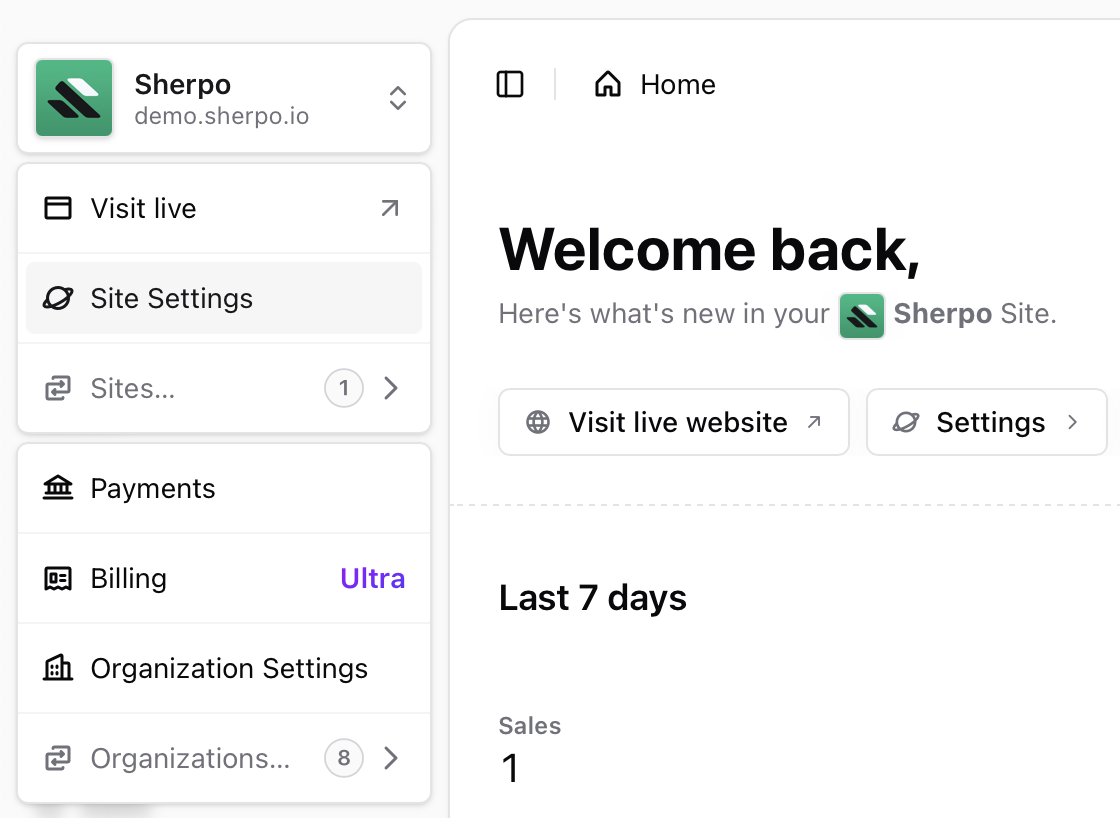
* Sign in to [Sherpo Dash](https://dash.sherpo.io).
* Click **Settings** in the main navigation.
* Use the **Info**, **Preferences**, and **Appearance** tabs to configure your site.
 ***
## Info
***
## Info
 ### Site name and description
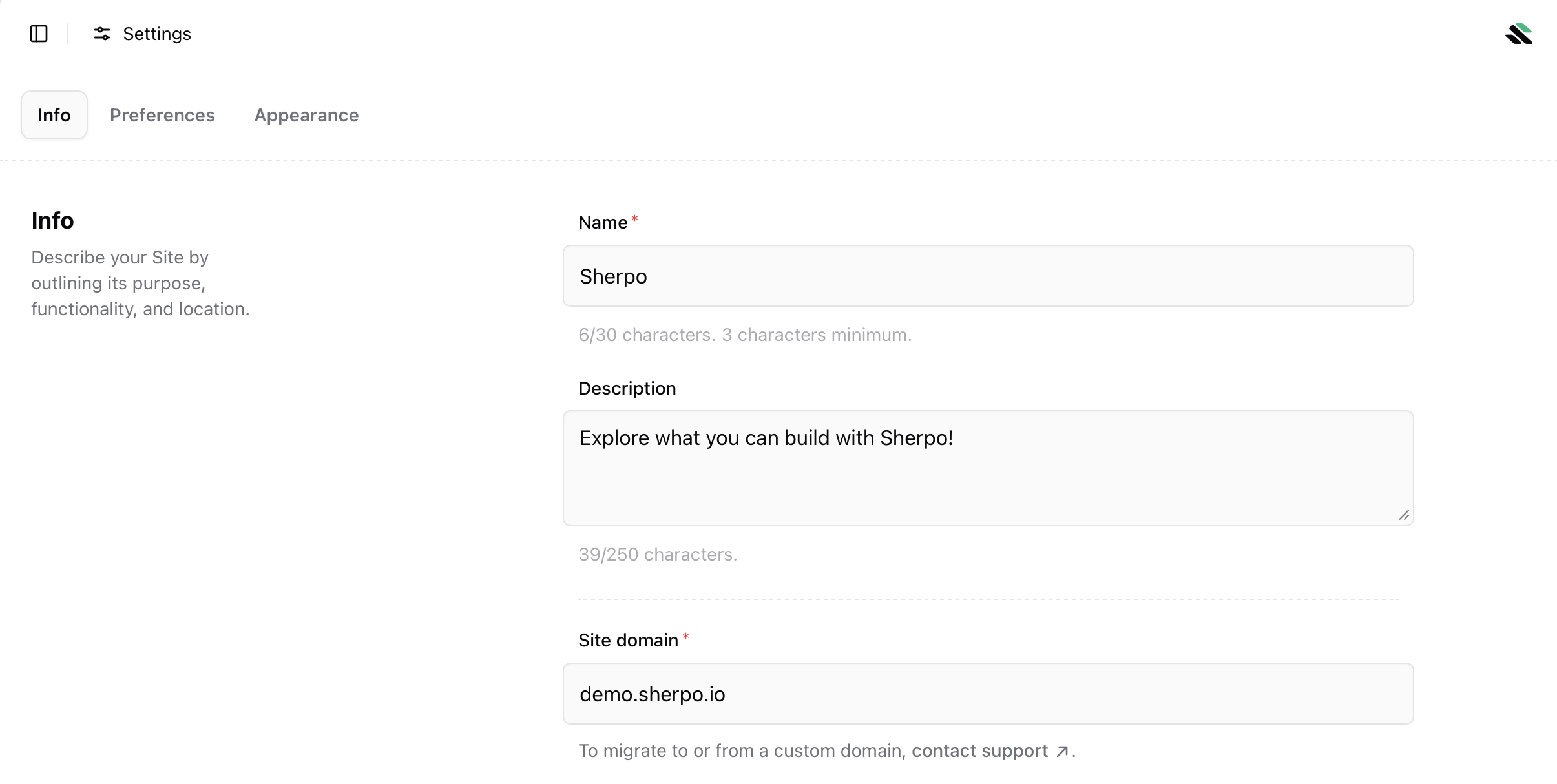
Define how your site appears across the product and to visitors.
* **Name**: 3 to 30 characters
* **Description**: up to 250 characters
These are shown in the browser title, previews, and other public surfaces.
### Site domain
Your site is hosted on a Sherpo subdomain by default.
* Example: `demo.sherpo.io`
* To migrate to or from a **custom domain**, you must currently [contact support](mailto:support@sherpo.io).
***
## Preferences
### Site name and description
Define how your site appears across the product and to visitors.
* **Name**: 3 to 30 characters
* **Description**: up to 250 characters
These are shown in the browser title, previews, and other public surfaces.
### Site domain
Your site is hosted on a Sherpo subdomain by default.
* Example: `demo.sherpo.io`
* To migrate to or from a **custom domain**, you must currently [contact support](mailto:support@sherpo.io).
***
## Preferences
 ### Language
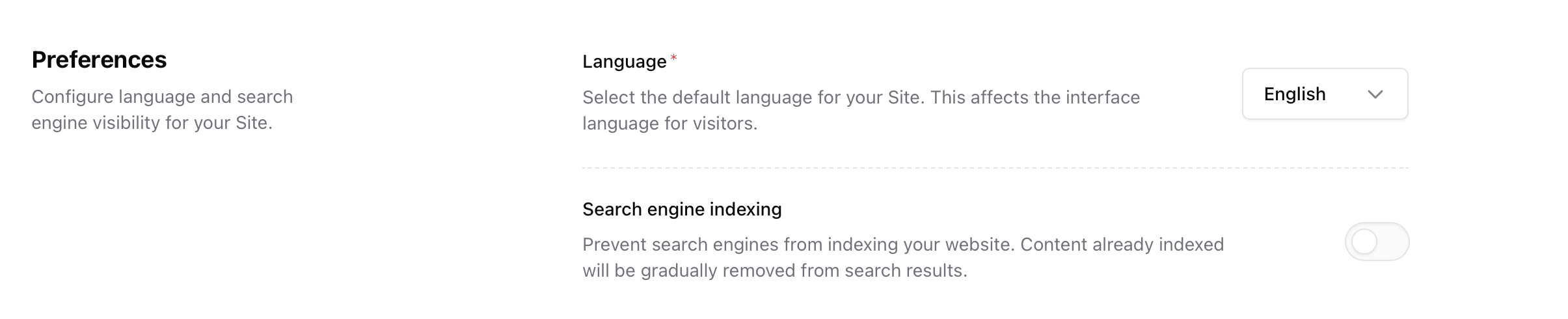
Select the default language for your site. This controls the interface language shown to visitors.
Sherpo currently supports the following languages:
* English
* Deutsch
* Italiano
* Français
* Português
* Español
* Русский
* 日本語
After changing language, the change may take a short time to propagate in your website, due to caching.
### Search engine indexing
Disable search engine indexing to prevent Google and other crawlers from indexing your site. Existing indexed pages will be gradually removed from results.
It can be useful to keep indexing disabled while your site is private, under development, or intentionally not discoverable. Enable it if you want your site to appear in search results.
***
## Appearance
### Language
Select the default language for your site. This controls the interface language shown to visitors.
Sherpo currently supports the following languages:
* English
* Deutsch
* Italiano
* Français
* Português
* Español
* Русский
* 日本語
After changing language, the change may take a short time to propagate in your website, due to caching.
### Search engine indexing
Disable search engine indexing to prevent Google and other crawlers from indexing your site. Existing indexed pages will be gradually removed from results.
It can be useful to keep indexing disabled while your site is private, under development, or intentionally not discoverable. Enable it if you want your site to appear in search results.
***
## Appearance
 ### Icon
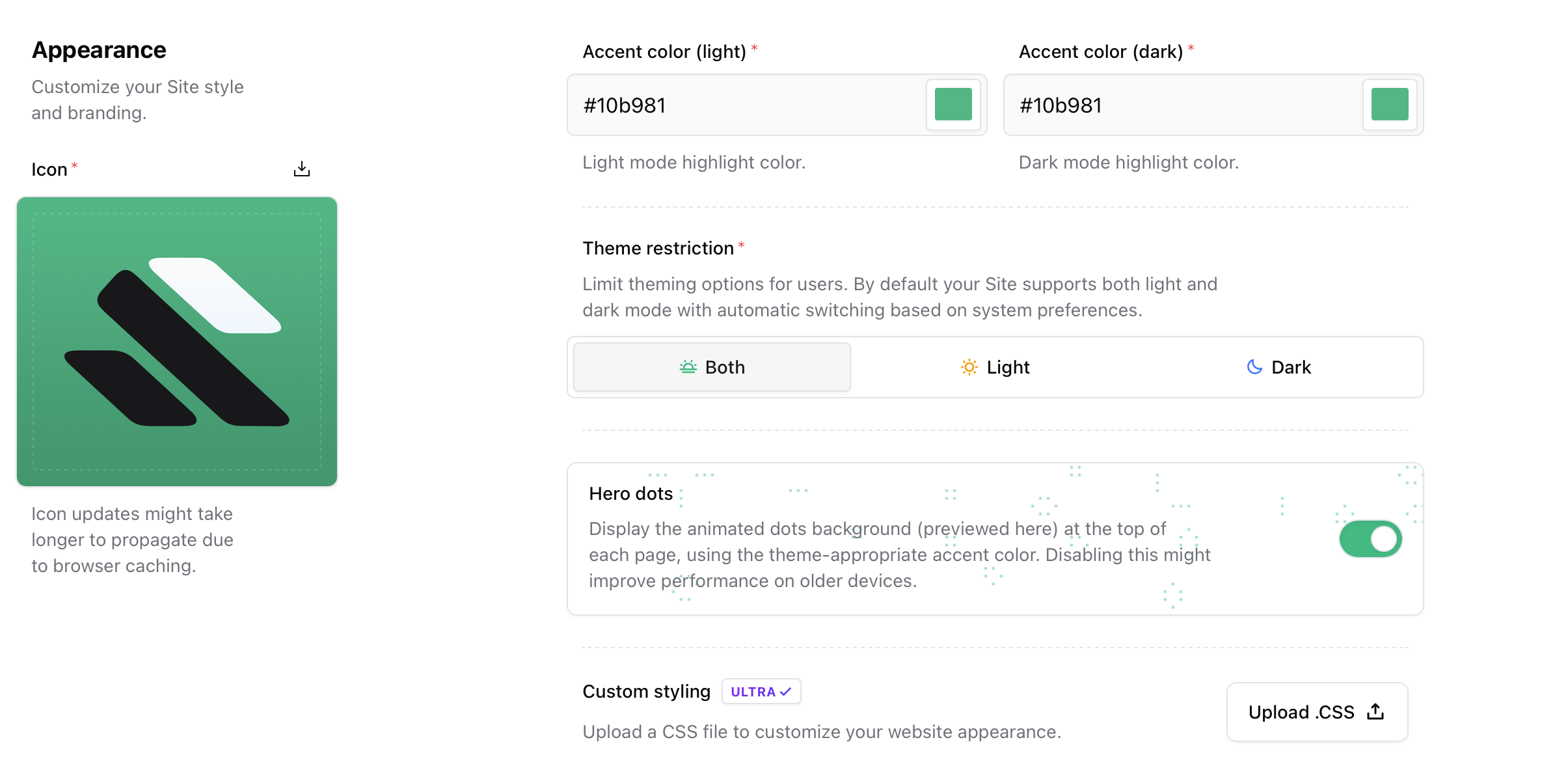
Upload your site icon. This is used as the favicon and in previews.
* Square PNG or JPEG
* Browser caching may cause a short delay before updates appear
### Accent color
Choose the highlight color used across your site.
* **Accent color (light)** applies in light mode
* **Accent color (dark)** applies in dark mode
These colors affect links and some interactive elements.
### Theme restriction
Control which themes are available to visitors:
* **Both**: light and dark mode, auto-switching based on system preferences
* **Light**: force light mode only
* **Dark**: force dark mode only
### Hero dots
Enable or disable the animated dots background shown at the top of each page. Disabling this can improve performance on older devices.
Hero dots add subtle motion and personality. We recommend keeping them enabled unless performance is critical.
### Custom styling
Ultra plans can upload a custom `.css` file to further customize the site appearance. Styles are applied on top of default Sherpo styles and may take a short time to propagate due to caching.
***
## Shortcut reference
### Info
* **Name** and **description** define your site identity
* **Domain** controls your `.sherpo.io` address or custom domain
### Preferences
* **Language** sets the visitor interface language
* **Search engine indexing** controls SEO visibility
### Appearance
* **Icon** for favicon and previews
* **Accent colors** for light and dark mode
* **Theme restriction** to control light and dark availability
* **Hero dots** animated background toggle
* **Custom CSS** for advanced styling on Ultra plans
***
## FAQ
Yes. Custom domains are supported on paid plans. Migrations currently require contacting Sherpo support.
Browsers cache static assets aggressively. Changes usually propagate within a few minutes.
The selected language controls the interface text shown to visitors, such as navigation, buttons, and system labels. It does not automatically translate your content. Pages, posts, and custom text remain in the language you write them in.
No. Only PNG and JPEG files are supported.
No. Search engines remove pages gradually as they re-crawl your site.
No. It only affects visuals and may slightly improve performance on older devices.
### Icon
Upload your site icon. This is used as the favicon and in previews.
* Square PNG or JPEG
* Browser caching may cause a short delay before updates appear
### Accent color
Choose the highlight color used across your site.
* **Accent color (light)** applies in light mode
* **Accent color (dark)** applies in dark mode
These colors affect links and some interactive elements.
### Theme restriction
Control which themes are available to visitors:
* **Both**: light and dark mode, auto-switching based on system preferences
* **Light**: force light mode only
* **Dark**: force dark mode only
### Hero dots
Enable or disable the animated dots background shown at the top of each page. Disabling this can improve performance on older devices.
Hero dots add subtle motion and personality. We recommend keeping them enabled unless performance is critical.
### Custom styling
Ultra plans can upload a custom `.css` file to further customize the site appearance. Styles are applied on top of default Sherpo styles and may take a short time to propagate due to caching.
***
## Shortcut reference
### Info
* **Name** and **description** define your site identity
* **Domain** controls your `.sherpo.io` address or custom domain
### Preferences
* **Language** sets the visitor interface language
* **Search engine indexing** controls SEO visibility
### Appearance
* **Icon** for favicon and previews
* **Accent colors** for light and dark mode
* **Theme restriction** to control light and dark availability
* **Hero dots** animated background toggle
* **Custom CSS** for advanced styling on Ultra plans
***
## FAQ
Yes. Custom domains are supported on paid plans. Migrations currently require contacting Sherpo support.
Browsers cache static assets aggressively. Changes usually propagate within a few minutes.
The selected language controls the interface text shown to visitors, such as navigation, buttons, and system labels. It does not automatically translate your content. Pages, posts, and custom text remain in the language you write them in.
No. Only PNG and JPEG files are supported.
No. Search engines remove pages gradually as they re-crawl your site.
No. It only affects visuals and may slightly improve performance on older devices.