> ## Documentation Index
> Fetch the complete documentation index at: https://docs.sherpo.io/llms.txt
> Use this file to discover all available pages before exploring further.
# User Reviews
> Let your customers leave reviews on your products.
Sherpo’s built-in review system lets logged-in customers who have unlocked your products leave **1–5 star ratings** and optional written comments. They can also sign their reviews with a preferred display name for a more personal touch.
This guide covers how reviews work from the **customer’s perspective**. If you’re looking for the creator-side setup guide, see below:
Set up reviews and collect customer feedback directly on your Sherpo products.
***
## Leaving a review
Once a customer unlocks a product, they’ll see a **Leave a review** option when clicking on the **Review** block.
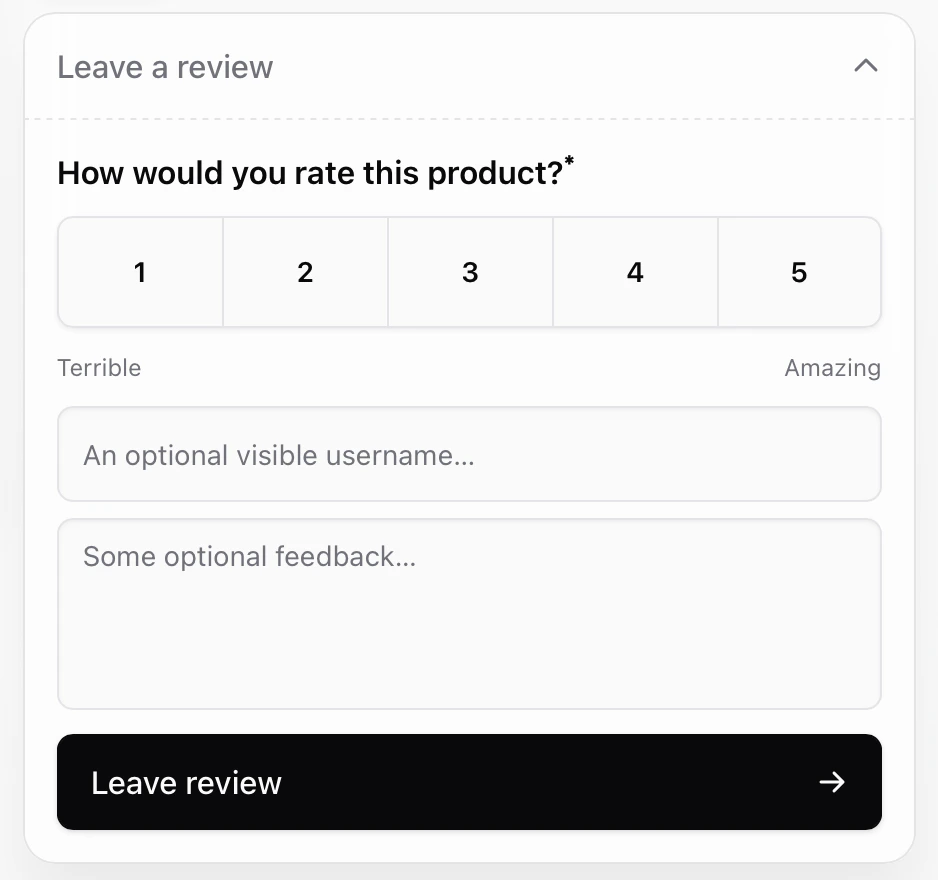 To submit a review, the customer must:
1. Click the **Review** block.
2. Choose a rating (1–5 stars).
3. Optionally enter a name and comment.
4. Click **Leave review** to confirm.
To submit a review, the customer must:
1. Click the **Review** block.
2. Choose a rating (1–5 stars).
3. Optionally enter a name and comment.
4. Click **Leave review** to confirm.
 Reviews appear instantly in the creator’s dashboard and remain linked to the buyer’s order. This ensures feedback is always traceable to real customers.
***
## Update reviews
Customers can **update** their reviews at any time, adjusting both the rating and comment, by repeating the same submission flow. When a review is updated, Sherpo retains the previous version for internal reference but shows only the **latest version** in your dashboard.
Automations linked to reviews will trigger again when a customer updates their review, letting you re-engage them easily.
***
## Displaying reviews
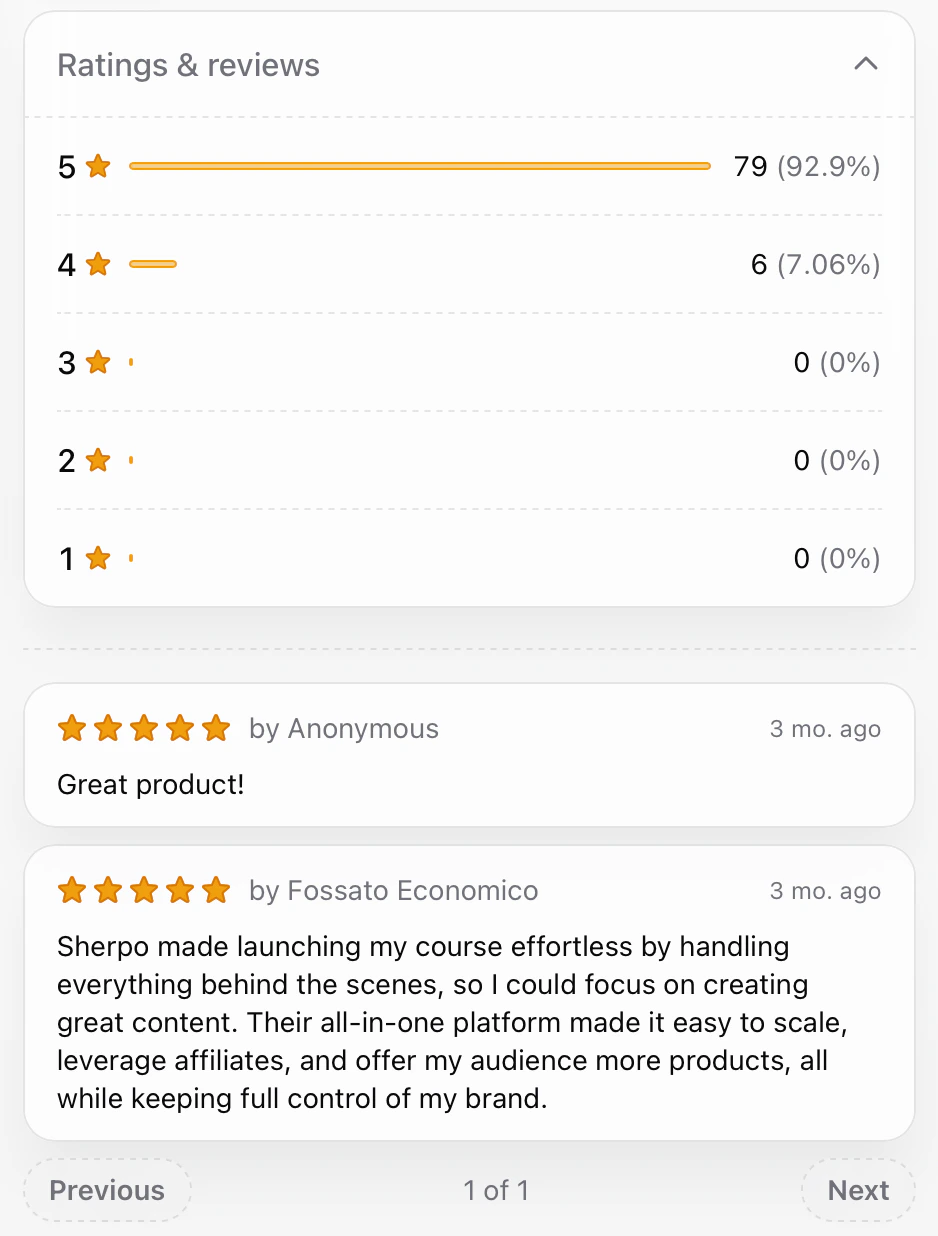
Visitors and customers can view the **rating distribution** (the number and percentage of 1–5 star scores) and the total number of reviews by clicking on reviews. All **written reviews** will also appear, divided by page:
Reviews appear instantly in the creator’s dashboard and remain linked to the buyer’s order. This ensures feedback is always traceable to real customers.
***
## Update reviews
Customers can **update** their reviews at any time, adjusting both the rating and comment, by repeating the same submission flow. When a review is updated, Sherpo retains the previous version for internal reference but shows only the **latest version** in your dashboard.
Automations linked to reviews will trigger again when a customer updates their review, letting you re-engage them easily.
***
## Displaying reviews
Visitors and customers can view the **rating distribution** (the number and percentage of 1–5 star scores) and the total number of reviews by clicking on reviews. All **written reviews** will also appear, divided by page:
 ***
## FAQ
Yes! By default, star ratings are visible on your product pages, and by clicking on the stars, all users will be able to see all written comments.
Customers can **edit** their reviews anytime by resubmitting them. They cannot delete them directly.
Yes. Only logged-in customers who have unlocked or purchased your product can leave a review, ensuring reviews come from verified buyers.
No. Each buyer can leave one review per product, which they can update later if needed.
Customers can choose whether to write their name or leave it blank.
Only verified customers who’ve unlocked a product through a valid order can leave feedback, so there’s no way to post reviews without purchase access.
***
## FAQ
Yes! By default, star ratings are visible on your product pages, and by clicking on the stars, all users will be able to see all written comments.
Customers can **edit** their reviews anytime by resubmitting them. They cannot delete them directly.
Yes. Only logged-in customers who have unlocked or purchased your product can leave a review, ensuring reviews come from verified buyers.
No. Each buyer can leave one review per product, which they can update later if needed.
Customers can choose whether to write their name or leave it blank.
Only verified customers who’ve unlocked a product through a valid order can leave feedback, so there’s no way to post reviews without purchase access.