> ## Documentation Index
> Fetch the complete documentation index at: https://docs.sherpo.io/llms.txt
> Use this file to discover all available pages before exploring further.
# Plans & Pricing
> Understand Sherpo's Start, Pro, and Ultra plans, platform fees, and how to change tiers from the dashboard.
Sherpo keeps billing inside the dashboard so you can upgrade or downgrade without leaving your workflow.
The **Billing** page (**Organization → Billing**) mirrors the public [Sherpo Pricing](https://sherpo.io/pricing) grid, but adds direct controls for managing subscriptions.
***
## Plans at a glance
| Plan | Monthly price\* | Yearly price\* | Platform fee | Key extras |
| --------- | --------------- | -------------- | ------------ | ------------------------------------------------------------------ |
| **Start** | Free | Free | Up to 5% | Unlimited products, downloads, and customers; 5 GB limit |
| **Pro** | \$29 / site | \$24 / site | Up to 5% | Landing page builder, coupons, quizzes & certificates, 50 GB limit |
| **Ultra** | \$79 / site | \$59 / site | 0% | Everything in Pro + white-labelling, custom domains, 250 GB limit |
\*Per site, in USD. Yearly prices show the **effective monthly rate** after discounts.
Sherpo bills **per active site**, so multi-site organizations can set quantity during checkout.
***
## Access the Billing page
1. Sign in to [dash.sherpo.io](https://dash.sherpo.io).
2. Under your profile icon, select **Billing**.
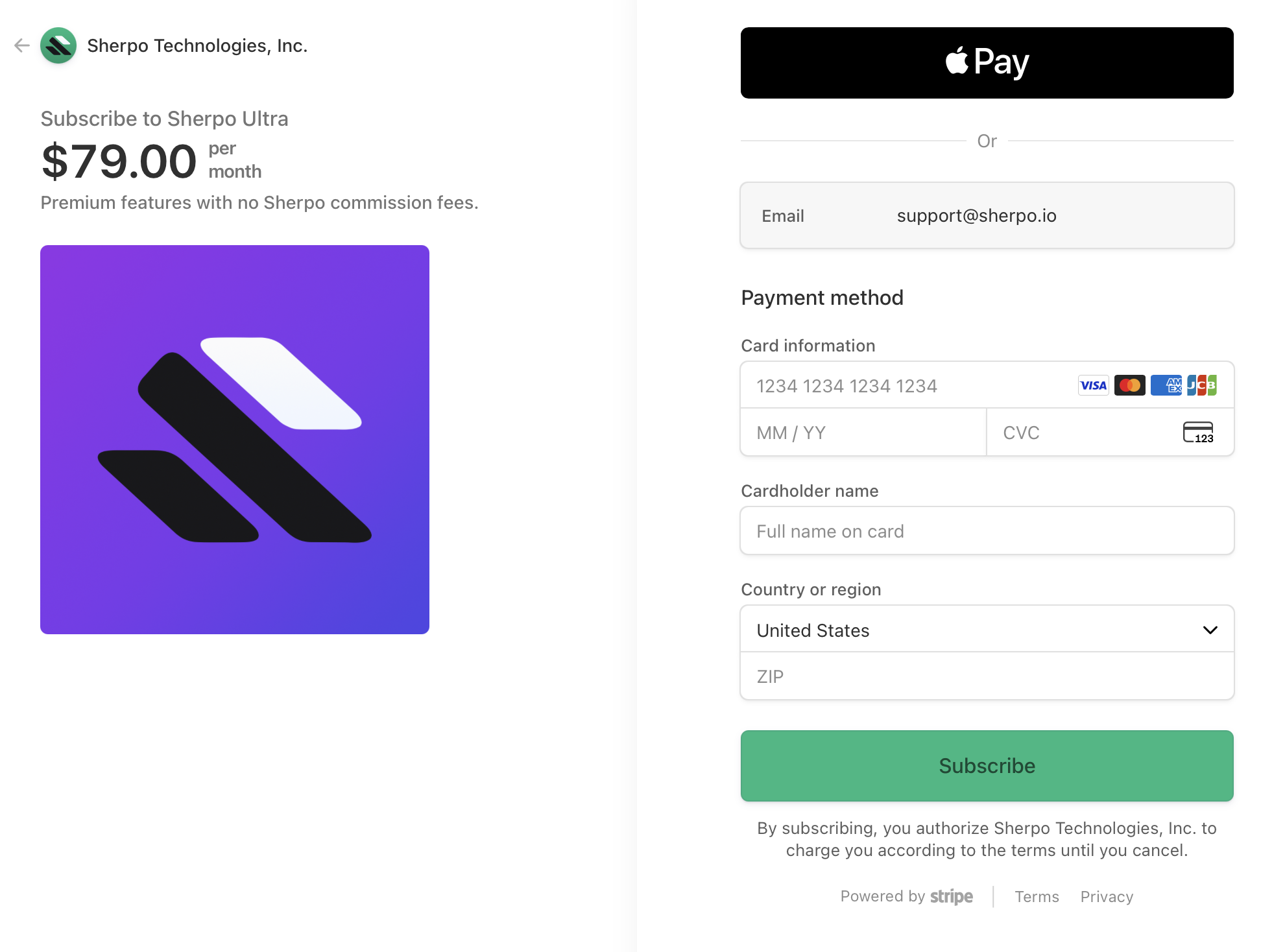
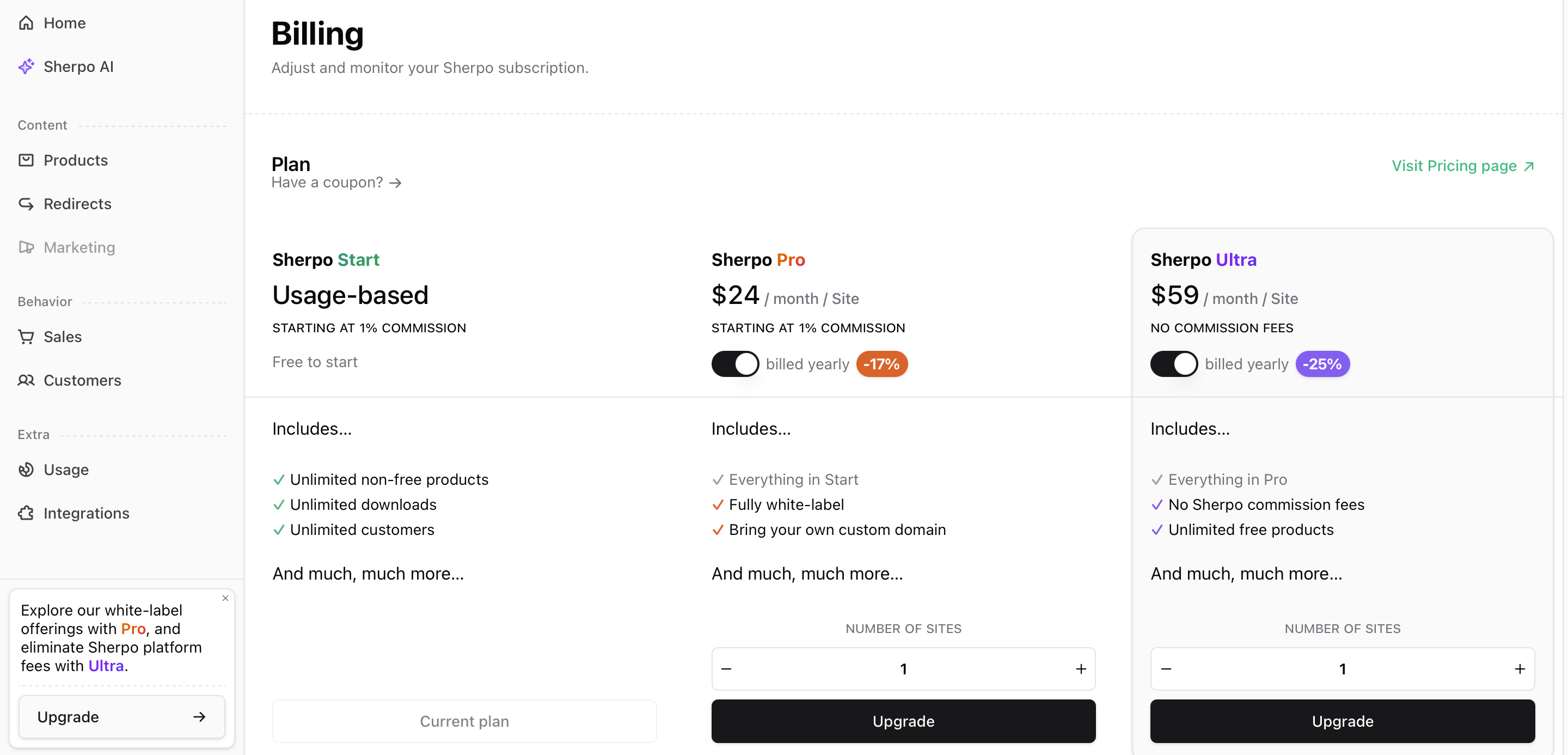 Click **Upgrade** to open a secure Stripe checkout window where you can enter payment details:
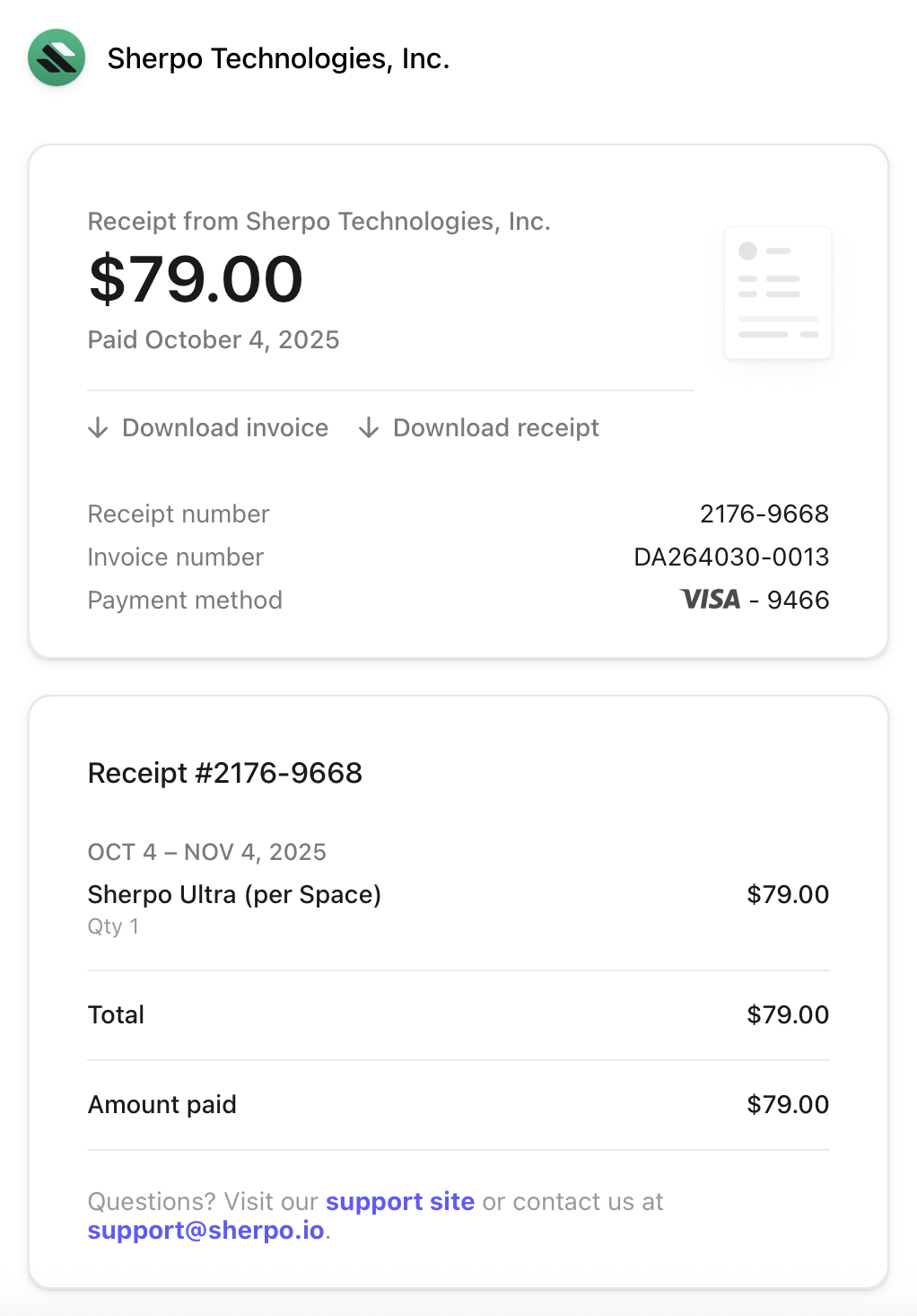
 After subscribing, Stripe emails your invoice and receipt automatically:
 ***
## Upgrade or downgrade
Each plan card in the **Billing** page includes an **Upgrade**, **Downgrade**, or **Manage** button, depending on your current tier.
### Start → Paid plan:
Select **Pro** or **Ultra**, adjust the number of sites if needed, and click **Upgrade**. Sherpo opens Stripe Checkout with your selected price and quantity preloaded. Complete payment to activate the subscription instantly.
### Paid → Different paid plan:
Choose **Upgrade** (for higher tiers) or **Downgrade** (for lower tiers). Sherpo routes you to the Stripe Customer Portal where you can view proration details, change quantities, or cancel.
### Manage existing plan:
If you’re already on **Pro** or **Ultra**, the button reads **Manage**. Clicking it opens the Customer Portal for self-service updates (billing info, invoices, quantity changes, or cancellations).
Sherpo syncs all changes automatically after Stripe confirms the update.
***
## Understand billing switches and fees
Each plan card includes two helpful widgets:
* **Billing toggle** — The “Save with yearly plan” switch shows your discounted yearly rate. Toggle between monthly and yearly before upgrading.
* **Platform fee** — Displays Sherpo’s percentage fee on transactions for that tier:
* Start: 1–5%
* Pro: 0%
* Ultra: 0%
Stripe’s card processing fees apply independently of Sherpo’s platform fees.
***
## FAQ
The **Start** plan is limited to a single site per organization. For **Pro** and **Ultra**, you can add multiple sites by selecting quantity during checkout. Additional sites can be added anytime from your Stripe billing portal.
You can cancel anytime from your Stripe portal. When your paid term ends, your organization automatically reverts to the **Start (free)** plan. All your data stays intact: you can re-upgrade anytime without losing progress.
No. The **Start** plan supports **Stripe Connect**, letting you sell paid products with a 1–5% platform fee. Upgrade to **Pro** or **Ultra** to reduce fees to 0% and unlock premium tools like white-labeling and advanced AI.
When billed yearly, Sherpo applies an automatic discount. You’ll pay upfront for 12 months, and your subscription renews annually unless canceled.
No. Plan upgrades or downgrades only affect your admin tools and platform fees: your customers’ experience and access remain unchanged.
Yes. Stripe emails each invoice automatically after payment.
***
## Upgrade or downgrade
Each plan card in the **Billing** page includes an **Upgrade**, **Downgrade**, or **Manage** button, depending on your current tier.
### Start → Paid plan:
Select **Pro** or **Ultra**, adjust the number of sites if needed, and click **Upgrade**. Sherpo opens Stripe Checkout with your selected price and quantity preloaded. Complete payment to activate the subscription instantly.
### Paid → Different paid plan:
Choose **Upgrade** (for higher tiers) or **Downgrade** (for lower tiers). Sherpo routes you to the Stripe Customer Portal where you can view proration details, change quantities, or cancel.
### Manage existing plan:
If you’re already on **Pro** or **Ultra**, the button reads **Manage**. Clicking it opens the Customer Portal for self-service updates (billing info, invoices, quantity changes, or cancellations).
Sherpo syncs all changes automatically after Stripe confirms the update.
***
## Understand billing switches and fees
Each plan card includes two helpful widgets:
* **Billing toggle** — The “Save with yearly plan” switch shows your discounted yearly rate. Toggle between monthly and yearly before upgrading.
* **Platform fee** — Displays Sherpo’s percentage fee on transactions for that tier:
* Start: 1–5%
* Pro: 0%
* Ultra: 0%
Stripe’s card processing fees apply independently of Sherpo’s platform fees.
***
## FAQ
The **Start** plan is limited to a single site per organization. For **Pro** and **Ultra**, you can add multiple sites by selecting quantity during checkout. Additional sites can be added anytime from your Stripe billing portal.
You can cancel anytime from your Stripe portal. When your paid term ends, your organization automatically reverts to the **Start (free)** plan. All your data stays intact: you can re-upgrade anytime without losing progress.
No. The **Start** plan supports **Stripe Connect**, letting you sell paid products with a 1–5% platform fee. Upgrade to **Pro** or **Ultra** to reduce fees to 0% and unlock premium tools like white-labeling and advanced AI.
When billed yearly, Sherpo applies an automatic discount. You’ll pay upfront for 12 months, and your subscription renews annually unless canceled.
No. Plan upgrades or downgrades only affect your admin tools and platform fees: your customers’ experience and access remain unchanged.
Yes. Stripe emails each invoice automatically after payment.