> ## Documentation Index
> Fetch the complete documentation index at: https://docs.sherpo.io/llms.txt
> Use this file to discover all available pages before exploring further.
# Downloads
> Package digital files or external resources as sellable downloads inside Sherpo.
**Download** products let you package and sell any type of digital file, from ebooks and PDFs to templates, spreadsheets, source files, or bundles of creative assets.
Sherpo hosts your files securely, protects them behind checkout, and automatically delivers them after successful payment. It also supports external links for assets hosted elsewhere (e.g., Google Drive, Notion, or private URLs).
If you're looking for a guide on how to **create and upload** Download products, you can find it here:
Allow users to download digital files or get exclusive links.
***
## Where Downloads appear
When you publish a Course product, it automatically appears on your **homepage** alongside other "Grid" products, like [Courses](https://docs.sherpo.io/products/course), but it can always be moved to Line products from the product's [Settings](https://docs.sherpo.io/dashboard/overview).
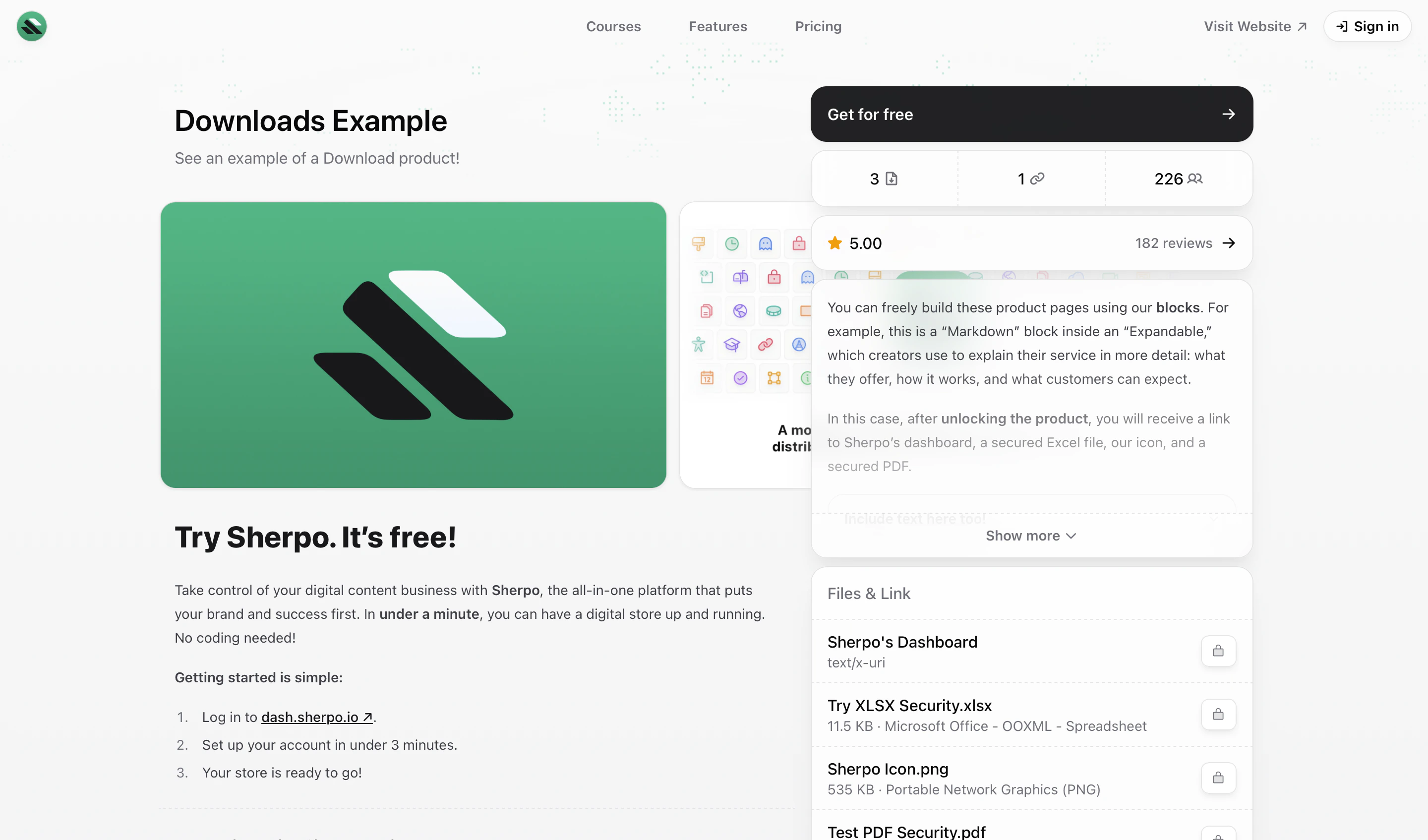 Each Download page always displays a **“Files & Links”** section listing every file or link included in the package, which can be accessed only after unlocking the product.
***
## Files & Links
On your product page, customers will see a Files & Links section listing all the files and links included in the purchase. This typically includes:
* PDFs, PNGs, ZIPs, XLSX, or DOCX files hosted directly by Sherpo.
* Secure external links (for example, Notion pages or Google Drive folders).
After completing checkout, all listed items become instantly available for download or redirection.
Each Download page always displays a **“Files & Links”** section listing every file or link included in the package, which can be accessed only after unlocking the product.
***
## Files & Links
On your product page, customers will see a Files & Links section listing all the files and links included in the purchase. This typically includes:
* PDFs, PNGs, ZIPs, XLSX, or DOCX files hosted directly by Sherpo.
* Secure external links (for example, Notion pages or Google Drive folders).
After completing checkout, all listed items become instantly available for download or redirection.
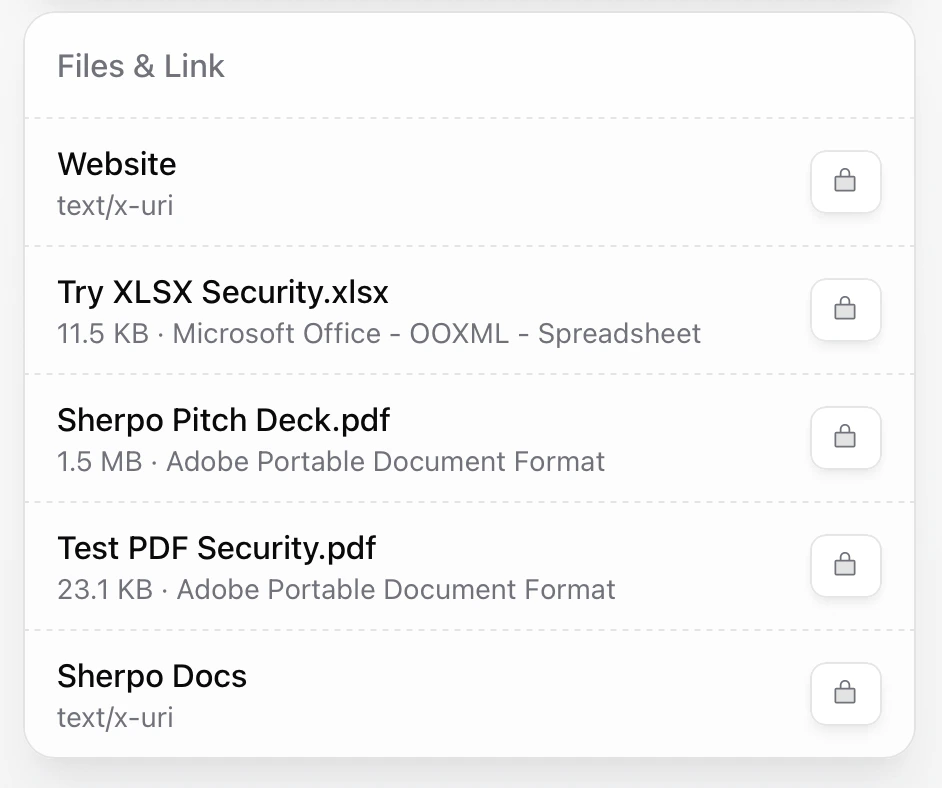 From your dashboard, under the **Basic info** tab, you can also fill in the **“What you get”** box: a short description where creators usually summarize what users receive upon purchase.
***
## Checkout
The Download checkout flow mirrors other Sherpo products: fast, secure, and Stripe-powered.
Discover how Checkout works on Sherpo.
***
## Fulfillment & delivery
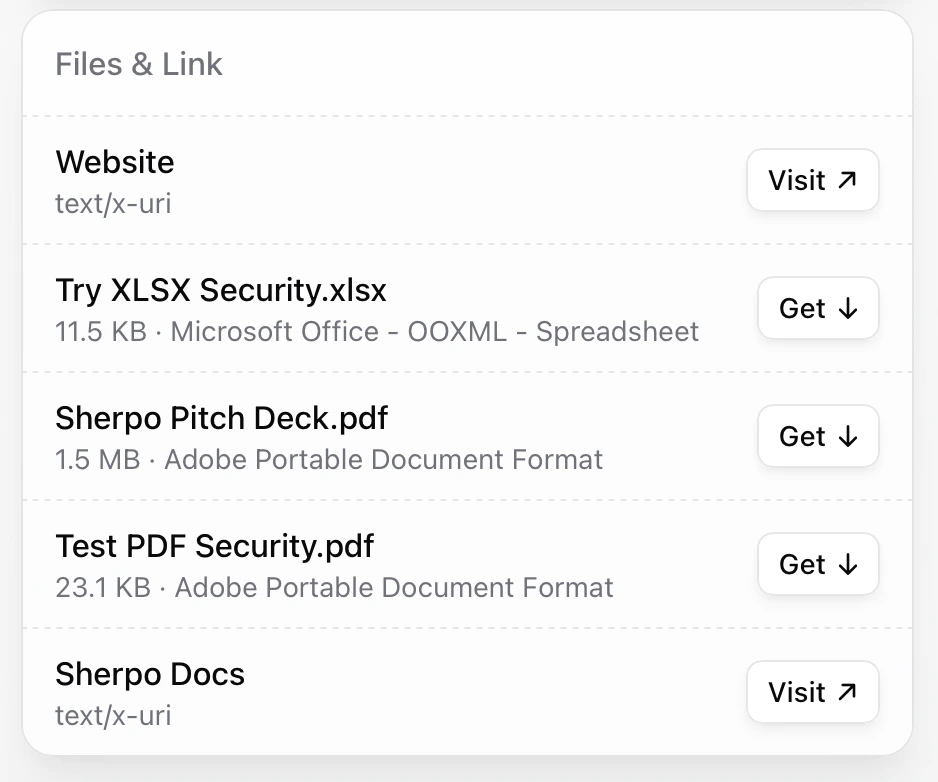
Before unlocking the product, the files uploaded will not be available for download. Once a payment (or free unlock) is verified:
* Files unlock instantly on the buyer’s confirmation page.
* Buyers receive a **confirmation email** with receipt and file links.
From your dashboard, under the **Basic info** tab, you can also fill in the **“What you get”** box: a short description where creators usually summarize what users receive upon purchase.
***
## Checkout
The Download checkout flow mirrors other Sherpo products: fast, secure, and Stripe-powered.
Discover how Checkout works on Sherpo.
***
## Fulfillment & delivery
Before unlocking the product, the files uploaded will not be available for download. Once a payment (or free unlock) is verified:
* Files unlock instantly on the buyer’s confirmation page.
* Buyers receive a **confirmation email** with receipt and file links.
 ***
## PDF & XLSX security
For PDFs and Excel (`.xlsx`) files uploaded via **Products → Files & links**, you can enable Sherpo’s **file security toggle** to protect shared materials.
### What it does
* **PDF Security** — Sherpo automatically watermarks PDFs with the buyer’s **name**, **email**, and **IP address**, discouraging unauthorized sharing. For users, the watermark appears in the bottom-left corner of each page:
***
## PDF & XLSX security
For PDFs and Excel (`.xlsx`) files uploaded via **Products → Files & links**, you can enable Sherpo’s **file security toggle** to protect shared materials.
### What it does
* **PDF Security** — Sherpo automatically watermarks PDFs with the buyer’s **name**, **email**, and **IP address**, discouraging unauthorized sharing. For users, the watermark appears in the bottom-left corner of each page:
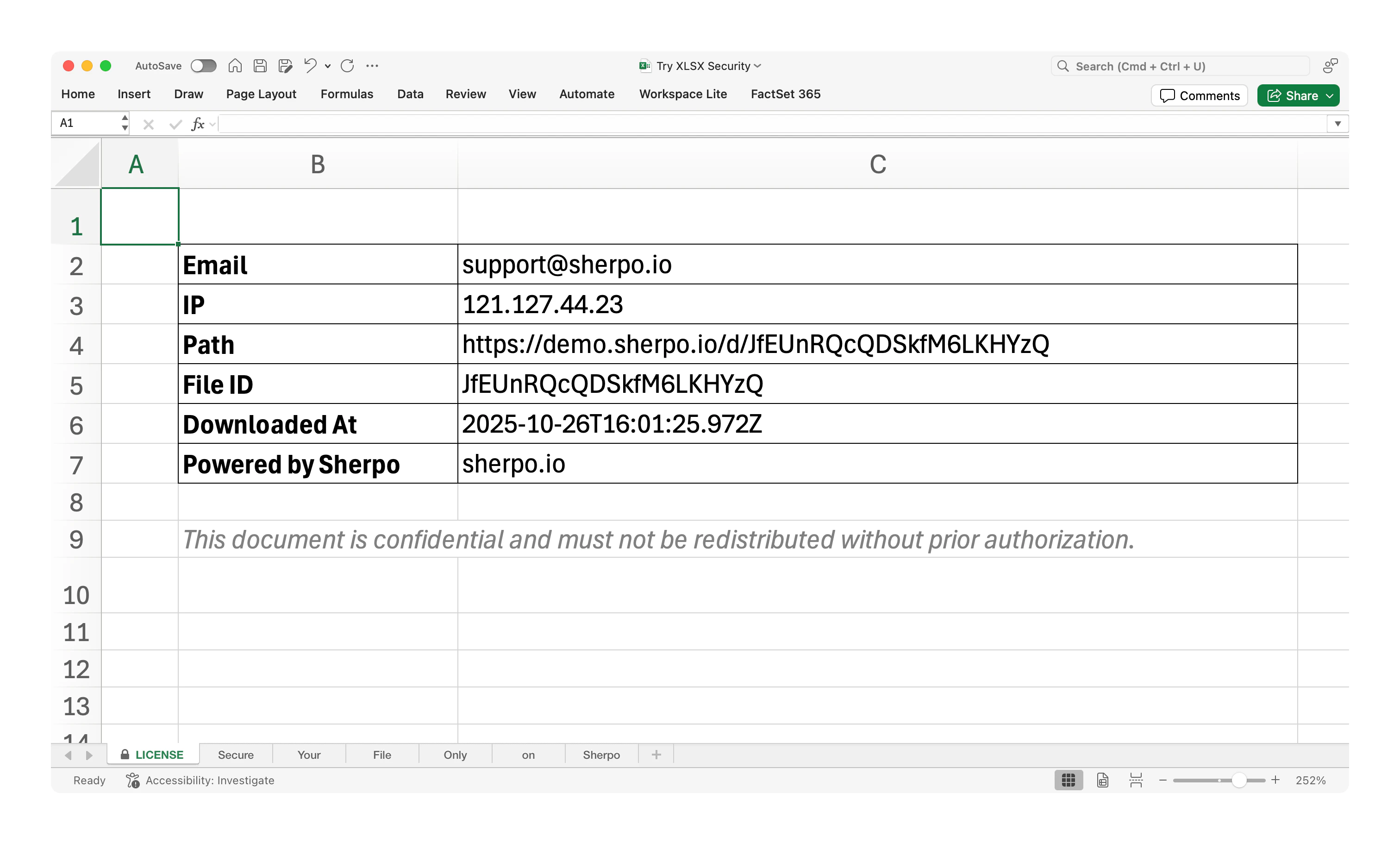
 * **XLSX Security** — Sherpo adds a locked **LICENSE** tab with buyer metadata (name, email, IP, file ID, timestamp) and disables worksheet copying or deletion. Buyers can edit their local cells but cannot redistribute the workbook cleanly.
 All hosted files are already protected behind authenticated sessions: buyers must be logged in and unlock products to download files and visit links.
***
## Download example
[Click here to see how a full Download product appears.](https://demo.sherpo.io/p/discount-code)
***
## FAQ
Download products automatically appear on your homepage beside other blocks like **Courses**. Visitors can access them directly or via their unique link.
Yes. Each Download product can contain multiple files or links. You can upload files and reorder them in your dashboard.
No. Sherpo securely hosts your files, though you can optionally link to external resources if needed.
Yes. Download products support coupon codes that can be applied during checkout.
Buyers are redirected back to the product page, where downloads are instantly unlocked and a confirmation email is sent.
Yes. Setting the price to **\$0.00** makes your product free to unlock. Users still go through checkout to confirm and receive the email delivery.
No. Once unlocked, downloads remain accessible indefinitely unless you unpublish or update the product.
Yes. You can apply smart access controls to hosted files (like PDFs and spreadsheets) to prevent unauthorized redistribution.
Yes. To unlock a Download product, your users will have to log-in to your site.
All sales and free unlocks appear under **Sales**, where you can export data or resend access links.
Yes, but Sherpo embeds buyer-specific metadata and watermarks (name, email, IP) to discourage redistribution. For Excel files, the LICENSE tab and worksheet restrictions prevent clean copying or re-use.
Not directly: those remain standard downloads. For sensitive content, export it into a **secured PDF/XLSX** before uploading.
All hosted files are already protected behind authenticated sessions: buyers must be logged in and unlock products to download files and visit links.
***
## Download example
[Click here to see how a full Download product appears.](https://demo.sherpo.io/p/discount-code)
***
## FAQ
Download products automatically appear on your homepage beside other blocks like **Courses**. Visitors can access them directly or via their unique link.
Yes. Each Download product can contain multiple files or links. You can upload files and reorder them in your dashboard.
No. Sherpo securely hosts your files, though you can optionally link to external resources if needed.
Yes. Download products support coupon codes that can be applied during checkout.
Buyers are redirected back to the product page, where downloads are instantly unlocked and a confirmation email is sent.
Yes. Setting the price to **\$0.00** makes your product free to unlock. Users still go through checkout to confirm and receive the email delivery.
No. Once unlocked, downloads remain accessible indefinitely unless you unpublish or update the product.
Yes. You can apply smart access controls to hosted files (like PDFs and spreadsheets) to prevent unauthorized redistribution.
Yes. To unlock a Download product, your users will have to log-in to your site.
All sales and free unlocks appear under **Sales**, where you can export data or resend access links.
Yes, but Sherpo embeds buyer-specific metadata and watermarks (name, email, IP) to discourage redistribution. For Excel files, the LICENSE tab and worksheet restrictions prevent clean copying or re-use.
Not directly: those remain standard downloads. For sensitive content, export it into a **secured PDF/XLSX** before uploading.