> ## Documentation Index
> Fetch the complete documentation index at: https://docs.sherpo.io/llms.txt
> Use this file to discover all available pages before exploring further.
# Goals
> Let your customers support your fundraising campaigns.
With **Goals**, Sherpo gives your audience a simple, transparent way to support your projects, all within your own branded site. Each contribution adds to your live progress bar, and supporters receive instant receipts through Sherpo’s secure checkout.
If you're looking for a guide about how to **create** Goals products, you can find it here:
Run fundraising campaigns with real-time progress bars.
***
## Where Goals appear
When you publish a Goals product, it automatically appears on your **homepage** alongside other interactive "Line" products, typically **Calendar** and **Coffee**, but it can always be moved to the Product Grid from the product's [Settings](https://docs.sherpo.io/dashboard/overview).
 ***
## How supporters contribute
When visitors open your Goals page, they’ll see your live **progress bar** and **contribution form** side-by-side.
The design adapts automatically for desktop and mobile, making it easy for users to donate securely in seconds.
***
### 1. Check progress
At the top, supporters see your current progress: how much has been raised so far vs. your target. The progress bar updates instantly as new transactions settle.
***
## How supporters contribute
When visitors open your Goals page, they’ll see your live **progress bar** and **contribution form** side-by-side.
The design adapts automatically for desktop and mobile, making it easy for users to donate securely in seconds.
***
### 1. Check progress
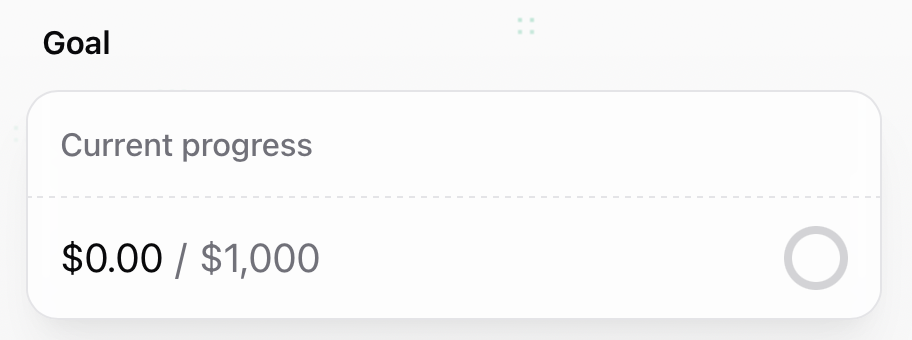
At the top, supporters see your current progress: how much has been raised so far vs. your target. The progress bar updates instantly as new transactions settle.
 ***
### 2. Choose an amount
Contributors select or enter how much to give, based on the minimum amount you set in the Dashboard. Sherpo automatically offers quick-select multipliers (×1, ×3, ×5, ×10) for convenience.
***
### 2. Choose an amount
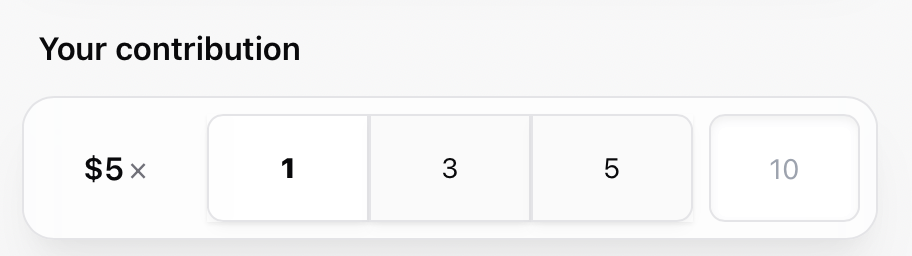
Contributors select or enter how much to give, based on the minimum amount you set in the Dashboard. Sherpo automatically offers quick-select multipliers (×1, ×3, ×5, ×10) for convenience.
 ***
### 3. Add a note or nickname (optional)
Supporters can leave their name and a short thank-you note or message when contributing, perfect for shout-outs or community messages.
***
### 3. Add a note or nickname (optional)
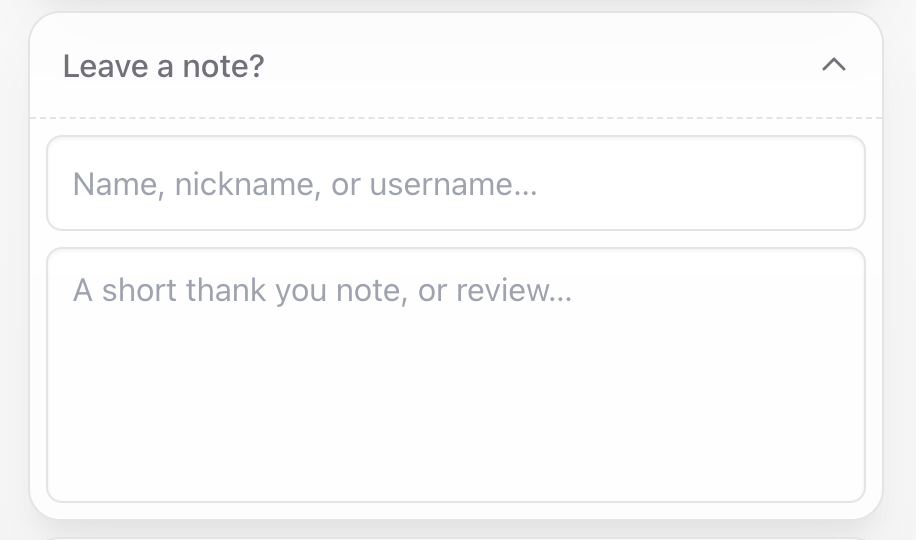
Supporters can leave their name and a short thank-you note or message when contributing, perfect for shout-outs or community messages.
 ***
### 4. Add your email
Before continuing, contributors must enter their **email address**. This ensures they receive the confirmation receipt. If already logged in, the email field is auto-filled.
***
### 4. Add your email
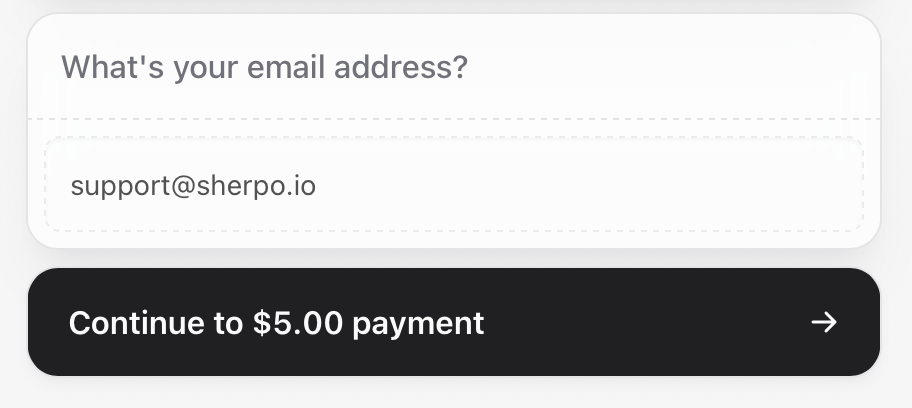
Before continuing, contributors must enter their **email address**. This ensures they receive the confirmation receipt. If already logged in, the email field is auto-filled.
 ***
### 5. Complete checkout
Payments are handled securely through **Stripe** and support multiple options. Once complete, supporters receive a **confirmation email** with their receipt, and your goal progress updates in real time.
***
## Goals example
Here’s an example of how a live Goals page looks to visitors:
***
### 5. Complete checkout
Payments are handled securely through **Stripe** and support multiple options. Once complete, supporters receive a **confirmation email** with their receipt, and your goal progress updates in real time.
***
## Goals example
Here’s an example of how a live Goals page looks to visitors:
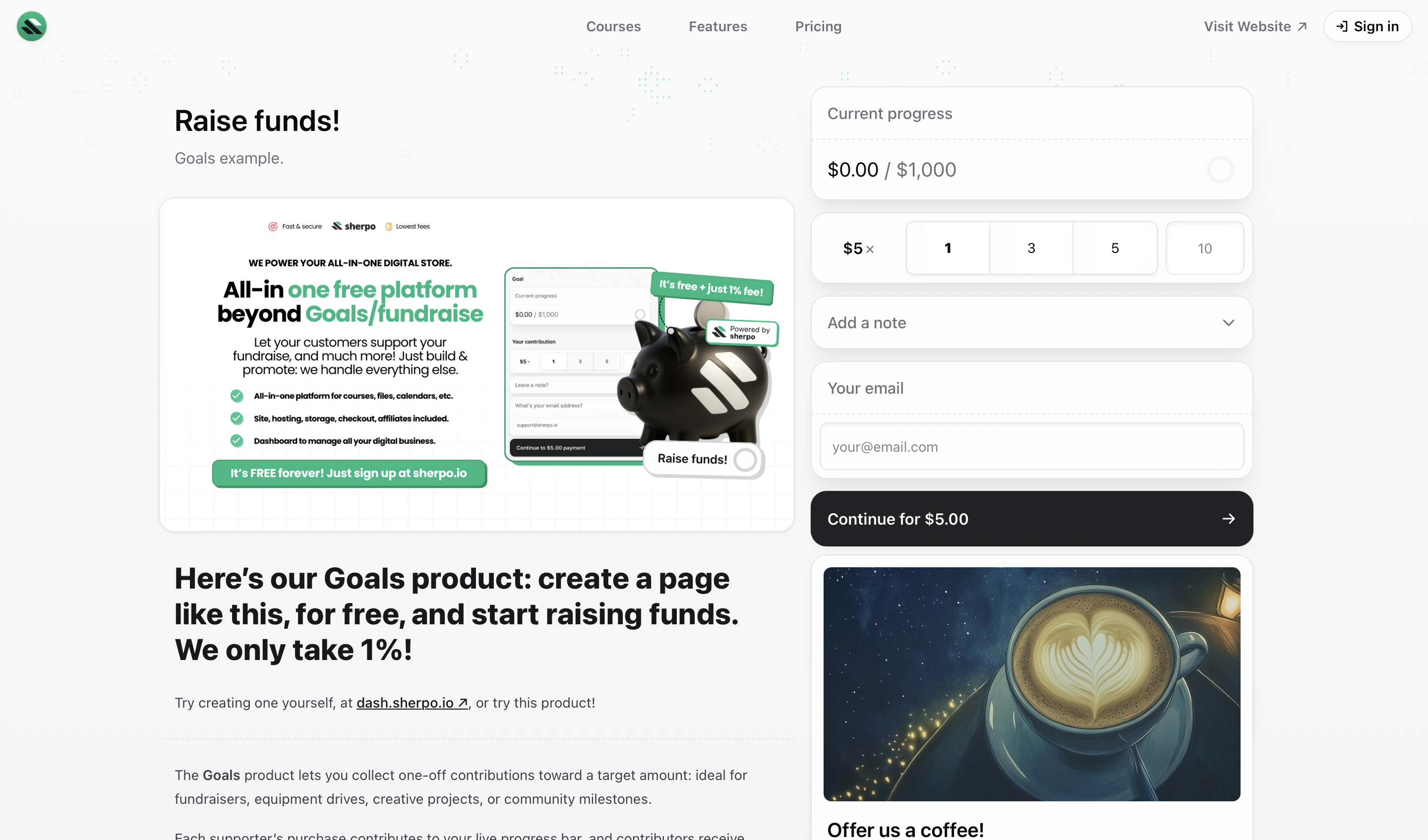 Try it yourself on the [Goals example page](https://demo.sherpo.io/p/goals-example).
***
## FAQ
The Goals product appears on your homepage, usually under your name and beside other products like **Calendar** and **Coffee**. Visitors can access it directly from there or from its unique product URL.
Contributions are **real payments**, not pledges. Funds are processed through Stripe and transferred to your connected account, like any other Sherpo product. You don’t need to refund money if the goal isn’t reached.
Yes. During checkout, they can add their name or nickname and a short thank-you note or review. These messages appear in your dashboard under each transaction.
Yes. Every contribution triggers Sherpo’s standard confirmation email and Stripe receipt, sent automatically after payment.
The progress bar fills completely, but visitors can still contribute beyond 100%. You can update the goal or archive the product anytime from your dashboard.
Sherpo supports all payment methods available in your Stripe account, including **card, Link, Klarna, Cash App Pay**, and **Afterpay**.
No. Sherpo handles everything: hosting, payments, receipts, and progress tracking, directly on your page.
Try it yourself on the [Goals example page](https://demo.sherpo.io/p/goals-example).
***
## FAQ
The Goals product appears on your homepage, usually under your name and beside other products like **Calendar** and **Coffee**. Visitors can access it directly from there or from its unique product URL.
Contributions are **real payments**, not pledges. Funds are processed through Stripe and transferred to your connected account, like any other Sherpo product. You don’t need to refund money if the goal isn’t reached.
Yes. During checkout, they can add their name or nickname and a short thank-you note or review. These messages appear in your dashboard under each transaction.
Yes. Every contribution triggers Sherpo’s standard confirmation email and Stripe receipt, sent automatically after payment.
The progress bar fills completely, but visitors can still contribute beyond 100%. You can update the goal or archive the product anytime from your dashboard.
Sherpo supports all payment methods available in your Stripe account, including **card, Link, Klarna, Cash App Pay**, and **Afterpay**.
No. Sherpo handles everything: hosting, payments, receipts, and progress tracking, directly on your page.