> ## Documentation Index
> Fetch the complete documentation index at: https://docs.sherpo.io/llms.txt
> Use this file to discover all available pages before exploring further.
# Series
> Explore how Series work for users: seasons, episodes, trailers, and playback experience.
**Series** products organize video content into seasons and episodes, giving users a streaming-like experience: your own Netflix-style channel built on Sherpo. Each Series lives on your site and can be free or paid. This page shows how Series appear to users and what happens after they unlock one.
If you're looking for a guide on how to **create** Series products, you can find it here:
Build and sell episodic video with seasons and episodes: your own streaming channel on Sherpo.
***
## Where Series appear
When you publish a Course product, it automatically appears on your **homepage** alongside other "Grid" products, like [Courses](https://docs.sherpo.io/products/course), but it can always be moved to Line products from the product's [Settings](https://docs.sherpo.io/dashboard/overview).
 ### What users see
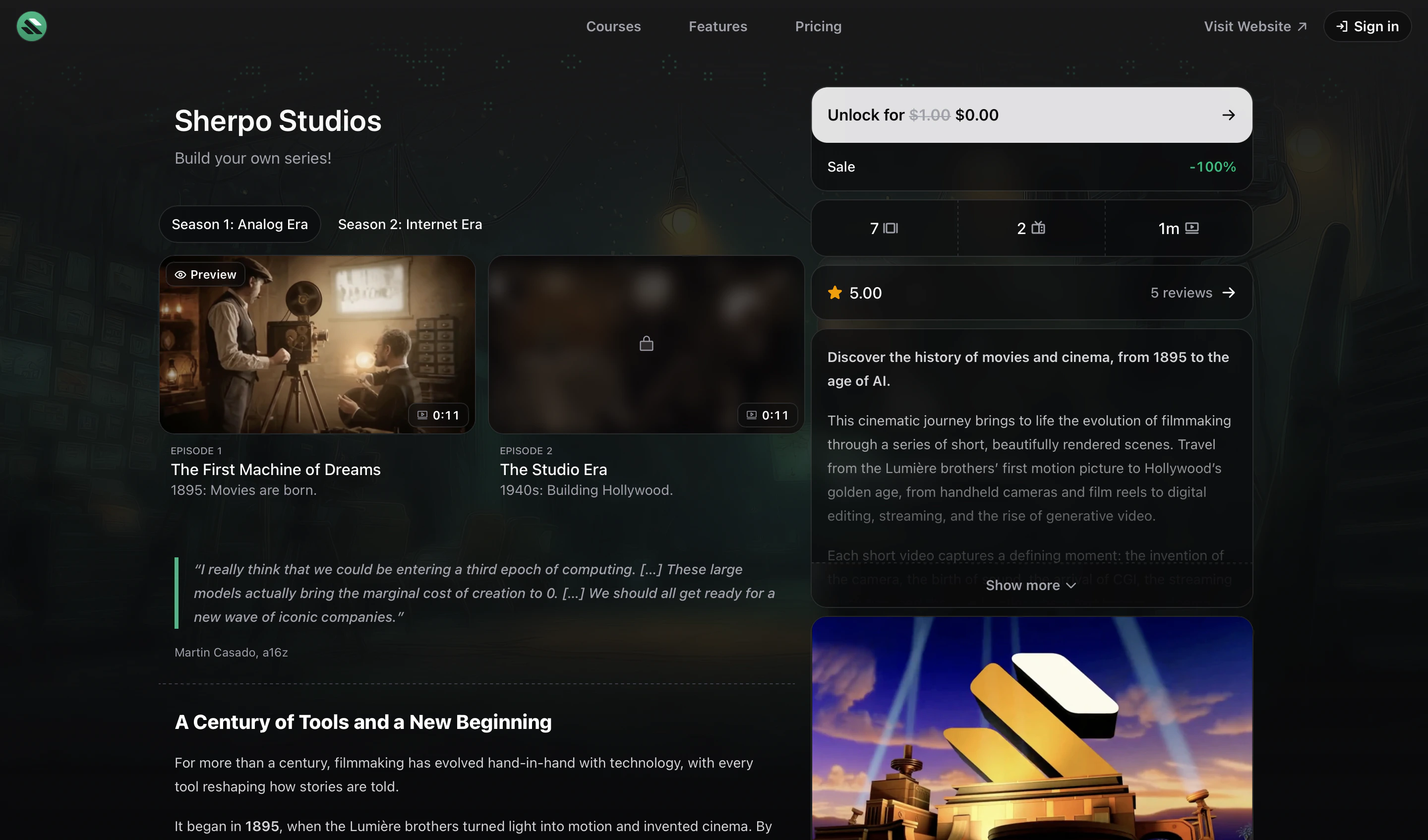
Unlike Courses and Downloads, **Series do not contain downloadable files or links**. Users can browse all **Seasons** and **Episodes**, each with duration, title, and their thumbnail (Poster). Once unlocked, the Series page updates to show access to all episodes and progress indicators.
***
## Episode player
When a user clicks an episode, it opens in Sherpo’s secure, adaptive **video player**, which covers the full screen, but can be made fully full-screen with a toggle.
### What users see
Unlike Courses and Downloads, **Series do not contain downloadable files or links**. Users can browse all **Seasons** and **Episodes**, each with duration, title, and their thumbnail (Poster). Once unlocked, the Series page updates to show access to all episodes and progress indicators.
***
## Episode player
When a user clicks an episode, it opens in Sherpo’s secure, adaptive **video player**, which covers the full screen, but can be made fully full-screen with a toggle.
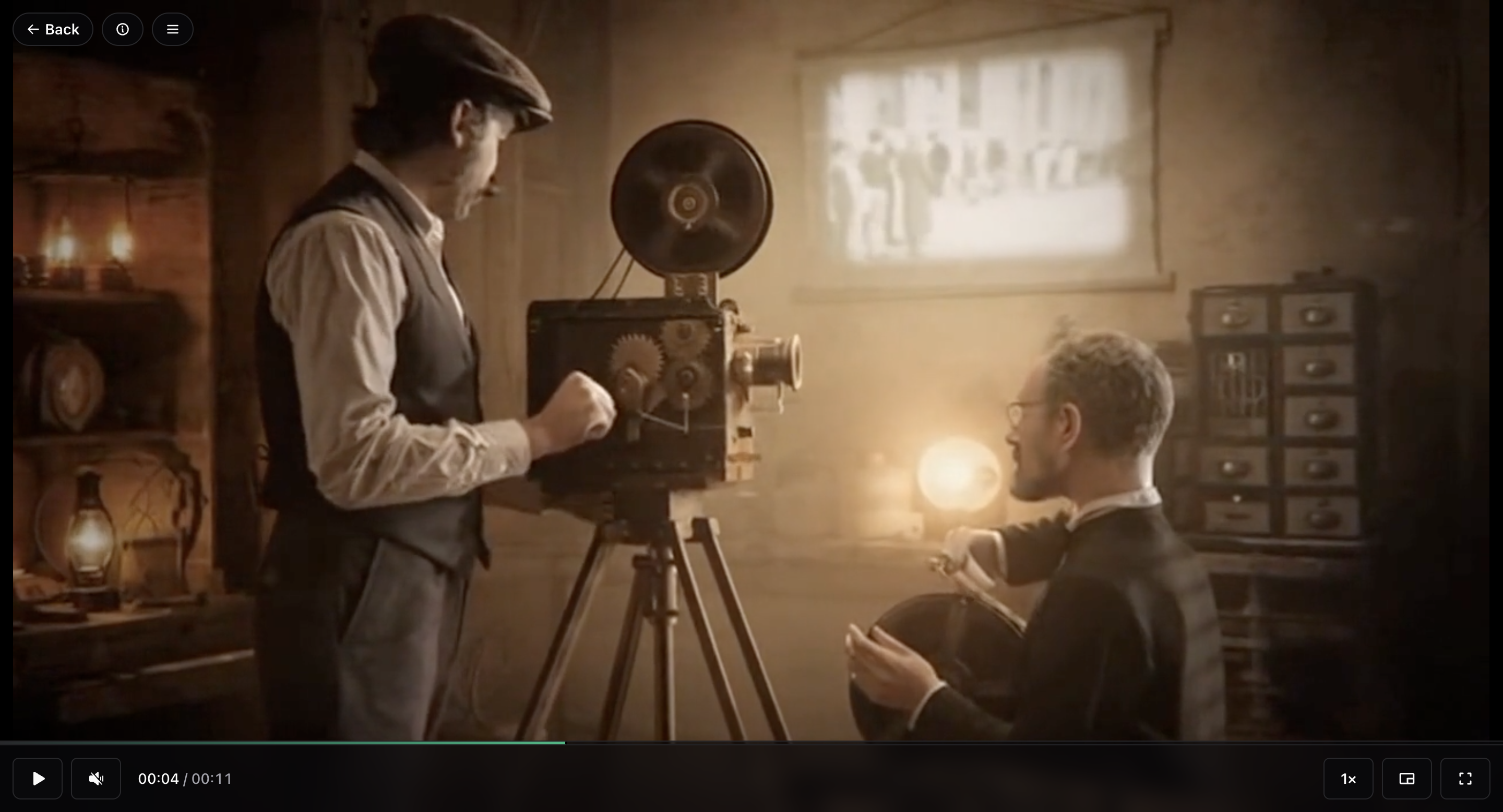 The player supports **light and dark mode**, adapts to your brand color, and includes standard playback controls such as play, pause, skip, and volume adjustment.
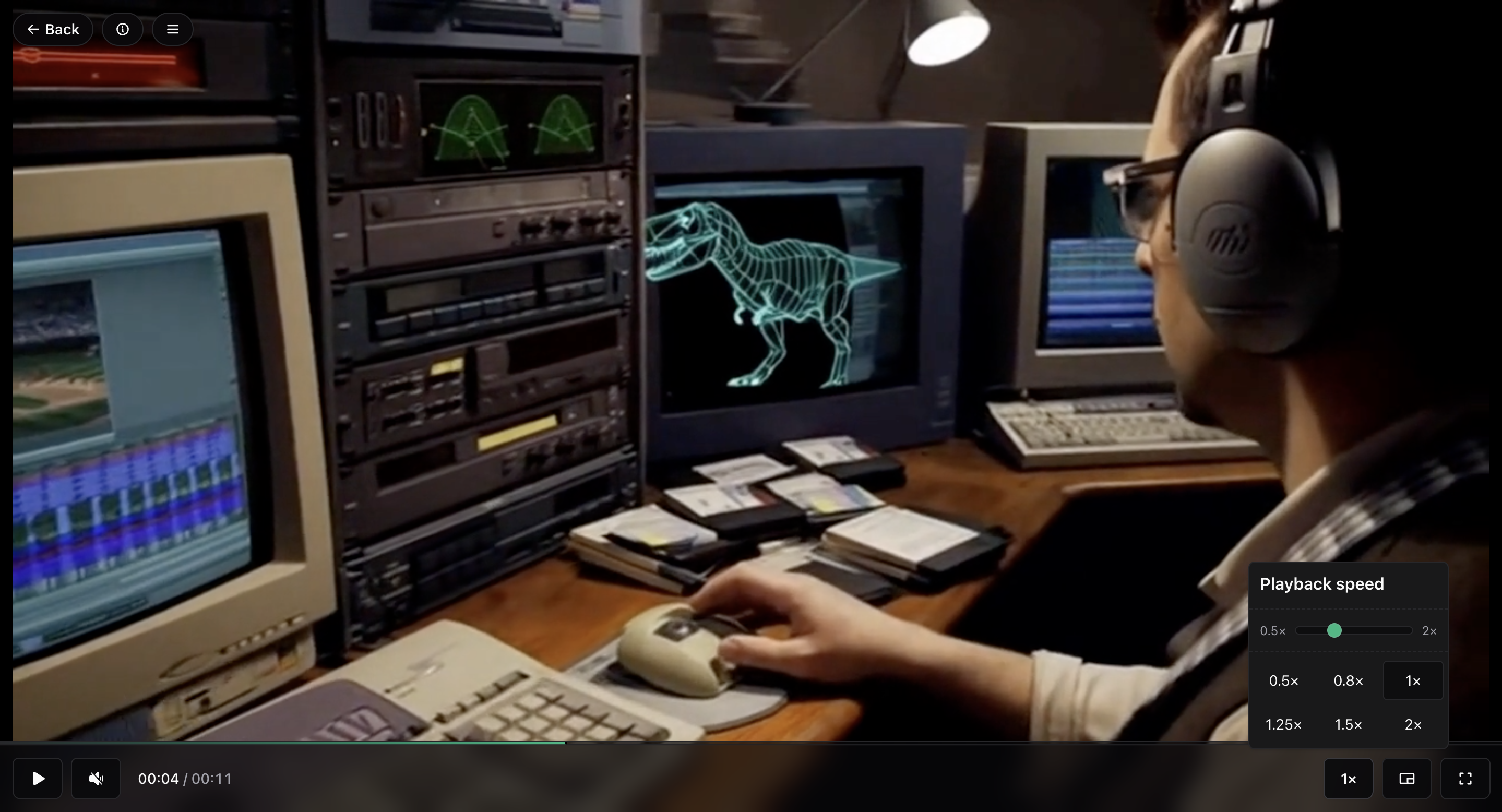
Users can also adjust playback speed from **0.5×** to **2×**, with smooth scaling. This persists between videos, so users don't have to keep changing it when going to the next.
The player supports **light and dark mode**, adapts to your brand color, and includes standard playback controls such as play, pause, skip, and volume adjustment.
Users can also adjust playback speed from **0.5×** to **2×**, with smooth scaling. This persists between videos, so users don't have to keep changing it when going to the next.
 ### Info and description
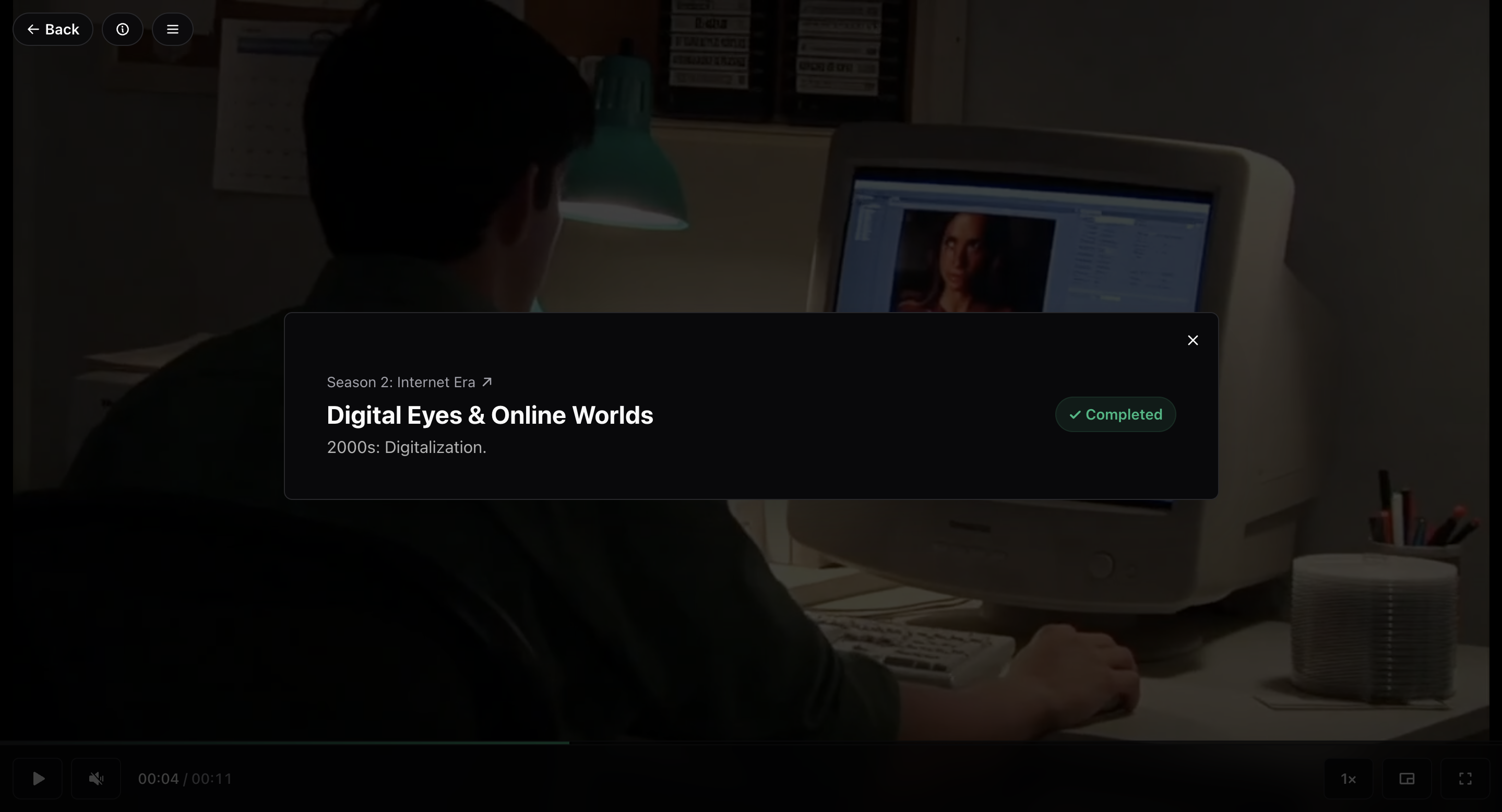
Clicking the **info icon** (ⓘ) reveals the episode’s title, subtitle, and description.
### Info and description
Clicking the **info icon** (ⓘ) reveals the episode’s title, subtitle, and description.
 ### Seasons and episode navigation
Inside the player, users can also open the **Seasons panel**. This view shows all seasons and episodes in a compact layout, highlighting current progress and completion status.
### Seasons and episode navigation
Inside the player, users can also open the **Seasons panel**. This view shows all seasons and episodes in a compact layout, highlighting current progress and completion status.
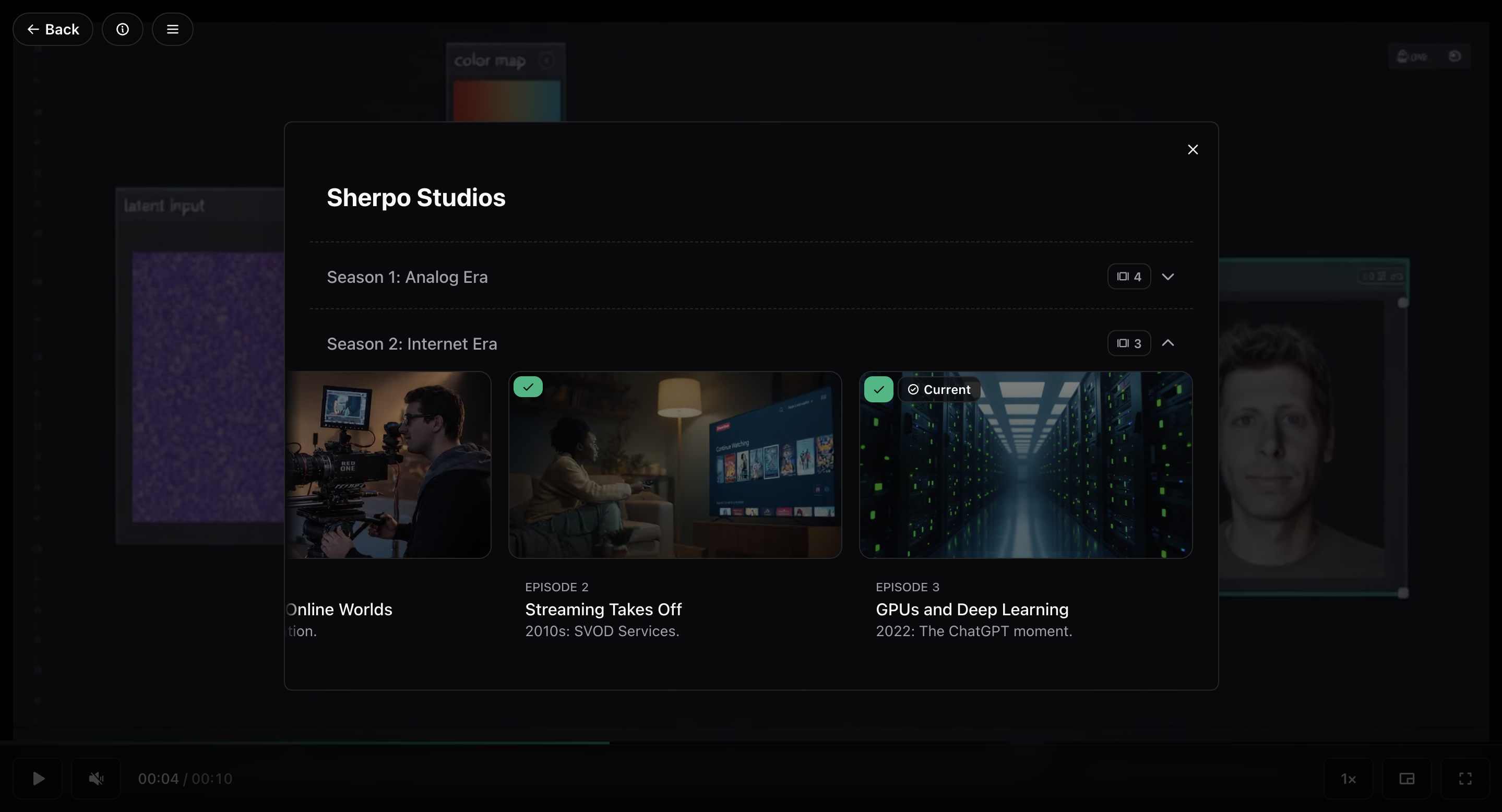 Once an episode finishes, Sherpo automatically marks it as **Completed**, syncing progress across devices.
### Progress tracking
Series use automatic completion based on content playback. When a video reaches the end, Sherpo marks that episode as complete. Progress updates instantly, visible both in the player and in the Series overview.
**No manual “Mark as completed” action is needed.**
***
## Checkout
When users choose to unlock a Series, they’re guided through Sherpo’s streamlined, secure **Checkout**: powered by Stripe and compatible with multiple payment options.
Supported payment methods include **cards**, **Apple Pay**, **Google Pay**, **Link**, **Amazon Pay**, **Klarna**, and **Afterpay** (when available in your region).
After payment, the user is redirected instantly to their unlocked Series. The Series checkout flow mirrors other Sherpo products: fast, secure, and Stripe-powered.
Discover how Checkout works on Sherpo.
***
## Series example
[Click here to see how a full Series product appears.](https://demo.sherpo.io/p/sherpo-studios)
***
## FAQ
Yes. Logging in ensures their progress, unlocks, and viewing history are synced across devices, and that content is secured.
Yes. Once unlocked, all episodes remain accessible as long as the Series is published.
Yes. Playback speed can be adjusted between 0.5× and 2× directly in the player.
No. Videos stream securely through Sherpo’s player and are not downloadable.
No. Series are focused entirely on video content: there are no downloadable files or links.
Sherpo automatically tracks progress based on video playback, marking episodes complete when finished.
Yes. If a coupon or discount code is available, users can apply it during checkout.
Users are redirected to the unlocked Series page, with full access to all published episodes.
Yes. Series can be free to unlock, just like Courses or Downloads.
No. Series are designed for video-based entertainment or serialized content, not for learning outcomes.
Once an episode finishes, Sherpo automatically marks it as **Completed**, syncing progress across devices.
### Progress tracking
Series use automatic completion based on content playback. When a video reaches the end, Sherpo marks that episode as complete. Progress updates instantly, visible both in the player and in the Series overview.
**No manual “Mark as completed” action is needed.**
***
## Checkout
When users choose to unlock a Series, they’re guided through Sherpo’s streamlined, secure **Checkout**: powered by Stripe and compatible with multiple payment options.
Supported payment methods include **cards**, **Apple Pay**, **Google Pay**, **Link**, **Amazon Pay**, **Klarna**, and **Afterpay** (when available in your region).
After payment, the user is redirected instantly to their unlocked Series. The Series checkout flow mirrors other Sherpo products: fast, secure, and Stripe-powered.
Discover how Checkout works on Sherpo.
***
## Series example
[Click here to see how a full Series product appears.](https://demo.sherpo.io/p/sherpo-studios)
***
## FAQ
Yes. Logging in ensures their progress, unlocks, and viewing history are synced across devices, and that content is secured.
Yes. Once unlocked, all episodes remain accessible as long as the Series is published.
Yes. Playback speed can be adjusted between 0.5× and 2× directly in the player.
No. Videos stream securely through Sherpo’s player and are not downloadable.
No. Series are focused entirely on video content: there are no downloadable files or links.
Sherpo automatically tracks progress based on video playback, marking episodes complete when finished.
Yes. If a coupon or discount code is available, users can apply it during checkout.
Users are redirected to the unlocked Series page, with full access to all published episodes.
Yes. Series can be free to unlock, just like Courses or Downloads.
No. Series are designed for video-based entertainment or serialized content, not for learning outcomes.