

Reviews in Dashboard
Set up reviews and collect customer feedback directly on your Sherpo products.
Leaving a review
Once a customer unlocks a product, they’ll see a Leave a review option when clicking on the Review block.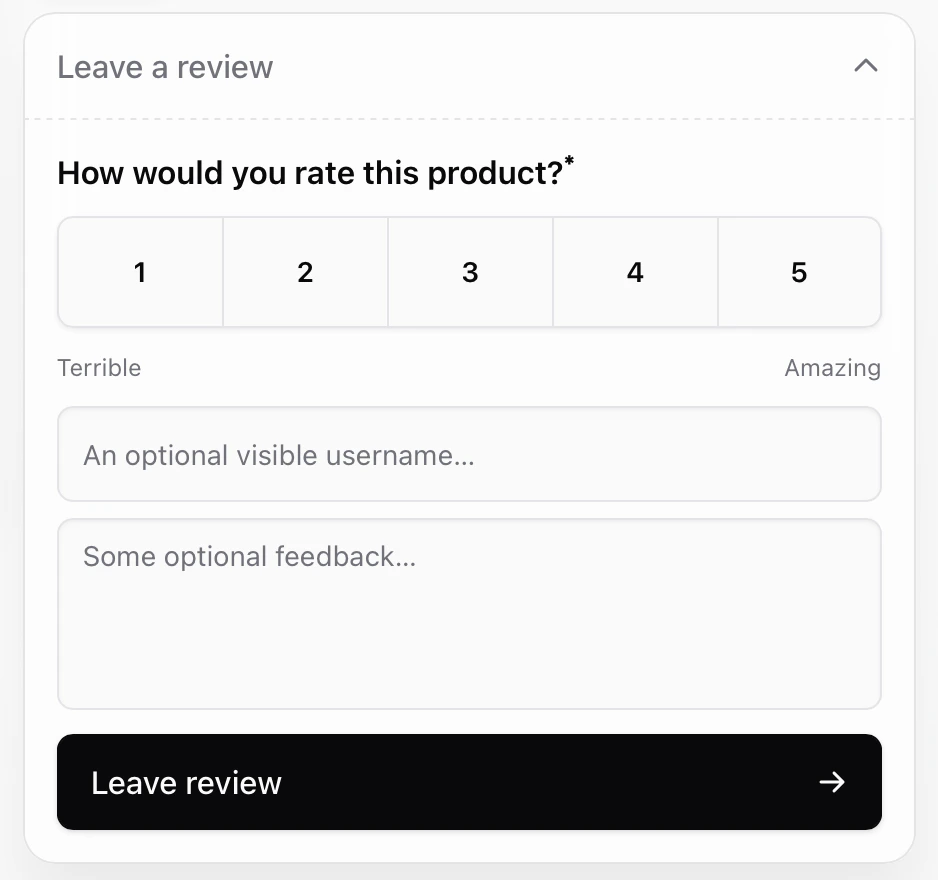
- Click the Review block.
- Choose a rating (1–5 stars).
- Optionally enter a name and comment.
- Click Leave review to confirm.

Update reviews
Customers can update their reviews at any time, adjusting both the rating and comment, by repeating the same submission flow. When a review is updated, Sherpo retains the previous version for internal reference but shows only the latest version in your dashboard.Displaying reviews
Visitors and customers can view the rating distribution (the number and percentage of 1–5 star scores) and the total number of reviews by clicking on reviews. All written reviews will also appear, divided by page: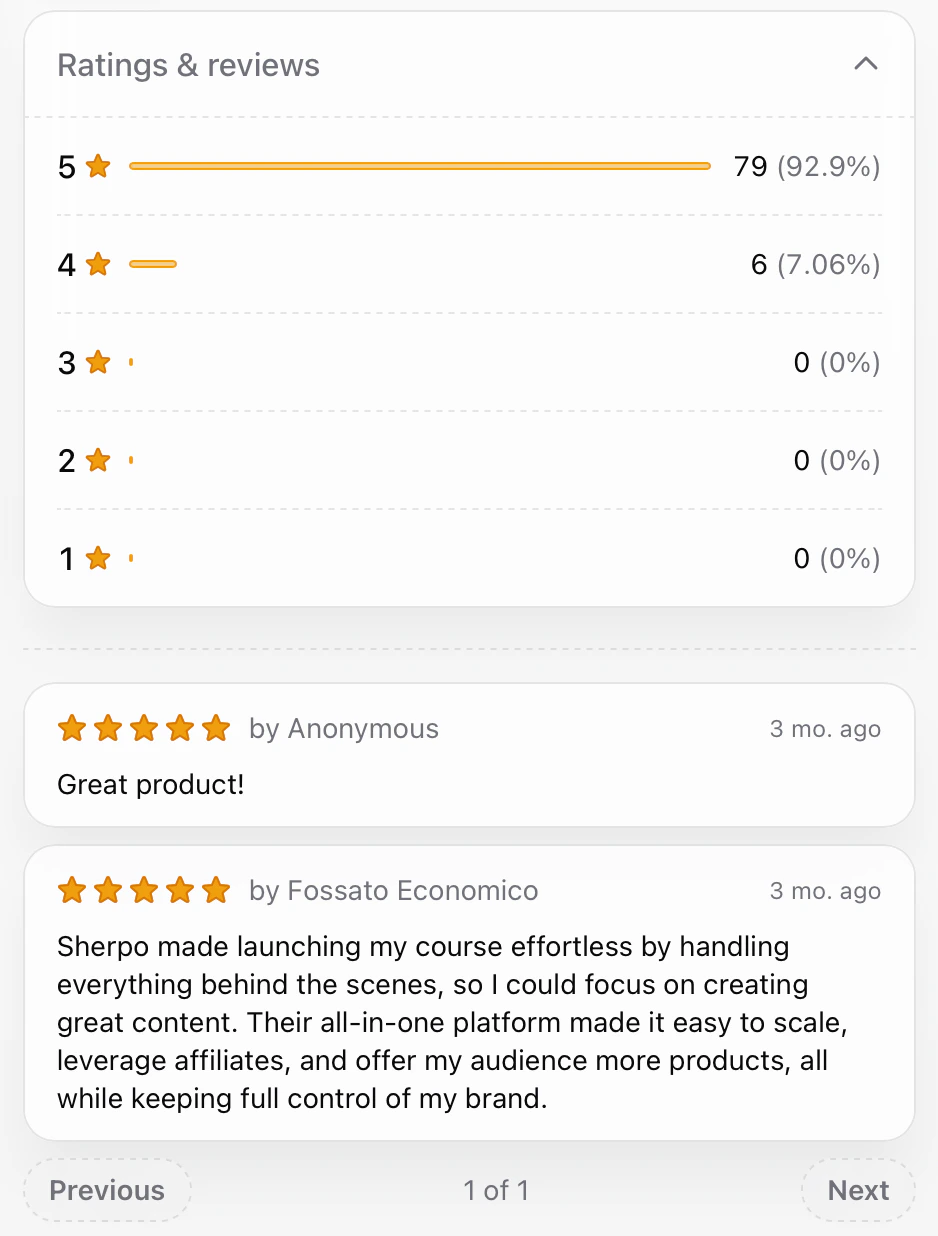
FAQ
Are reviews public on my site?
Are reviews public on my site?
Yes! By default, star ratings are visible on your product pages, and by clicking on the stars, all users will be able to see all written comments.
Can customers edit or delete their reviews?
Can customers edit or delete their reviews?
Customers can edit their reviews anytime by resubmitting them. They cannot delete them directly.
Do customers need an account to leave a review?
Do customers need an account to leave a review?
Yes. Only logged-in customers who have unlocked or purchased your product can leave a review, ensuring reviews come from verified buyers.
Can one customer leave multiple reviews for the same product?
Can one customer leave multiple reviews for the same product?
No. Each buyer can leave one review per product, which they can update later if needed.
Are anonymous reviews supported?
Are anonymous reviews supported?
Customers can choose whether to write their name or leave it blank.
How does Sherpo prevent fake reviews?
How does Sherpo prevent fake reviews?
Only verified customers who’ve unlocked a product through a valid order can leave feedback, so there’s no way to post reviews without purchase access.