

Availability
Templates are part of Layout.- Pro and Ultra users can apply templates and publish updates to their live site.
- Start users can build and preview a template-driven layout in the editor, but clicking Update layout will not update their live website. To publish layout changes, they will need to upgrade.
You can experiment freely on Start. Upgrading later will allow you to publish the layout you already built.
What templates are
Templates are full-page layouts designed for common use cases, such as:- Product-first e-commerce stores
- SaaS landing pages
- Brand showcases
- Content-heavy or educational platforms
Templates do not introduce new block types. They only pre-arrange existing ones.
Opening the Template Library
You can access templates directly from the Layout editor.- Open Site → Layout
- Click the ••• menu in the top-right corner
- Select Template Library
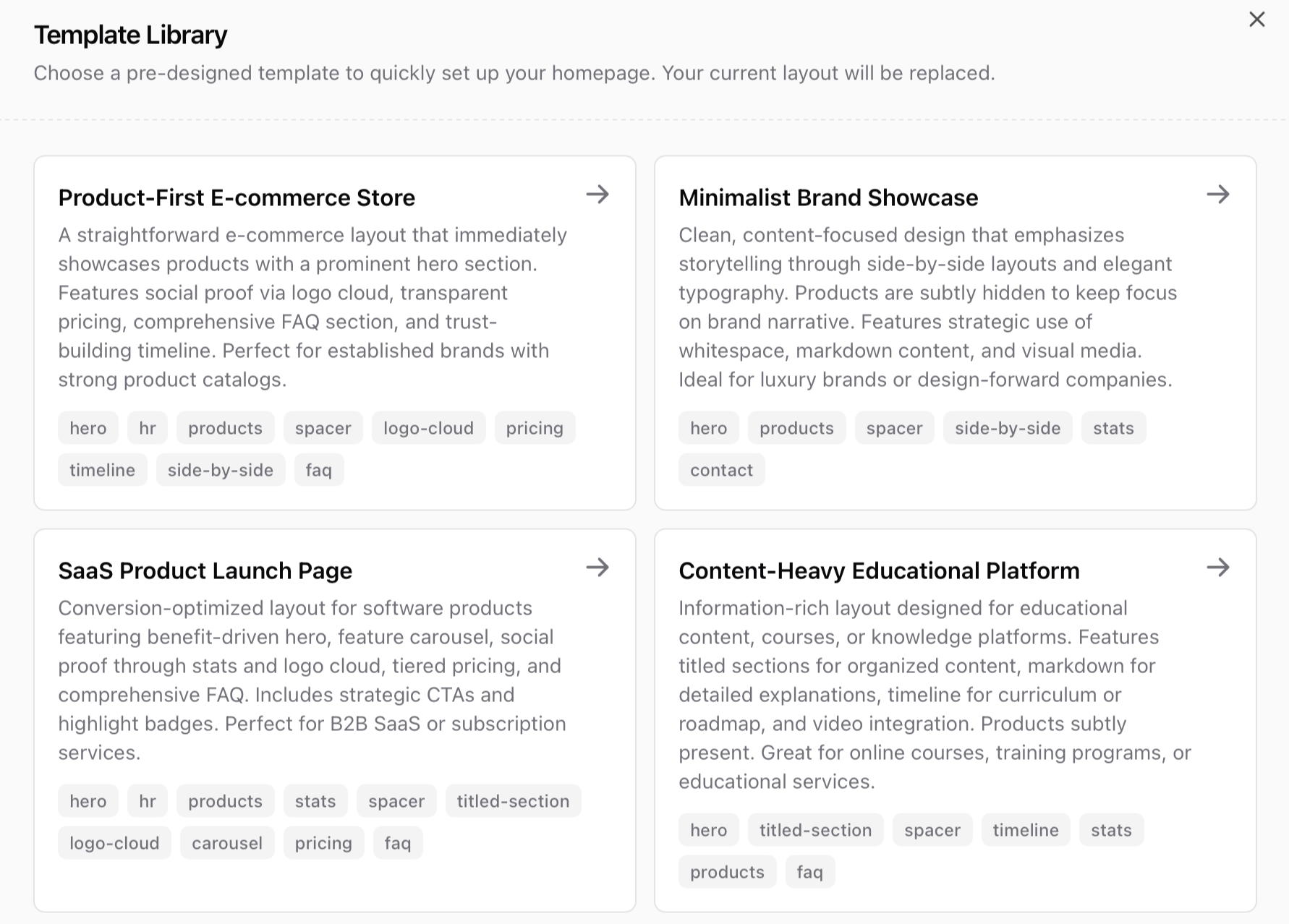
Browsing templates
Each template card shows:- The template name
- A short description of its purpose
- The main blocks used in the layout
Applying a template
When you select a template, your current layout is replaced. This means:- Existing blocks are removed
- The new template structure is applied
- You can immediately edit, move, or delete any block
Customizing a template
Once a template is applied, it behaves like any other layout. You can:- Reorder blocks
- Edit content inside blocks
- Remove sections you do not need
- Add new blocks anywhere
- Hide blocks temporarily while iterating
Exporting and importing layouts
You can save your own layouts and reuse them across spaces. From the Layout editor:- Click the ••• menu
- Select Export to download your layout
- Use Import to restore or reuse it later
- Experiment with different designs
- Reuse layouts across spaces
- Share layouts within a team
Note: Layouts are in a .sherpo format which only Sherpo can read!
FAQ
Can Start users publish a template to their live website?
Can Start users publish a template to their live website?
Start users can build and preview layouts in the editor, but clicking Update layout will not update their live site. To publish layout changes, upgrade to Pro or Ultra.
Can I undo applying a template?
Can I undo applying a template?
Yes, you can revert, as long as you haven’t pressed update. If you want to restore a previous layout, export it before applying a template and re-import it later.
Are templates customizable?
Are templates customizable?
Yes. Every block in a template (aside from header and footer) can be edited, moved, or hidden. Blocks such as hero and products cannot be deleted.
Do templates affect my products or files?
Do templates affect my products or files?
Templates only affect layout structure. Your products, files, and content remain unchanged.
Can I create my own templates?
Can I create my own templates?
You can export any layout and reuse it later by importing it into another space.